Your solo project has a bus factor of one. That means if you go on vacation, get sick, or just lose interest for three months, no one can touch your app without a two-hour call with you. This checklist is the fix.
What the Bus Factor Is and Why It Matters
The bus factor is a morbid but useful measure. It counts the number of people who would need to be hit by a bus before a project becomes impossible to continue. For most solo developers, that number is exactly one.
That sounds fine when you are the only one working on it. It stops being fine the moment any of these happen: you want to hire a contractor, you try to hand the project off, you take a real vacation without a laptop, or you return to the project after a six-month break and cannot remember how anything works. All of those situations are you dealing with your own bus factor.
There is a second reason this matters that nobody talks about honestly. Documentation signals credibility. An indie hacker who can share a clean runbook with a potential co-founder or acquirer looks like someone who builds real products. Someone who says "it is all in my head" looks like a liability. If you ever want to sell, partner, or hire, your documentation is part of the asset.
The good news is you do not need a wiki or a 40-page technical spec. You need five documents, each short, each focused on one thing.
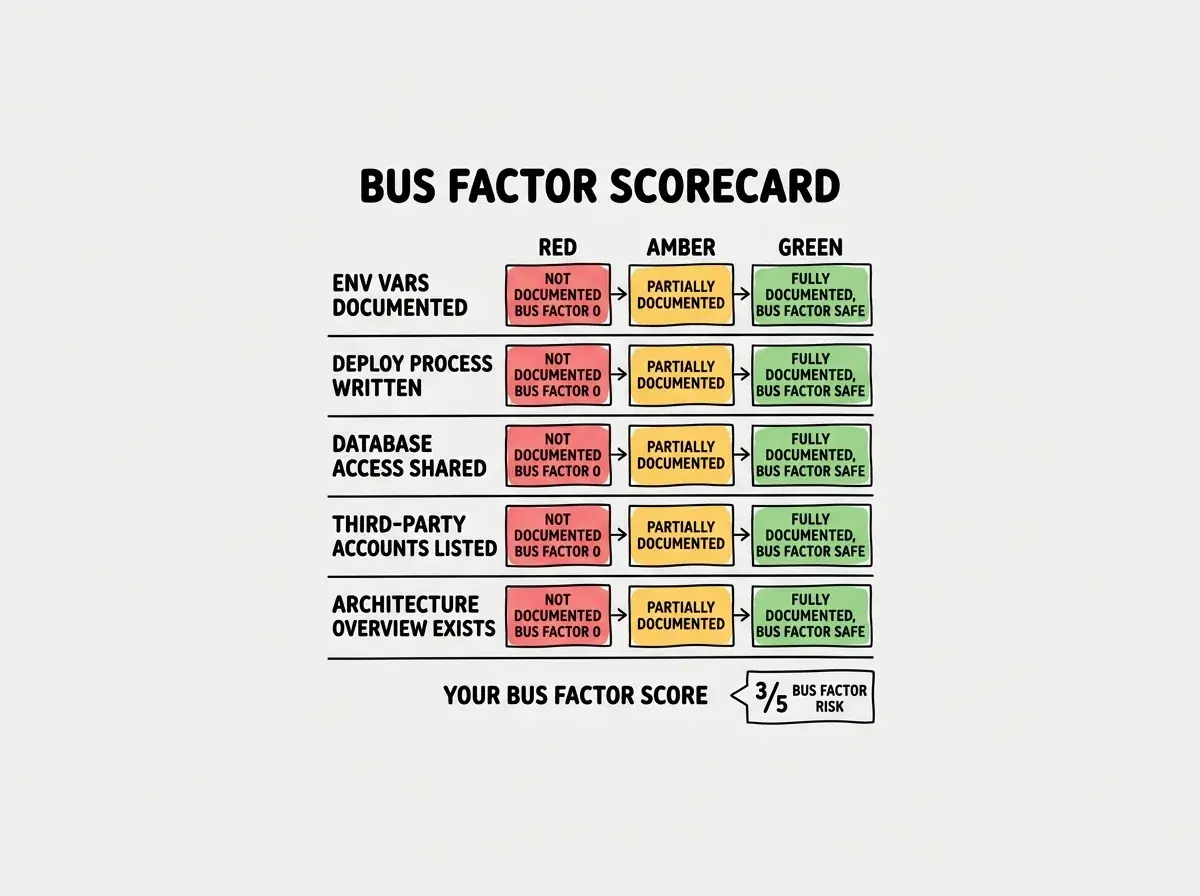
The Minimum Viable Documentation Checklist
Work through this list once. Thirty minutes, maybe sixty if your setup is complex. You will not regret it.
Environment Variables
This one causes the most damage when it is missing. Your app will not start without its environment variables, and almost no AI-generated project documents them.
- Create a
.env.examplefile at the root of your project listing every variable name with a placeholder value and a one-line comment explaining what each one is for. Commit this file to your repository. - List where each value comes from. For each variable, note whether it comes from Stripe, your database provider, your email service, or somewhere else. Include the URL to the relevant dashboard.
- Flag required versus optional variables. Mark each one so a future you or a contractor knows which variables will break the app if missing versus which ones only affect optional features.
- Write down any non-obvious values. Webhook secrets, JWT signing keys, and feature flags often have specific formats or constraints. Document those.
If your AI tool generated your project, search the codebase for process.env. to find every variable actually in use. You might be surprised how many there are that never made it to any documentation.
The Deploy Process
How does your app get from a code change on your laptop to running in production? Write it down in numbered steps.
- Document every manual step. Automated steps are fine to abbreviate ("CI runs tests and deploys to Vercel on merge to main"). Manual steps need to be spelled out completely, including which platform dashboard to open.
- Include the rollback procedure. If a deploy goes wrong, what do you do? Which button, which command, which menu item reverts to the last working version?
- Note any deploy-order dependencies. If you need to run a database migration before deploying the new code, or update an environment variable before a config takes effect, write that order down explicitly.
- List the monitoring checks to run after deploying. Even two or three sanity checks ("verify the homepage loads," "confirm the auth flow works") save real pain.
The deploy process document is the one your future contractor will thank you for most. Senior developers adapt to unfamiliar codebases quickly. They cannot adapt to an undocumented deploy process quickly. Thirty minutes writing this down can save hours of debugging on the first hire's first day.
Database Access
This section is about making sure someone besides you can actually reach your data.
- Document how to connect to the database. Which platform hosts it? Which tool do you use to access it (Prisma Studio, TablePlus, the platform's built-in viewer)? What credentials are needed, and where do you find them?
- Describe your backup and restore process. Does your platform handle automated backups? How do you trigger a manual backup? How do you restore from one? If you do not know the answers, find out now rather than during a crisis.
- List any tables or collections that require special care. If dropping a particular table would be catastrophic, say so. If a column stores denormalized data that other systems depend on, note it.
- Document your database migration process. How do you run migrations? Is there a command, a UI, a manual SQL script? What is the safest order to apply them in production?
Third-Party Accounts
The most underrated item on this list. Your app probably depends on five to ten services. If someone else needs to manage them, they need to know they exist.
- Make a list of every service your app uses. Email provider, payment processor, file storage, analytics, error tracking, push notifications. All of them.
- Document where the API keys live. Which team member or company email owns each account? Is it a personal account or a business one? Where is the API key stored (environment variable, secrets manager)?
- Note the pricing tier and renewal date for each paid service. This prevents surprise cancellations and helps a new owner understand the cost structure.
- Write down any webhooks or integrations configured in each dashboard. Webhook endpoints set up in Stripe or SendGrid are invisible to someone reading your code. If they are not documented, they get deleted and you wonder why emails stopped sending.
Architecture Overview
You do not need a diagram with forty boxes. You need a short narrative that explains how the pieces fit together.
- Write three to five sentences describing the tech stack. Framework, database, hosting platform, authentication method. Just the facts.
- Describe the data flow for the most important user action. If your app is a SaaS, that might be "user signs up, creates a project, invites a collaborator." Walk through what happens technically at each step.
- List any non-obvious architectural decisions. If you are using edge functions for a specific reason, if you chose a particular database because of a constraint, if there is a queue that handles background jobs, explain why. Decisions that seem obvious to you are mysteries to everyone else.
- Document anything that runs on a schedule. Cron jobs, scheduled tasks, recurring email sends. These are invisible to someone reading your code but break loudly when they stop running.
Treating documentation as something you will do after you ship the next feature. You will not. The right time to document a system is while you still remember why you made every decision. Two months later, you will have written three more features and have no idea why the authentication is structured the way it is. Write the architecture note today, before you touch anything else.
Using AI to Generate Documentation Quickly
You built this project with AI help. Use it to document it too.
Open your AI tool of choice and paste in a relevant section of your codebase. Ask it to generate a plain-English explanation of what the code does, what environment variables it expects, and what it depends on. You will need to edit the output, but starting from a draft is faster than starting from a blank page.
For environment variables specifically, ask your AI to scan your codebase for every process.env. or process.env[ reference and produce a table with the variable name, where it is used, and what format it expects. This works reliably and takes about two minutes.
For architecture documentation, paste in your folder structure and your main entry points and ask for a brief technical summary. Review it for accuracy, add any context the AI could not infer, and you are done.
The limitation to watch for is that AI-generated docs tend to describe what code does without capturing why decisions were made. That context is yours to add. The AI handles the mechanical description. You handle the reasoning.
The same discipline that protects solo projects makes every team handoff smoother.
Read more on the blogThe Monthly 30-Minute Documentation Update
Writing the docs once is the hard part. Keeping them current takes almost nothing if you build the habit.
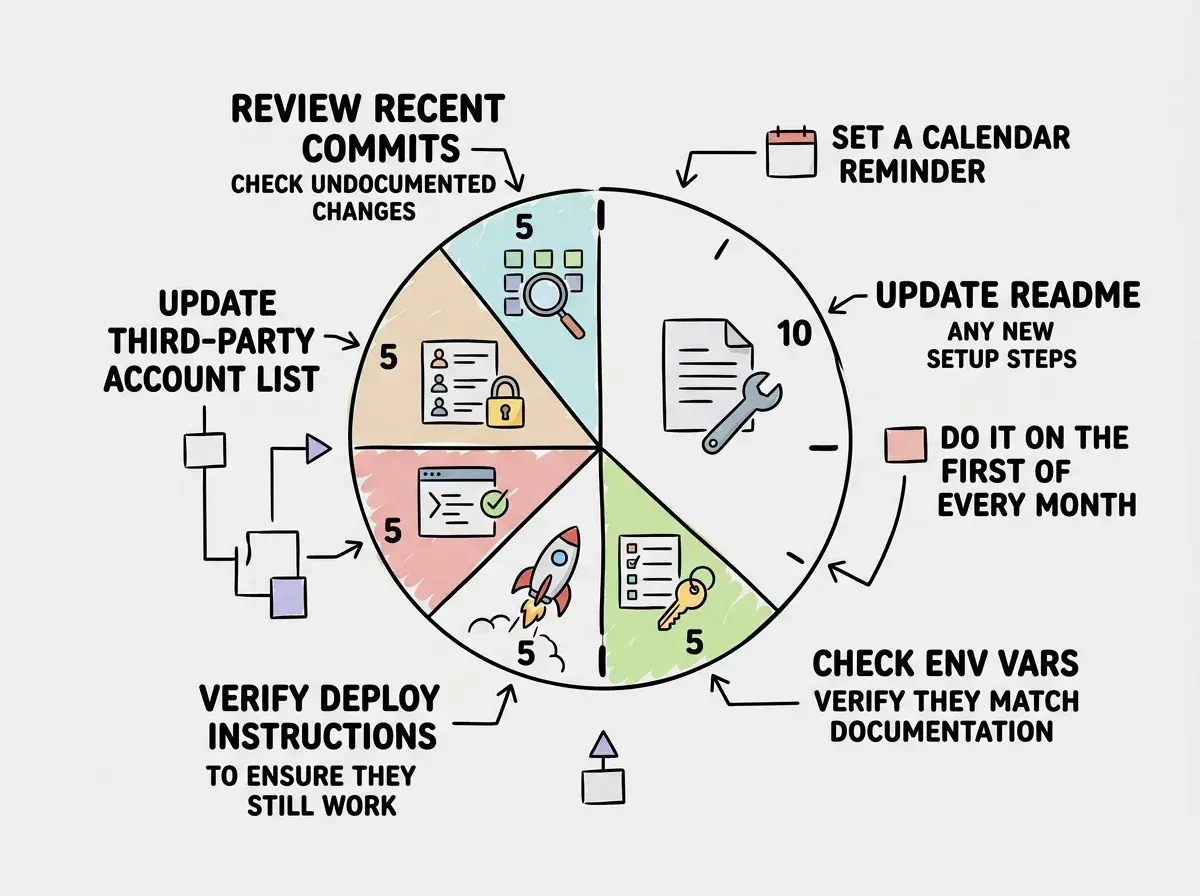
Once a month, open your runbook and work through a simple checklist. Did you add any new environment variables? Update the .env.example and the variable list. Did you add a new third-party service? Add it to the service inventory. Did the deploy process change? Rewrite that section.
Set a recurring calendar reminder for the last Friday of every month. Block thirty minutes. The goal is not a perfect document, it is a document that is accurate enough that someone could take over in a crisis without needing you on the phone.
The monthly cadence also catches documentation debt before it compounds. A two-week-old runbook has maybe two gaps. A six-month-old one has twenty, and it will take an afternoon to reconstruct what changed.
What This Means For You
- If you are an indie hacker: Your project's documentation is part of what you are building. A well-documented codebase is worth more to an acquirer and easier to hand off to a co-founder. Treat it like a feature, not an afterthought.
- If you are a first-time founder: The bus factor conversation comes up in due diligence. If you want to raise money, take on investors, or sell your project, someone will ask you what happens to the product if you get hit by a bus. Having a runbook is a clean, confident answer.
Start with the environment variables doc. It is the highest-leverage place to begin.
See more checklists