To build a workflow automation tool with AI tools, follow the four phase approach (define the specific workflows worth automating, build the trigger and action data model that supports those workflows, design the configuration interface that non technical users can navigate, and ship with the reliability patterns that produce sustained adoption), recognize what separates automation tools that get used from ones that get bypassed, and apply the patterns that produce automation people genuinely rely on. The workflow automation tool becomes valuable only when triggers fire reliably and actions execute correctly; reliability matters more than feature breadth.
This piece walks through the four phases, the configuration interface patterns, the specific tooling, and the four mistakes that produce automation tools users do not trust.
Why Workflow Automation Tools Matter
Workflow automation tools eliminate repetitive manual work. The elimination matters; teams spend significant hours on repetitive tasks that automation could handle reliably. Good automation tools convert manual hours into automated minutes.
The 2026 reality is that AI tools dramatically accelerate automation tool building while AI integration during workflow execution can handle classification and routing decisions previously requiring human judgment. The combination means small teams can build internal automation matching what enterprises previously paid significant license fees for.
A 2025 internal tools survey of 800 mid sized companies found that workflow automation reduced manual task time by an average of 23 hours per employee per month. The discipline of automating high frequency tasks compounds dramatically; sustained automation produces sustained productivity gains that occasional automation cannot.
The pattern to copy is the way factories use assembly lines. Each station handles one specific task; the work flows through automatically. Workflow automation tools play the same role in knowledge work; tasks flow through automated steps rather than requiring manual handoffs. Factories that work this way produce more than factories with manual handoffs; the same applies to knowledge work.
The Four Phase Approach
Four phases produce workflow automation tools that get sustained use.
Phase 1, define the specific workflows worth automating. Audit current manual work for high frequency repetitive patterns. The audit identifies automation candidates; without the audit, automation often gets built for low value workflows.
Phase 2, build the trigger and action data model that supports those workflows. Triggers, conditions, actions, error handling. AI tools generate the schema effectively given clear specifications.
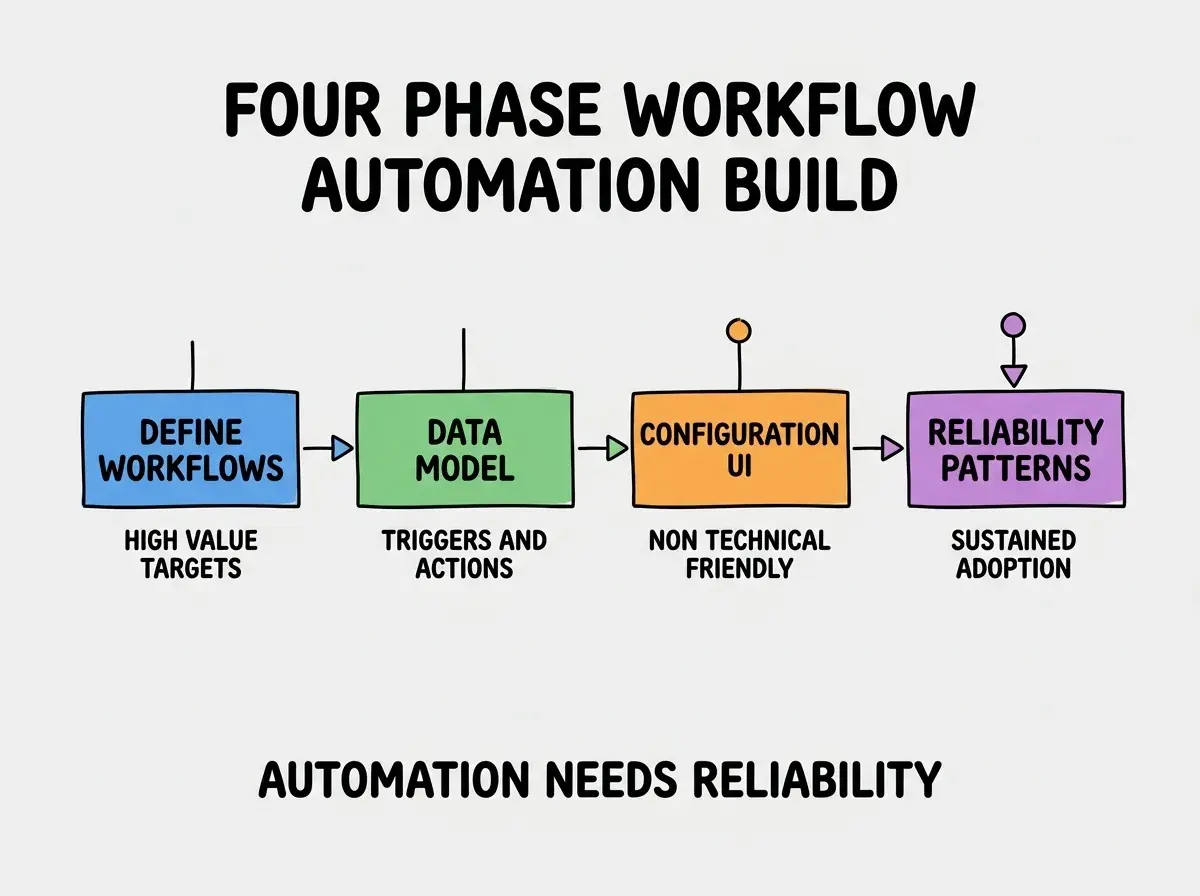
Phase 3, design the configuration interface that non technical users can navigate. Visual flow builder, plain language conditions, clear action descriptions. Configuration friction determines who can use the tool; technical only configuration limits adoption.
Phase 4, ship with reliability patterns that produce sustained adoption. Error handling, retry logic, failure notifications. Reliability matters more than feature breadth; flaky automation gets bypassed faster than incomplete automation.
The Configuration Interface Patterns That Work
Three patterns produce configuration interfaces non technical users can navigate.
Pattern 1, visual flow builder beats textual configuration. Drag and drop nodes, visible flow paths, clear action types. Visual interfaces produce non technical adoption; code interfaces limit adoption to engineers.
Browse more internal tool tutorials
Read more build tutorialsPattern 2, plain language conditions for filters. "If status is new" beats "WHERE status = 'new'". Plain language matches non technical mental models; SQL like syntax limits non technical use.
Pattern 3, AI assisted workflow building. "Show me the user signup workflow" generates the visual flow. AI removes the friction of starting from blank canvas; building from natural language produces faster configuration than learning interface.
The Specific Tooling That Worked
Three tool categories combine effectively for automation tool building.
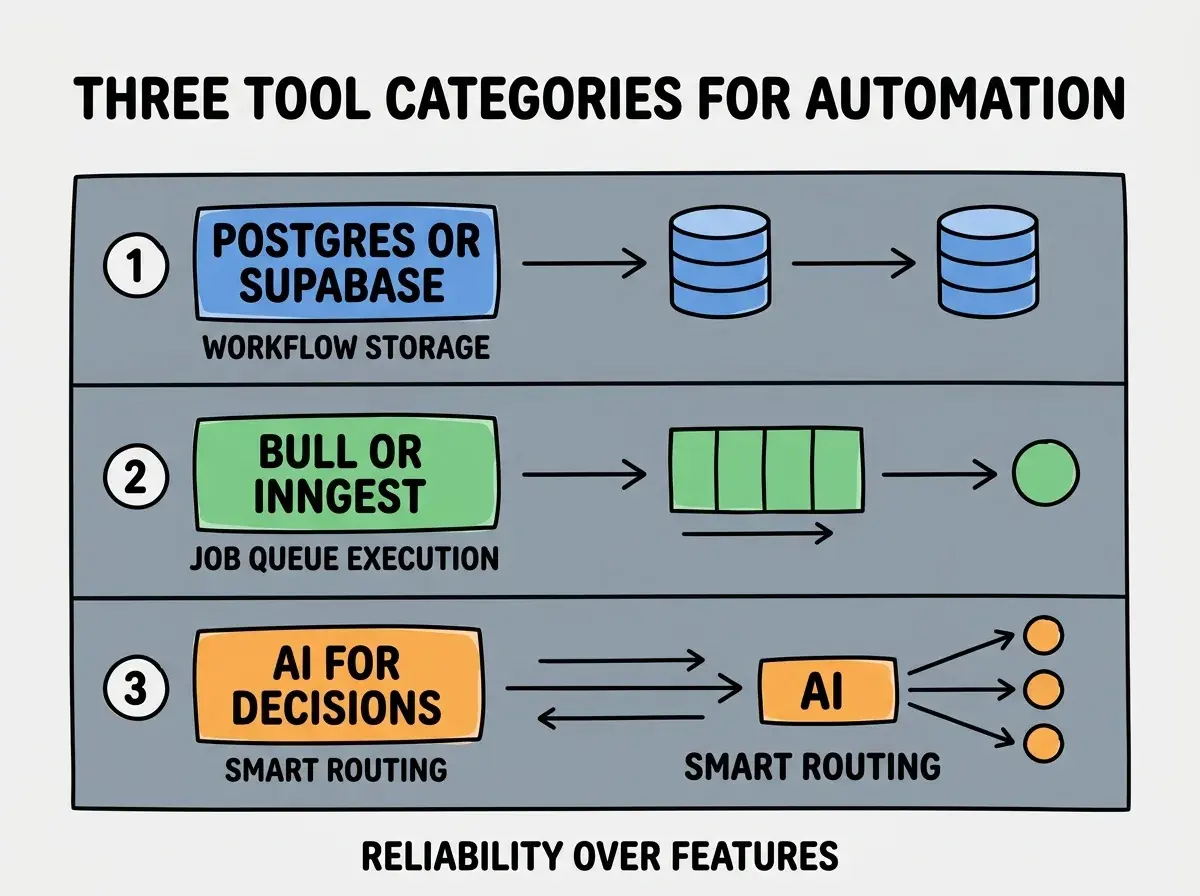
Tool 1, Postgres or Supabase for workflow storage. Workflow definitions, trigger history, execution logs. Relational data fits naturally; AI tools generate the schema effectively.
Tool 2, Bull or Inngest for job queue execution. Reliable async job processing with retries. Without queue layer, automation becomes synchronous and fragile; with queue layer, automation handles failures gracefully.
Tool 3, AI for routing and classification decisions. Claude or GPT classifies inbound work into the right workflow path. Smart routing makes automation handle nuance that strict rules cannot.
What Makes Automation Tools Get Sustained Use
Three patterns separate trusted automation from bypassed automation.
Pattern 1, reliability is the dominant factor. 99 percent reliable automation builds trust; 95 percent reliable automation gets bypassed. The reliability gap matters more than feature gap.
Pattern 2, transparent failure handling builds confidence. When automation fails, users need clear understanding of what happened. Silent failures destroy trust; transparent failures with retry options preserve it.
Pattern 3, escape hatches for edge cases. Some inputs do not fit standard workflows; manual override for those cases preserves automation for the common case. Pure automation without overrides produces frustration on edge cases.
The combination produces automation users rely on. Without these patterns, automation becomes occasional helper rather than core infrastructure.
How to Build Your First Automation Tool
Three implementation patterns help first automation tools succeed.
Pattern A, automate one workflow well before adding more. Single workflow done reliably builds trust; multiple workflows done fragily destroys it. Sequential workflow addition produces sustained credibility.
Pattern B, instrument execution from day one. Logs, metrics, alerts on failures. Without instrumentation, failures stay hidden until users complain; with it, you fix issues before users notice.
Pattern C, ship to your own use first. Self use validates reliability before exposing other users. The validation period catches issues you can fix privately; broad rollout immediately exposes issues publicly.
The combination produces first automation tools that establish credibility for broader automation initiatives. Without these patterns, first tools often produce reliability concerns that block subsequent automation work.
The most damaging automation tool mistake is trying to automate complex workflows before validating simple ones. Complex workflows have many failure modes; simple workflows validate the platform reliability. The fix is to start with the simplest possible workflow that delivers value; "send Slack message when form submitted" before "complex multi step approval flow". Reliability builds through accumulated simple successes; jumping to complex automation without validation produces failures that destroy adoption.
The other mistake is failing to handle errors visibly. Silent automation failures produce false confidence; users believe automation worked when it did not. The fix is to surface failures prominently; visible failures preserve the trust that silent failures destroy.
A third mistake is requiring code knowledge for configuration. Code interfaces limit adoption to engineers; non technical users cannot configure their own workflows. The fix is visual configuration interfaces; visual interfaces produce broader adoption than code interfaces.
A fourth mistake is treating automation as fire and forget. Workflows need maintenance as conditions change. The fix is to build review processes; quarterly review of automation health catches drift before it produces failures.
What This Means For You
The workflow automation tool built with AI tools becomes valuable through reliability, accessible configuration, and sustained team adoption. The four phases, configuration patterns, and tool combinations produce automation teams genuinely rely on.
- If you're a product manager: Automation reduces team time on repetitive work. Build it when the time savings justify development; below that bar, manual work may suffice.
- If you're a founder: Automation tools become valuable as team scales beyond ad hoc coordination. Build them when manual coordination overhead becomes meaningful; before that, ad hoc beats premature automation.
- If you're a senior dev: AI tools handle automation implementation effectively. The bottleneck is reliability engineering and configuration UX, not implementation; invest in those areas more than feature breadth.
Browse more internal tool tutorials
Read more build tutorials