To build a webhook receiver and logger with AI tools, follow the four phase approach (define what webhooks you need to handle and from which sources, build the receiver that captures payloads reliably, design the storage and search that makes payloads findable, and ship with the debugging features that make webhook problems solvable), recognize what separates webhook tools that solve real problems from tools that just collect data, and apply the patterns that produce webhook logging engineers genuinely rely on. The webhook receiver becomes valuable when debugging webhook problems gets faster; without that bar, the tool becomes another data graveyard.
This piece walks through the four phases, the debugging features that matter, the specific tooling, and the four mistakes that produce webhook tools engineers do not use.
Why Webhook Receivers and Loggers Matter
Webhook receivers and loggers solve the debugging gap between what services send and what your application processes. The gap matters; without logging, webhook bugs become hours of guesswork, while logging makes them minutes of investigation.
The 2026 reality is that AI tools dramatically accelerate webhook tool building while AI integration during payload analysis can detect anomalies, summarize patterns, and surface relevant logs faster than manual investigation. The combination means small teams can have webhook debugging tools matching what enterprises previously paid for as separate services.
A 2025 developer productivity survey of 800 engineering teams found that teams using webhook logging tools resolved webhook related bugs 67 percent faster than teams without logging. The visibility gap between sending and processing produces most webhook bug debugging time; closing the gap dramatically reduces investigation effort.
The pattern to copy is the way airports use flight recorders. The recorders capture every detail of every flight; investigators access recordings when problems happen. Without recorders, problems become unsolvable mysteries; with recorders, problems become reconstructable events. Webhook receivers play similar role for webhook based integrations.
The Four Phase Approach
Four phases produce webhook receivers and loggers that solve debugging problems.
Phase 1, define what webhooks you need to handle and from which sources. Stripe, GitHub, Twilio, custom services. The defined sources determine the parser code; unclear sources produce parser fragility.
Phase 2, build the receiver that captures payloads reliably. HTTP endpoint, signature verification, idempotency handling. AI tools generate the receiver code effectively given clear specifications.
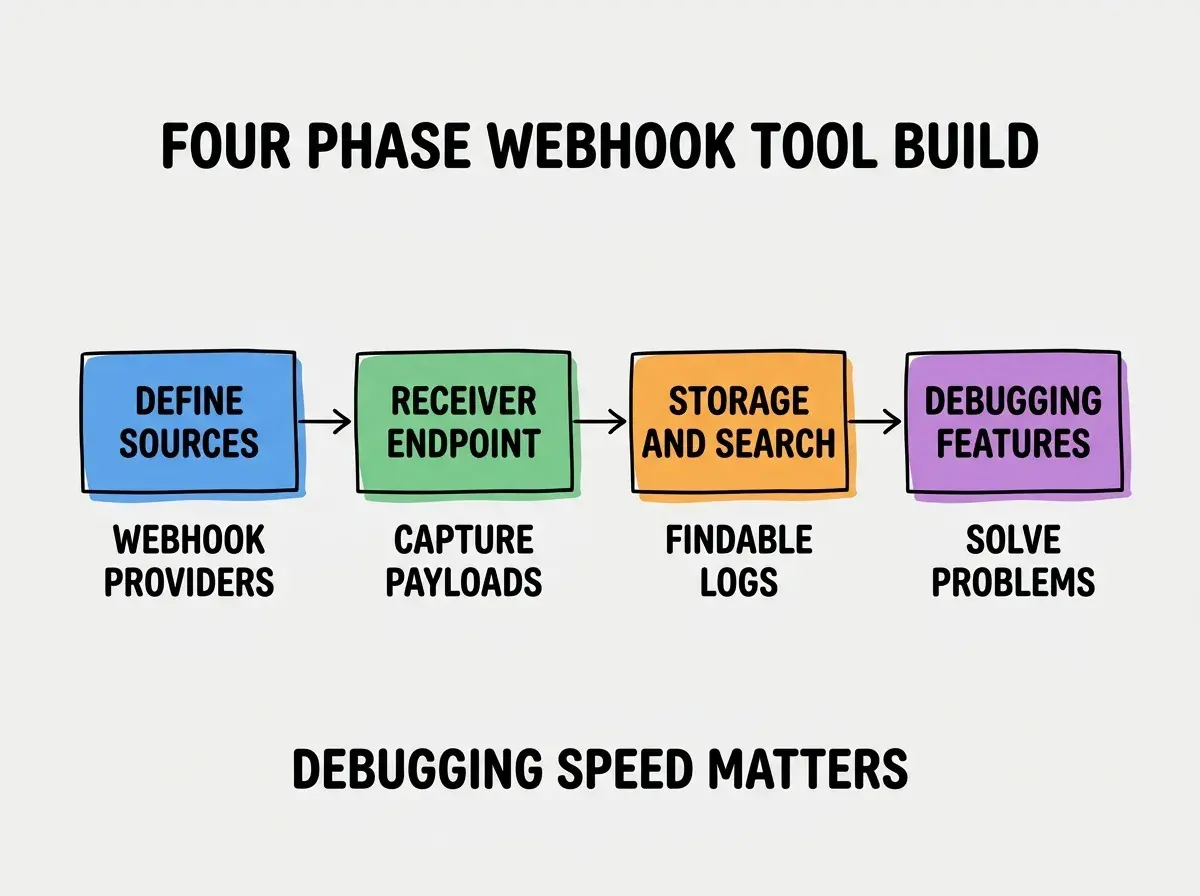
Phase 3, design the storage and search that makes payloads findable. Time series storage, JSON search, source filtering. Findability determines tool value during debugging; slow search becomes friction during incidents.
Phase 4, ship with debugging features that make webhook problems solvable. Replay, diff comparison, payload inspection. These features turn the log into a debugging tool; without them, the log becomes data graveyard.
The Debugging Features That Matter
Three patterns produce debugging features engineers actually use during incidents.
Pattern 1, replay capability for failed webhooks. Engineers can re send historical webhooks to test fixes. Replay turns debugging from theoretical to empirical.
Browse more developer tool tutorials
Read more build tutorialsPattern 2, diff comparison between similar webhooks. Compare payloads across time to spot pattern changes. Diff catches subtle issues that individual inspection misses.
Pattern 3, AI assisted anomaly detection. Surface webhooks that differ from typical patterns. AI catches anomalies that manual review misses.
The Specific Tooling That Worked
Three tool categories combine effectively for webhook tool building.
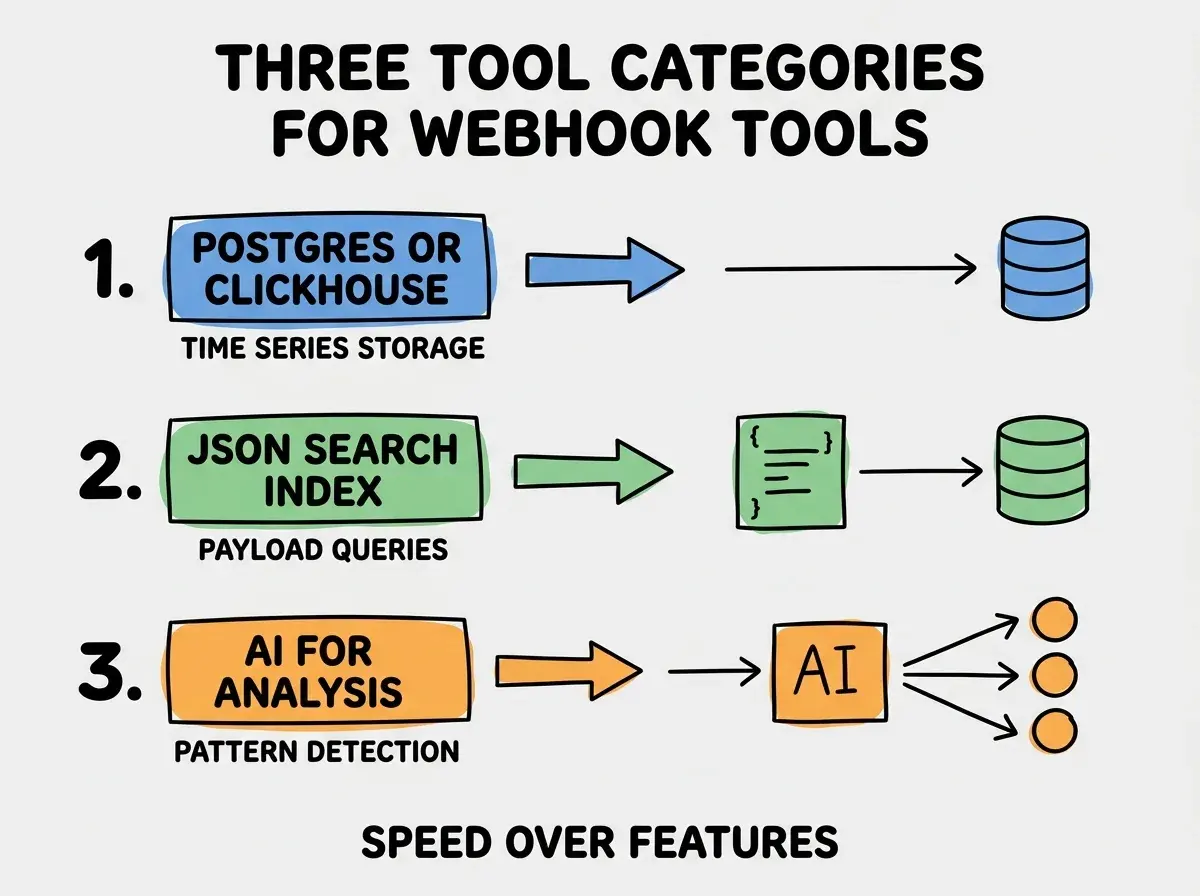
Tool 1, Postgres or ClickHouse for time series storage. Append heavy workload fits both well. ClickHouse for higher volume; Postgres for moderate volume.
Tool 2, JSON search index for payload queries. Full text or JSONB search across payload contents. Without searchable payloads, finding specific webhooks becomes slow.
Tool 3, AI for pattern analysis. Claude or GPT analyzes payload patterns and surfaces anomalies. Manual analysis catches obvious patterns; AI catches subtle ones.
What Makes Webhook Tools Solve Real Problems
Three patterns separate useful webhook tools from data graveyards.
Pattern 1, integrated into the engineer's existing workflow. Slack alerts on webhook failures. CLI access for queries. Standalone tools see less use than integrated ones.
Pattern 2, fast search that returns results in under 1 second. Slow search becomes friction during incidents. Fast search produces sustained use; slow search produces abandoned tools.
Pattern 3, retention long enough to debug historical issues. 30 day retention beats 7 day for typical debugging. Bug reports often arrive days after the incident; retention must outlast typical reporting delay.
The combination produces webhook tools engineers reach for during incidents. Without these patterns, tools collect data but rarely help solve problems.
How to Build Your First Webhook Tool
Three implementation patterns help first webhook tools succeed.
Pattern A, start with one webhook source, not all sources. Single source first. Validate the pattern. Add sources after the pattern works; multi source from day one often produces incomplete coverage.
Pattern B, build replay before fancy features. Replay alone makes the tool useful for debugging. Fancy features without replay produce tools that look good but do not help.
Pattern C, instrument the receiver itself. Endpoint latency, error rates, payload sizes. Without receiver instrumentation, tool problems become invisible until they affect users.
The combination produces first webhook tools that establish the pattern for sustained debugging value. Without these patterns, first tools often produce data collection without debugging utility.
The most damaging webhook tool mistake is treating it as monitoring rather than debugging tool. Monitoring tools alert; debugging tools enable investigation. The fix is to design for the debugging use case primarily; replay capability, payload inspection, diff comparison are debugging features. Pure monitoring without debugging produces tools that detect problems but do not help solve them. The debugging value justifies the tool; pure detection rarely does for internal teams.
The other mistake is missing signature verification. Unverified webhooks accept arbitrary payloads from anyone; security implications are significant. The fix is to verify signatures before processing; unverified webhooks should never enter the system.
A third mistake is failing to handle idempotency. Webhook providers retry on failures; double processing produces duplicate side effects. The fix is to dedupe by event ID; idempotency prevents double processing during retries.
A fourth mistake is ignoring webhook ordering. Some webhooks arrive out of order; processing them strictly by arrival time produces incorrect state. The fix is to handle ordering deliberately; some flows tolerate disorder, others require ordering enforcement.
A fifth mistake is failing to retain enough payload context for debugging. Retaining only timestamps and source loses the data needed for investigation. The fix is to retain full payload bodies for debugging window; storage cost is small compared to debugging time saved when issues require historical investigation.
What This Means For You
The webhook receiver and logger built with AI tools becomes valuable through debugging speed, integrated workflow, and reliable receiving. The four phases, debugging patterns, and tool combinations produce webhook tools engineers genuinely rely on.
- If you're a senior dev: Webhook tools accelerate debugging dramatically. Build them when webhook based integrations matter; for systems without webhooks, the tools add little value.
- If you're an indie hacker: Even small products benefit from webhook logging when payment or notification webhooks are involved. The debugging acceleration justifies the tool effort.
- If you're a founder: Webhook tools reduce engineering time on integration debugging. Build them when integration complexity justifies; for simple integrations, ad hoc may suffice.
Browse more developer tool tutorials
Read more build tutorials