To build a status page for your service in a weekend in 2026, vibe code four sections that matter most for users and your team (current system status with component-level granularity, incident history showing past problems and resolutions, scheduled maintenance notifications, and an admin interface for posting updates), use Next.js plus Supabase plus uptime monitoring integration, and ship in 24-48 hours of focused work. The custom status page replaces dedicated platforms like Statuspage at a fraction of the ongoing cost while integrating with your specific monitoring infrastructure.
This piece walks through the four sections, the architecture choices that compress build time, the operational patterns, and the four mistakes builders make when shipping status pages.
Why Status Pages Matter for Indie Builders
Status pages communicate professionalism and reduce support load. When users see "we know about the issue and are fixing it," they file fewer support tickets. The reduced support load alone often justifies the build investment.
The 2026 reality is that custom status pages are increasingly viable for indie builders. Statuspage costs $30-1500 monthly; the custom build runs on free tiers for most early-stage products. The economics favor building over buying for budget-conscious builders.
A 2025 IndieHackers operations survey of 700 SaaS founders found that products with status pages received 31 percent fewer "is the service down" support tickets than products without. The support time saved often paid for the build investment within the first incident. Status pages are operational tools that compound value as user base grows.
The pattern to copy is the way airlines display departure boards. Real-time status that everyone can see prevents people from asking gate agents the same questions repeatedly. Status pages serve the same purpose for software products; visible status reduces individual queries dramatically.
The Four Sections That Matter
Four sections cover what most status pages need.
Section 1, current system status with component granularity. API, web app, database, third-party integrations as separate components. Granular status helps users understand what specifically is affected so they can plan around the issue rather than assuming everything is broken.
Section 2, incident history. Past incidents, root causes, resolutions. Builds trust through transparency about how you handle problems; hidden histories suggest something is being concealed and erode the credibility you are trying to build.
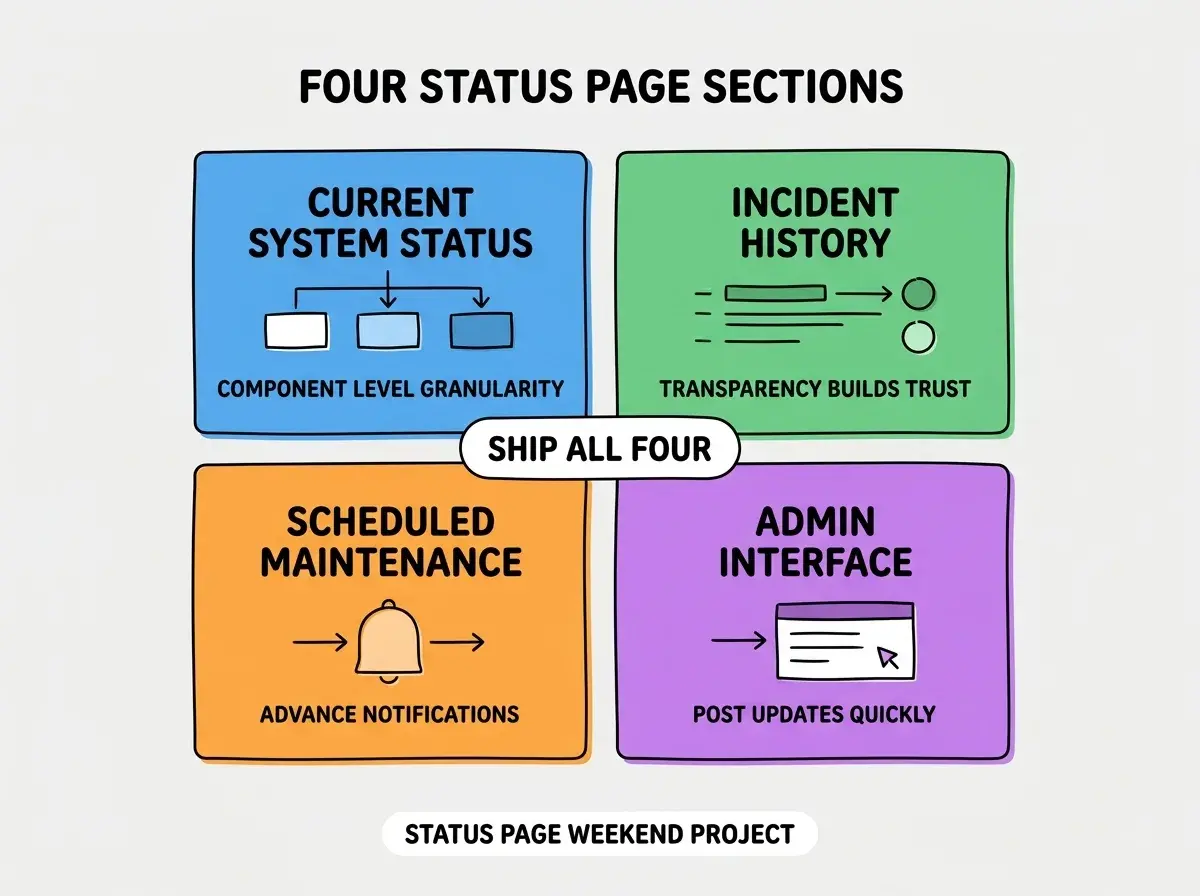
Section 3, scheduled maintenance notifications. Advance notice of planned downtime. Reduces surprise incidents and gives users time to plan around outages, especially for B2B users who depend on the service for their own work.
Section 4, admin interface for posting updates. Internal tool for posting incident updates quickly. Speed matters during incidents; the admin interface should be friction-free with mobile support so updates can happen from anywhere a team member is when an incident strikes.
The Architecture Choices
Three architecture choices keep the build manageable.
Choice 1, Next.js for the public page and admin. Single framework handles both public viewing and authenticated admin work. Build velocity benefits from one codebase rather than maintaining separate apps for two interfaces.
Browse more operational tool tutorials
Read more build articlesChoice 2, Supabase for state storage. Component statuses, incident records, maintenance windows. Postgres handles all of this; the admin interface uses Supabase auth so only your team can post updates while everyone can view them.
Choice 3, scheduled jobs for status checks. Cron-style jobs that ping your APIs and update component status automatically. Combines manual incident management with automated detection for the speed advantage of both approaches.
The Operational Patterns That Work
Three operational patterns make status pages produce real value over time.
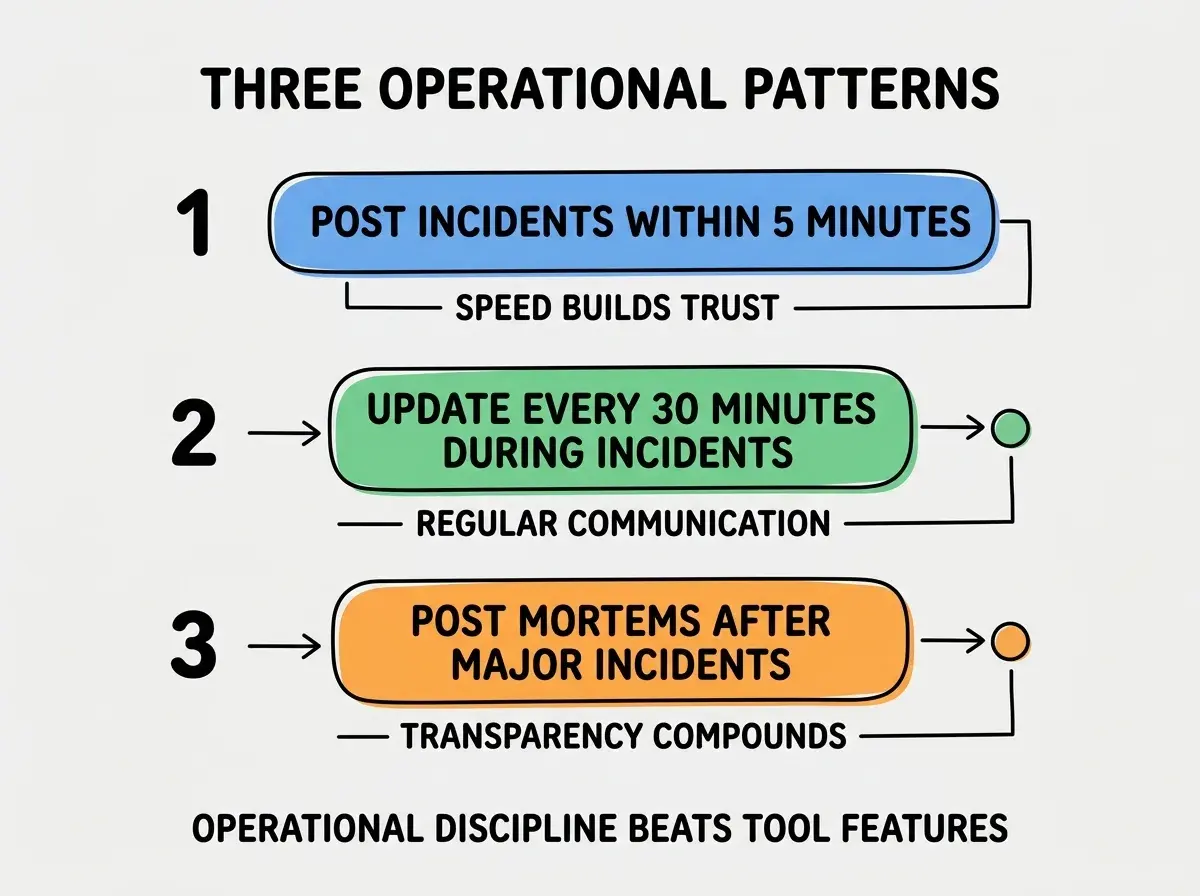
Pattern 1, post incidents within 5 minutes. Speed builds trust. Users seeing "we know" within 5 minutes of an issue feel different than users seeing it 2 hours later when frustration has compounded.
Pattern 2, update every 30 minutes during incidents. Regular communication during incidents matters more than the resolution speed itself. Even "still investigating" updates reduce anxiety; silence during incidents amplifies frustration even when the team is actively working on the fix.
Pattern 3, publish post-mortems after major incidents. Transparency about what happened and what is changing builds trust over years. Hidden post-mortems suggest hidden problems; visible ones demonstrate learning culture that makes users more forgiving of future incidents.
The Database Schema for Status Tracking
Three table designs cover what most status pages need.
Table 1, components. id, name, status (operational, degraded, partial_outage, major_outage), description, sort_order. Each user-visible component you track.
Table 2, incidents. id, title, status, impact_level, started_at, resolved_at, components_affected. Records of past and current incidents.
Table 3, incident_updates. id, incident_id, message, posted_at, posted_by. Time-stamped updates during an incident; the timeline that users see.
The combination produces queryable history that supports both real-time status display and post-mortem analysis. Without proper schema, status pages often lose useful historical data.
How to Integrate With Your Existing Monitoring
Three integration patterns make the status page reflect actual system state.
Pattern A, webhook from monitoring tools (Datadog, New Relic) to update status. Automated incident creation when monitoring detects issues. Speed of detection drives speed of communication; manual detection during incidents takes precious minutes that webhooks save.
Pattern B, manual override for status updates. Sometimes monitoring is wrong; sometimes the issue is outside what monitoring covers. Manual override preserves human judgment and lets the team correct false positives quickly.
Pattern C, public-facing changes via approval workflow. Anyone on team can propose updates; senior team member approves before publishing. Prevents accidental incident posts that confuse users and damage credibility through false alarms.
The combination produces status page that reflects reality without producing false alarms. Without integration patterns, the page either lags reality or shows incidents that did not actually happen.
The most damaging status page mistake is launching one but not maintaining incident discipline. The page exists but no one updates it; users learn to ignore it; the trust cost exceeds the value. The fix is to define who is responsible for status page updates before launching; pager rotation should include status page responsibility. Pages that get maintained build trust; pages that go silent during incidents lose trust faster than no page at all.
The other mistake is showing too much component granularity. Some status pages list every microservice and database; users get lost in the detail. The fix is to group components into user-facing categories (login, file upload, billing) rather than internal architecture. Users care about their experience; internal architecture confuses them.
A third mistake is hosting the status page on the same infrastructure as the main service. When the main service goes down, the status page goes down too; users cannot see the status they need most. The fix is to host the status page on independent infrastructure (different cloud provider or different region) so it stays up when your main service does not.
A fourth mistake is forgetting to subscribe to your own status page. Internal team members should be on the notification list; the discipline of receiving your own status updates surfaces issues like late posts or unclear messaging that you would otherwise miss until users complain.
What This Means For You
Building a custom status page is achievable weekend project in 2026. The four sections, architecture, and operational patterns produce a tool that reduces support load and builds trust.
- If you're a founder: Build this once you have meaningful user base (typically 100+ active users). Below that, manual communication still works.
- If you're changing careers into operations or DevOps: Building this teaches the full incident communication stack. The understanding transfers across operations roles.
- If you're a student: Use this as a project that demonstrates real-world operations awareness. Real status pages with real component checks impress technical interviewers.
Browse more operations tutorials
Read more build articles