To build a Shopify-integrated storefront with AI in 2026, use Shopify's Storefront API to fetch products and handle cart logic from a custom Next.js or Remix frontend, keep checkout on Shopify (do not rebuild it), use AI assistance to generate the components and integration code, and deploy to Vercel or Netlify with Shopify webhooks for inventory and order syncing. The path from existing Shopify store to custom frontend takes about a week of focused work and produces a storefront that beats the default themes on speed, design control, and conversion.
This piece walks through the four integration patterns, the Storefront API basics, the customizations that move the needle, and the four mistakes that turn custom storefronts into maintenance burdens.
Why Custom Storefronts Beat Default Themes
Shopify's default themes are good. They are mobile-responsive, accessible, and reasonably fast. They are also identical to thousands of other stores, limited in customization, and slower than a hand-built frontend. For stores doing $50K+ per month, a custom storefront pays back through better conversion rates, faster page loads, and brand differentiation.
The 2026 advantage is that AI assistance has dropped the cost of a custom storefront dramatically. What used to require 4 to 6 weeks of frontend developer time now takes one week of focused work with AI. The economics tipped in favor of custom for stores that previously could not justify it.
A 2025 BigCommerce survey of 1,500 e-commerce stores found that custom storefronts had 18 percent higher conversion rates and 27 percent better Core Web Vitals scores than stores using default themes. The gap was even larger for repeat purchase rates (34 percent higher), which compounds over the customer lifetime. Custom storefronts pay back faster than most operators expect, and AI tools made them affordable for smaller stores.
The pattern to copy is the way independent restaurants moved from generic delivery menus to custom-designed websites. The custom site costs more to build but produces dramatically better customer experience and brand recognition. E-commerce storefronts follow the same pattern: the default works; the custom wins.
The Four Integration Patterns
Four patterns cover almost all custom Shopify storefronts. Each has a clear sweet spot.
Pattern 1, headless with Storefront API. Most popular. Custom frontend talks to Shopify via the Storefront GraphQL API. Checkout stays on Shopify. Right for most custom builds.
Pattern 2, hybrid with Liquid plus custom sections. Keep the Shopify theme but customize specific sections with custom HTML/CSS/JS. Right for stores that want some customization without leaving the Shopify theme system.
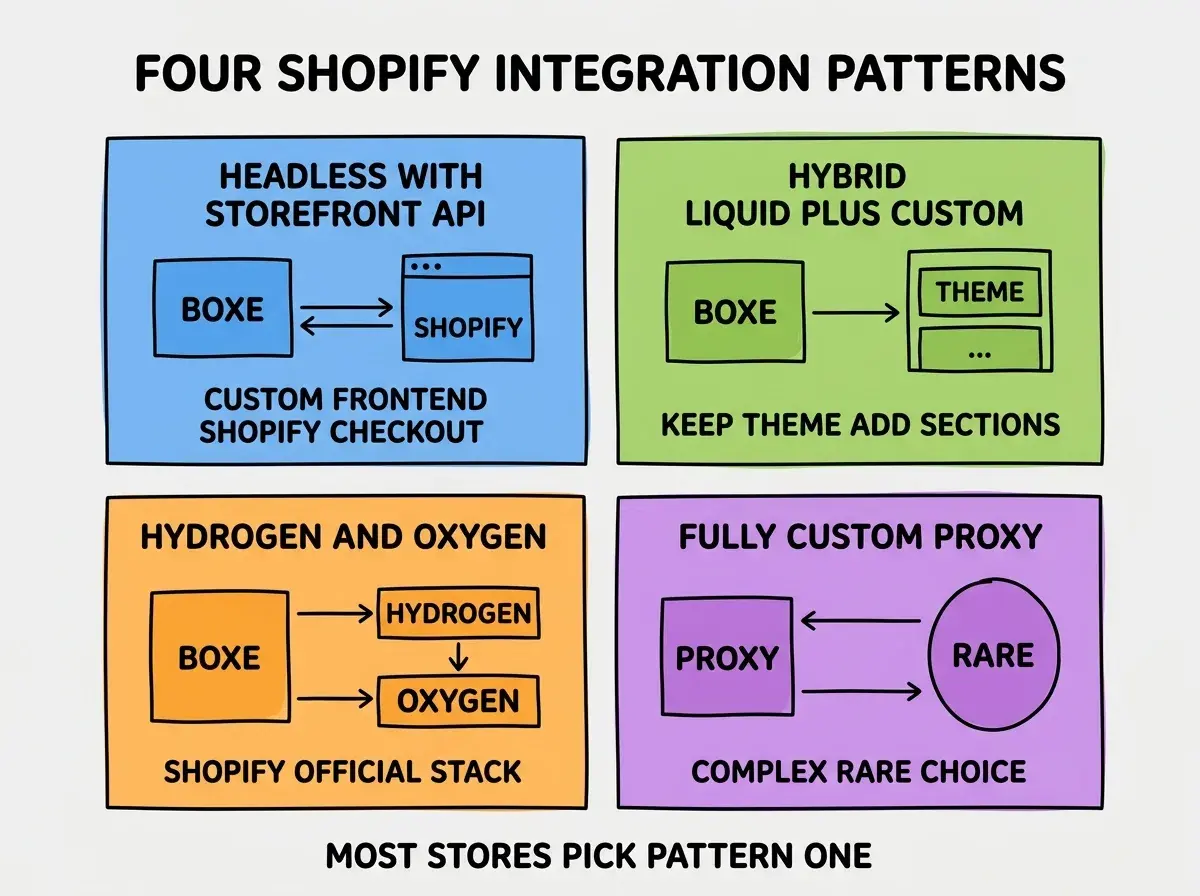
Pattern 3, Hydrogen and Oxygen. Shopify's official React framework and hosting. Tightly integrated with the Storefront API. Right for teams comfortable with React and wanting Shopify-native tooling.
Pattern 4, fully custom with API proxy. Custom backend that proxies Shopify APIs and adds your own logic. Most complex; rarely the right choice. Right only when you have specific needs the other patterns cannot meet.
The Storefront API Basics
The Storefront API is the foundation of headless Shopify. Three pieces matter most for your initial build.
Piece 1, products query. Fetch products with their variants, images, prices, and metadata. The largest queries in your app; cache aggressively.
Browse more e-commerce build guides
Read more build articlesPiece 2, cart mutations. Create cart, add items, update quantities, remove items. Persisted on Shopify's side; you reference cart by ID.
Piece 3, checkout redirect. When user is ready to check out, redirect to the Shopify-hosted checkout URL. Do not try to build your own checkout; PCI compliance is too expensive.
These three pieces handle 80 percent of what most custom storefronts need. The other 20 percent (customer accounts, order history, subscription management) can be added incrementally.
What to Customize That Pays Back
Custom storefronts can change anything; the question is which changes pay back. Three customizations have the highest ROI.
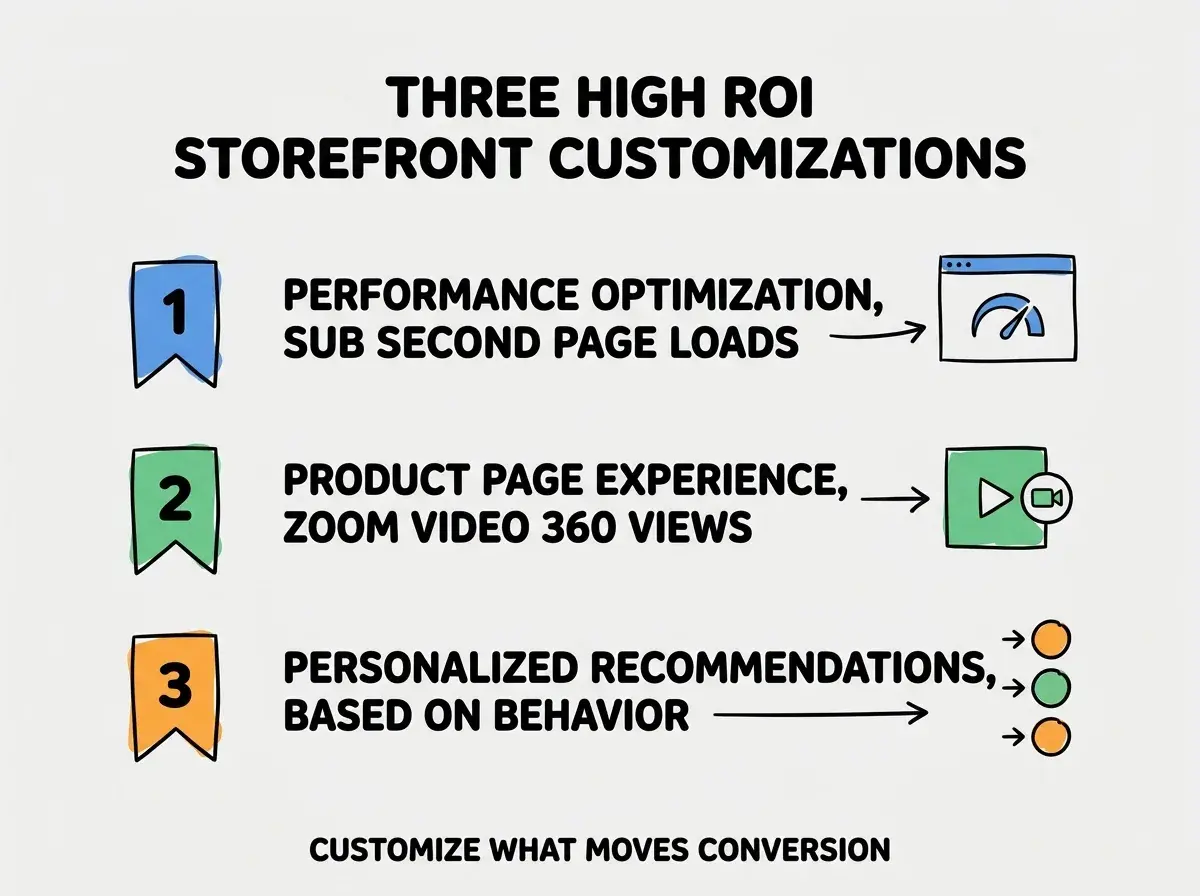
Customization 1, performance optimization. Sub-second page loads, image optimization, code splitting. Default themes are decent but rarely best-in-class. The conversion lift from speed is documented and substantial.
Customization 2, product page experience. Zoom, video, 360 views, AR previews. Product pages are where buying decisions happen. Investment here pays back faster than investment in homepage redesign.
Customization 3, personalized recommendations. AI-powered product recommendations based on browse and purchase behavior. Higher-effort but highest-impact customization for stores with broad product catalogs.
The Customizations to Avoid
Three customizations look attractive but rarely pay back. Knowing what to skip protects your time.
Skip 1, custom checkout. Shopify checkout is highly optimized and PCI-compliant. Building your own is expensive, risky, and almost never produces better conversion rates.
Skip 2, custom cart drawer animations. Fancy cart animations look great in mockups and almost never affect conversion. Skip the cart drawer redesign; spend the time on product pages instead.
Skip 3, custom inventory management UI. Shopify's admin is good at inventory. Building a custom inventory UI for the few staff users is a poor use of development time. Use Shopify admin for inventory.
The combination of focusing on high-ROI customizations and skipping the low-ROI ones is what makes custom storefronts pay back. Teams that invest evenly across all customizations rarely see the conversion lift that justifies the build.
The most damaging custom Shopify storefront mistake is rebuilding the checkout. Teams sometimes think they can do better than Shopify's default checkout by removing fields or adding custom logic. The result is invariably worse: lower conversion rates, PCI compliance overhead, and constant maintenance as Shopify updates the checkout. The fix is to commit to Shopify's checkout from day one. Customize everything before checkout; redirect to Shopify for the checkout itself. This single rule saves teams from one of the most expensive mistakes in custom e-commerce builds.
The other mistake is skipping cart abandonment recovery for the custom storefront. Default themes have built-in cart abandonment emails; custom storefronts often forget to wire this up. The result is a gap in revenue recovery that adds up to thousands of dollars per month for medium-sized stores. Wire up cart abandonment via Klaviyo or similar early; do not let custom storefront benefits cost you the standard recovery flows.
How to Stage the Migration From Default Theme
A custom storefront does not have to ship in one big bang. Three migration patterns reduce risk.
Pattern 1, parallel storefronts. Run the custom storefront on a subdomain (new.yourstore.com) while the default theme runs on the main domain. Move traffic gradually as the custom version proves itself.
Pattern 2, page-by-page replacement. Replace one page at a time (start with product detail, then collection, then home). Each page goes live independently. Lower risk than full migration.
Pattern 3, feature-flagged rollout. Use feature flags to show the custom storefront to a percentage of traffic. Increase the percentage as confidence grows. Right for high-traffic stores where any conversion drop is expensive.
The combination of these patterns means custom storefront migrations rarely have to be high-risk launches. Teams that stage migrations get the conversion benefits without the launch-day stress that doomed earlier waves of headless commerce.
Dig deeper
A few hand-picked sources if you want to go further.
What This Means For You
A custom Shopify-integrated storefront is one of the highest-leverage e-commerce builds in 2026. The investment is small with AI assistance, and the conversion advantages compound across every order.
- If you're a founder: Build a custom storefront if your store is doing $50K+ per month. Below that threshold, the default theme is the better choice.
- If you're changing careers into e-commerce: Custom storefront skills are increasingly valued by mid-market e-commerce teams. The hybrid frontend plus Shopify knowledge is in demand.
- If you're a student: Build a custom Shopify storefront for a portfolio project (use Shopify's free development store). The combined skills demonstrate both frontend chops and e-commerce understanding.
Browse more e-commerce build guides
Read more build articles