To build a progressive web app from scratch in 2026, start with a regular web app, add a service worker for offline support, add a web app manifest for installability, implement push notifications via the web Push API, and verify with Lighthouse that the PWA score is above 90 before considering it shipped. The whole flow takes one weekend with AI assistance and produces an app users can install on iOS and Android without any app store, with most of the benefits of a native app.
This piece walks through the four PWA features that matter, the implementation that ships, the deployment patterns, and the four mistakes that turn PWAs into broken installs.
Why PWAs Are Underrated in 2026
Progressive web apps got their reputation as a poor cousin to native mobile apps in the late 2010s when iOS support was minimal. That story is outdated. As of 2026, iOS supports the major PWA features (service workers, push notifications, installability), and the web platform has caught up enough that PWAs are a legitimate alternative to native for many app categories.
The 2026 advantage is huge: no App Store review, no Play Store fees, no native development knowledge required, instant updates without users downloading new versions. For B2B apps, internal tools, content apps, and many consumer apps, PWA is the better answer than React Native. Teams that default to native are leaving leverage on the table.
A 2025 Web.dev survey of 2,000 mobile app builders found that PWAs had 1.8x higher conversion-to-install rates than native apps in equivalent product categories. The friction of "go to app store, search, download, open" beats "tap install on the website" for most users. The PWA gap closed enough that for many categories, PWAs are now the better business decision than native apps.
The pattern to copy is the way Substack disrupted email newsletters by building on the web instead of building a native email client. The web platform turned out to be more than enough; the constraint of "must be a native app" was self-imposed. Most app categories have similar dynamics: the constraint is what you assume, not what users actually need.
The Four PWA Features That Matter Most
PWAs are defined by a set of features. Four matter most; the others are nice-to-haves.
Feature 1, service worker. Background script that handles caching, offline support, and request interception. The foundation of PWA capabilities. About 50 lines of code for basic offline.
Feature 2, web app manifest. JSON file that tells the browser the app is installable, with icons, name, theme color. Without it, the install prompt never appears.
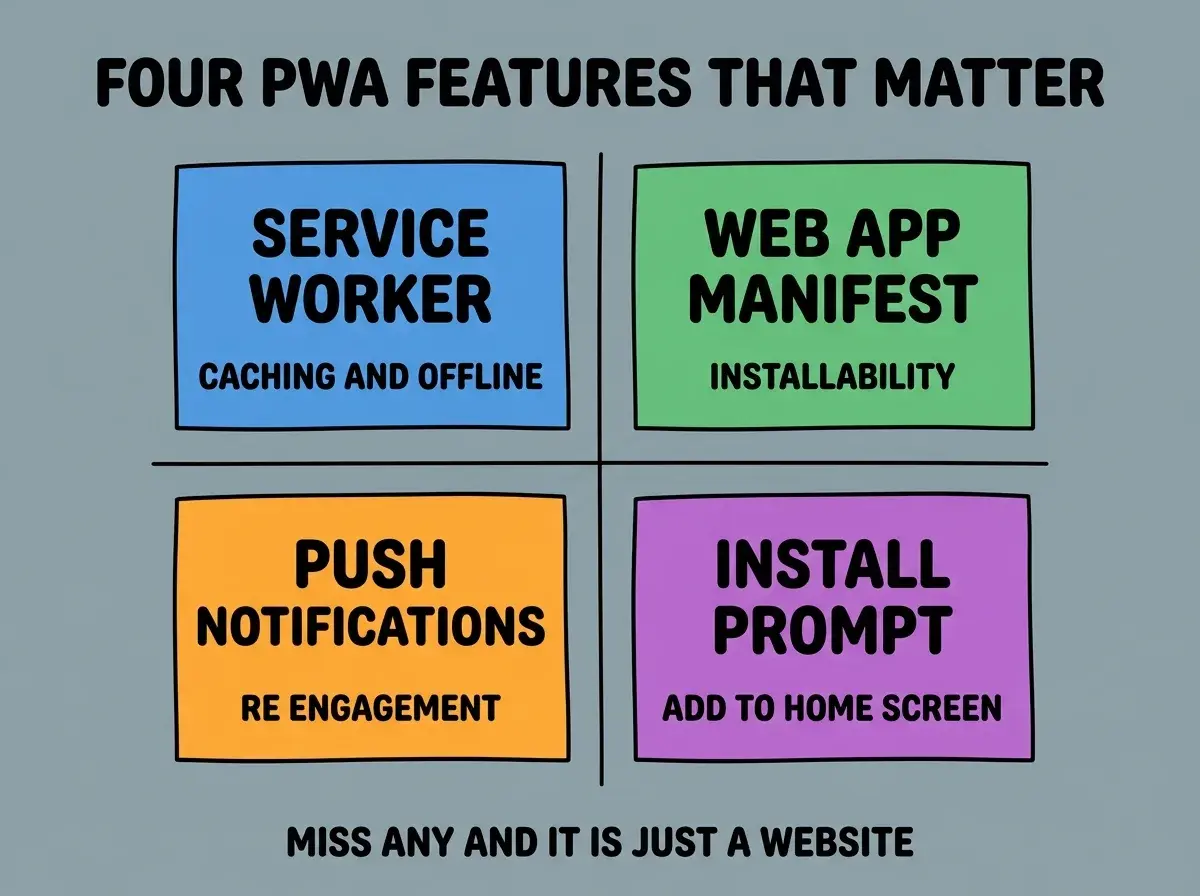
Feature 3, push notifications. Web Push API lets you send notifications even when the app is closed. Critical for re-engagement. Setup is more complex than the others.
Feature 4, install prompt. Browsers show an install prompt when conditions are met. You can also trigger it programmatically with the right user gesture.
The Implementation That Ships in a Weekend
A working PWA from a regular web app takes about 8 hours of focused work. Three steps cover most of it.
Step 1, add the manifest. Create manifest.json with name, icons, theme color, display mode (standalone or fullscreen). Link from your HTML head. About 30 minutes including icon generation.
Browse more mobile build guides
Read more build articlesStep 2, register the service worker. Create service-worker.js with basic caching strategy (cache-first for assets, network-first for HTML). Register from your main JavaScript. About 2 hours including testing the offline behavior.
Step 3, add push notifications. This step takes the longest. Set up a backend (or use a service like OneSignal), implement permission flow, handle push events. About 4 hours for a basic implementation.
After these three steps, run Lighthouse and aim for PWA score above 90. Anything below 90 means you missed something important.
Deployment and Distribution Patterns
PWAs distribute differently from native apps. Three patterns cover most distribution needs.
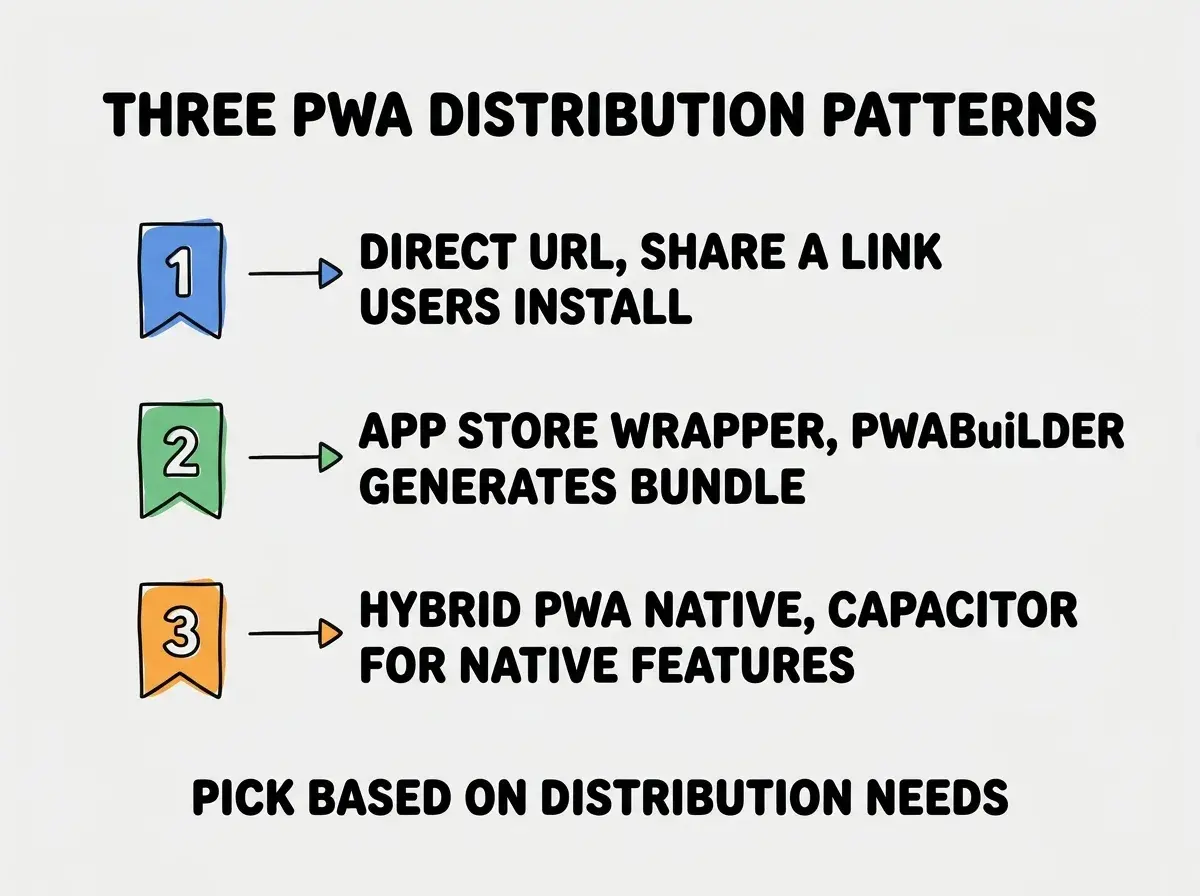
Pattern 1, direct URL. Simplest path. Share the URL; users tap install in their browser. Works on iOS and Android. No app store involved.
Pattern 2, app store wrapper. Tools like PWABuilder generate iOS and Android wrapper apps that submit to the stores. Gives you app store presence without rewriting in native.
Pattern 3, hybrid PWA + native. Capacitor wraps your PWA in a native shell with access to native features (deeper notifications, in-app purchases, biometrics). Right when you need a few native features but want to keep most of the PWA architecture.
What PWAs Cannot Do (And When That Matters)
PWAs are powerful but not unlimited. A few capabilities still require native or near-native approaches.
Limit 1, deep native integrations. Apple Pay, advanced biometrics, certain Bluetooth use cases. PWAs handle some but not all native integrations. Check your specific needs against the current Web API list.
Limit 2, in-app purchases on iOS. App Store rules mean PWAs cannot use native iOS in-app purchase. Stripe and similar work fine; Apple's IAP does not.
Limit 3, certain app store features. App Store Connect features (TestFlight, App Store rating prompts) are not available to PWAs. If these features matter to you, native is needed.
Limit 4, perception in some markets. B2C consumer apps in some demographics still expect "an app from the App Store." Your specific audience may or may not have this expectation.
For most app categories, the PWA limits do not matter. For specific categories (gaming, payments-heavy, deeply-integrated), native is still the right call. Know which side your category is on.
Performance Targets for PWAs
A PWA that loads slowly or feels janky undermines the "almost native" promise. Three performance targets keep PWAs feeling fast.
Target 1, time to interactive under 3 seconds on 4G. Lighthouse measures this directly. Most PWAs miss this target due to large JavaScript bundles. Code splitting and lazy loading get you under the threshold.
Target 2, smooth 60 FPS scrolling. Use CSS transforms instead of changing layout properties; avoid layout thrash; profile with the browser devtools performance panel.
Target 3, install prompt acceptance rate above 20 percent. When users see your install prompt, more than 20 percent should accept. Lower than that means the prompt is firing at the wrong time or in the wrong context. Time the prompt to a moment of user satisfaction.
These three targets are achievable for most PWAs with focused optimization. The optimization is mostly about restraint (smaller bundles, fewer animations, simpler interactions) rather than clever engineering. Restraint is harder than it sounds because the temptation to add features always pulls toward complexity.
The most damaging PWA mistake is treating it as a checkbox feature added at the end of a project. Teams build a regular web app, then bolt on a service worker and manifest in the last week, and the result is a barely-functional PWA with caching bugs and install prompt issues. The fix is to design for PWA from the start. The architecture decisions (offline data sync, asset caching strategy, push notification permission flow) affect the whole app and need to be considered upfront. Retrofitting PWA capabilities is significantly harder than building them in.
The other mistake is over-investing in offline support for use cases that never go offline. A B2B SaaS app used in office wifi does not need aggressive offline support; basic caching is plenty. Match the offline support to the actual user behavior, not to the maximum theoretical PWA capability.
What This Means For You
Progressive web apps are one of the most underrated paths in 2026. The investment is small, the distribution is frictionless, and the user experience is close to native for most app categories.
- If you're a founder: Default to PWA before native. The shipping speed and distribution advantages compound over native for most app categories.
- If you're changing careers: PWA skills are highly transferable across web and mobile contexts. The hybrid skill set is increasingly valued.
- If you're a student: Build a PWA as a portfolio project. The "installable on iOS and Android without app store" demo is impressive in interviews.
Browse more mobile guides
Read more build articles