To build a feature prioritization matrix tool for PMs in 2026, support the four scoring frameworks PMs actually use (RICE, ICE, MoSCoW, Kano), let users add features as cards with editable scores, render the prioritized output as both a sorted list and a 2x2 matrix visualization, and persist the data so teams can revisit and update over sprints. The build takes about a day with AI assistance, and the resulting tool beats spreadsheet prioritization for most product teams because it enforces the scoring discipline that spreadsheets allow you to skip.
This piece walks through the four frameworks, the simple architecture, the visualization patterns that work, and the four mistakes that turn prioritization tools into ignored databases.
Why Custom Beats Existing Tools for PMs
Off-the-shelf PM tools (Productboard, Aha!, Roadmunk) are powerful and expensive. They include dozens of features that small product teams do not need and charge $50-200 per user per month. A custom prioritization tool costs nothing to run, includes only what your team uses, and integrates with your existing data sources (Linear, Jira, your CRM).
The build is small enough that PMs can build it themselves with AI assistance, which gives the team ownership of the tool and freedom to adapt it to their workflow rather than adapting their workflow to the tool.
A 2025 Productboard analysis of 500 product teams found that 64 percent of teams using off-the-shelf prioritization tools reported the tool was "more powerful than they needed." Of teams using custom-built or spreadsheet-based prioritization, 71 percent reported their tool fit their needs well. Custom tools win for fit; off-the-shelf tools win for feature breadth that most teams do not actually use.
The pattern to copy is the way teams choose project management tools. Some teams need the full Jira; many teams are better served by Linear or even a simple kanban board. Prioritization tools follow the same pattern: most teams need a focused tool, not a comprehensive one.
The Four Scoring Frameworks
Each framework has a specific use case. A good prioritization tool supports all four because different decisions benefit from different frameworks.
Framework 1, RICE. Reach times Impact times Confidence divided by Effort. The default for product teams. Produces a numeric score that ranks features. Best for decisions where data is available.
Framework 2, ICE. Impact, Confidence, Ease (each 1-10). Simpler than RICE, faster to apply. Best for early-stage decisions with limited data.
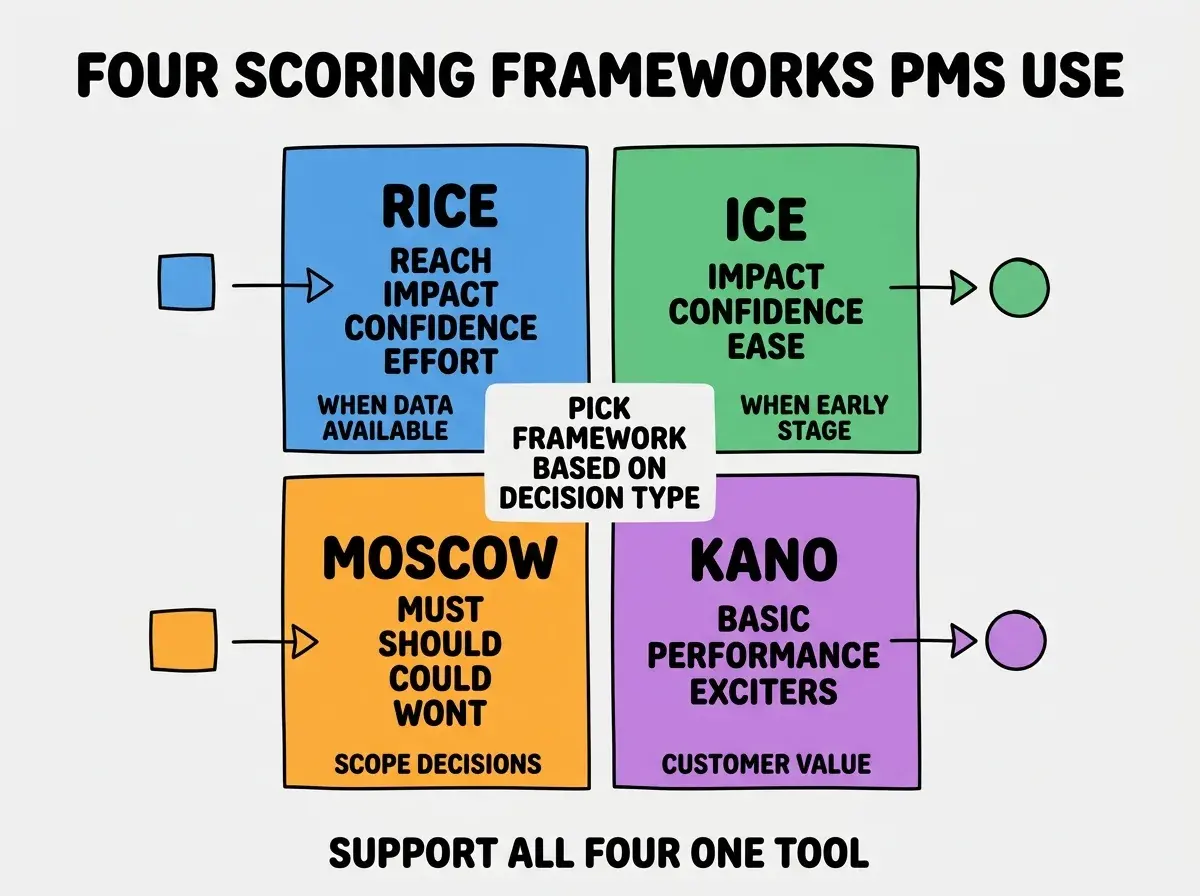
Framework 3, MoSCoW. Must, Should, Could, Won't. Best for scope decisions and roadmap planning. More qualitative than numeric scoring.
Framework 4, Kano. Basic needs, performance features, exciters. Best for analyzing customer value and feature differentiation. Helps identify what to invest in beyond table stakes.
The Architecture That Ships in a Day
The implementation is small. Three pieces handle most of the tool.
Piece 1, feature CRUD. Add, edit, delete features with name, description, and scores. Save to Supabase or Postgres. Standard form-based UI.
Piece 2, framework selector. Per-feature or per-project, pick which scoring framework to apply. The selected framework determines which input fields show.
Browse more PM build guides
Read more build articlesPiece 3, visualization. Sorted list view ranked by score, plus a 2x2 matrix view (impact vs effort) for visual comparison. Both views update live as scores change.
How to Make It Useful Across Teams
Building the tool is the easy part. Three patterns determine whether it gets used or abandoned.
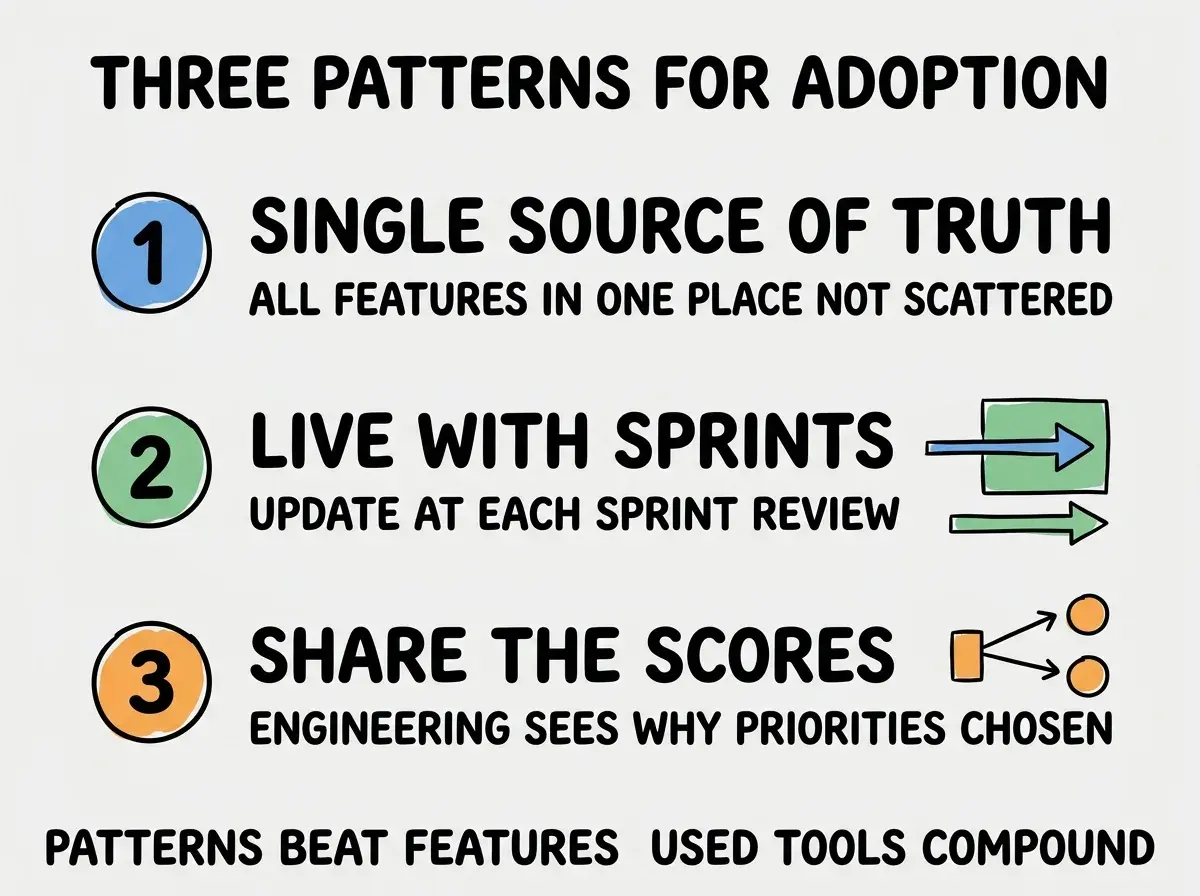
Pattern 1, single source of truth. All features in one place. If features are scattered across spreadsheets, Linear, and Slack, the tool adds friction without adding value.
Pattern 2, live with sprints. Update scores at each sprint review. Stale prioritization data is worse than no data because people stop trusting the tool.
Pattern 3, share the scores transparently. Engineering and design see why each feature was prioritized. Reduces conflict and builds trust in the prioritization process.
The "live with sprints" pattern is the highest-leverage of the three because it determines whether the scores stay accurate. Prioritization scored once at project start drifts as the team learns more about the product, the user, and the technical constraints. Updating scores at each sprint review (a 10-minute exercise on the ones that changed) keeps the priorities aligned with current understanding. PMs who do this consistently produce roadmaps that hold up; PMs who score once and move on produce roadmaps that get re-litigated every quarter.
The "single source of truth" pattern is foundational. When some features live in the prioritization tool, others in Linear, others in a Notion doc, and others in someone's head, the tool stops being authoritative. The first time a stakeholder asks "are we doing X?" and the PM has to check three places, the tool has failed. Insist on every feature being in the prioritization tool, even ones that seem obviously low priority, so the tool can be trusted as comprehensive.
Implementation Choices That Matter
The build is small, but a few choices significantly affect adoption.
Choice 1, web-based vs desktop. Web wins for collaboration. Stakeholders can see prioritization without installing anything; the URL is the access mechanism.
Choice 2, real-time updates vs save-on-refresh. Real-time updates (changes appear for other viewers immediately) are nice but expensive to build. Save-on-refresh (changes save instantly but other users need to refresh to see them) is enough for most teams and ships much faster.
Choice 3, integration with issue tracker. Bidirectional sync with Linear or Jira is powerful but complex. One-way push (prioritized features create tickets in the tracker) is simpler and covers the main use case.
Choice 4, mobile-friendly vs desktop-only. Most prioritization happens at a desk. Mobile-friendly is nice-to-have, not essential. Skip it for v1 to ship faster.
Choice 5, auth model. SSO via Google or Slack is enough for most teams. Custom auth adds operational overhead without adding value. Pick the simplest auth that fits your team's setup.
The right choices depend on your team's specific context, but the general pattern is to pick the simplest option for each choice and ship the v1 in a day. You can always add complexity later based on what your team actually needs.
The most damaging prioritization mistake is treating the score as authoritative when it should be a starting point for discussion. RICE produces a number, but the number reflects assumptions about reach and impact that may be wrong. The right approach is to use the score as the entry to the conversation, not the conclusion of it. Tools that present scores as final verdicts get abandoned because PMs realize the conversation is more important than the math.
The other mistake is over-engineering the tool. A v1 with 10 features used weekly beats a v3 with 30 features used monthly. Ship the minimum viable tool and iterate based on what your team actually uses. The discipline of resisting feature creep on internal tools is harder than on customer-facing products because there is no external pressure forcing simplicity. The PM who builds the tool has to enforce that discipline themselves, and the easiest way is to ask "would my team actually use this feature next week" before adding it.
What This Means For You
A custom prioritization tool is a high-leverage internal investment for any product team in 2026. The build cost is small, the savings vs commercial tools are substantial, and the fit to your specific workflow is dramatically better.
- If you're a founder: Have your PM build this if your team currently uses spreadsheets for prioritization. The structure adds value even at small scale.
- If you're changing careers into PM: Building one of these is a great portfolio piece that demonstrates both PM thinking and modern tooling skills.
- If you're a student: Build a personal version for your own projects. The discipline of scoring tradeoffs transfers to almost every decision-making context.
Browse more PM build guides
Read more build articles