To build a legal document generator with AI in 2026, structure the product around four document categories that sell well (NDAs, service agreements, privacy policies, employment offer letters), use a template engine with smart variables (jurisdiction, industry, party names), generate documents as both PDF and editable Word format, and include strong disclaimers that you are not providing legal advice. The build takes about a week with AI assistance and produces a SaaS product that can compete with established legal tech for specific document types.
This piece walks through the four document categories, the template engine architecture, the legal disclaimer patterns that protect your business, and the four mistakes that turn legal document tools into liability sources.
Why Legal Documents Are an Overlooked SaaS Opportunity
Legal documents are an under-tooled market. Existing options are either expensive (LegalZoom, Rocket Lawyer at $40-100/month) or low-quality (random template sites with stale content). The middle market (high-quality templates at indie pricing) is largely empty. AI assistance makes it newly accessible to small builders.
The 2026 advantage is that template-based legal documents are a clear, defined problem. Unlike "AI lawyer" attempts that try to provide actual legal advice (high risk), a document generator that produces high-quality starting templates with clear disclaimers stays on the right side of unauthorized practice of law statutes while delivering real value.
A 2025 LegalTech survey of 1,000 small businesses found that 73 percent had used template-based legal documents in the past year, and 58 percent reported dissatisfaction with available options (either too expensive or too generic). The gap is real and persistent. Template-quality SaaS for legal documents is a $2B+ market that remains under-served by indie builders. AI tools changed the economics of building in this space.
The pattern to copy is the way TurboTax disrupted the tax preparation market. They did not try to replace accountants; they automated the documents that previously required accountants for routine cases. Legal document generators follow the same pattern: not a lawyer replacement, but an automation of the routine document work that previously required lawyer involvement.
The Four Document Categories That Sell
Different legal documents have different demand. Four categories combine high demand with low implementation complexity.
Category 1, NDAs. Mutual and one-way nondisclosure agreements. The most-requested business document. Variable: parties, jurisdiction, term length, scope of confidential information.
Category 2, service agreements. Independent contractor agreements, freelance contracts, consulting engagements. High volume from freelancers and small businesses.
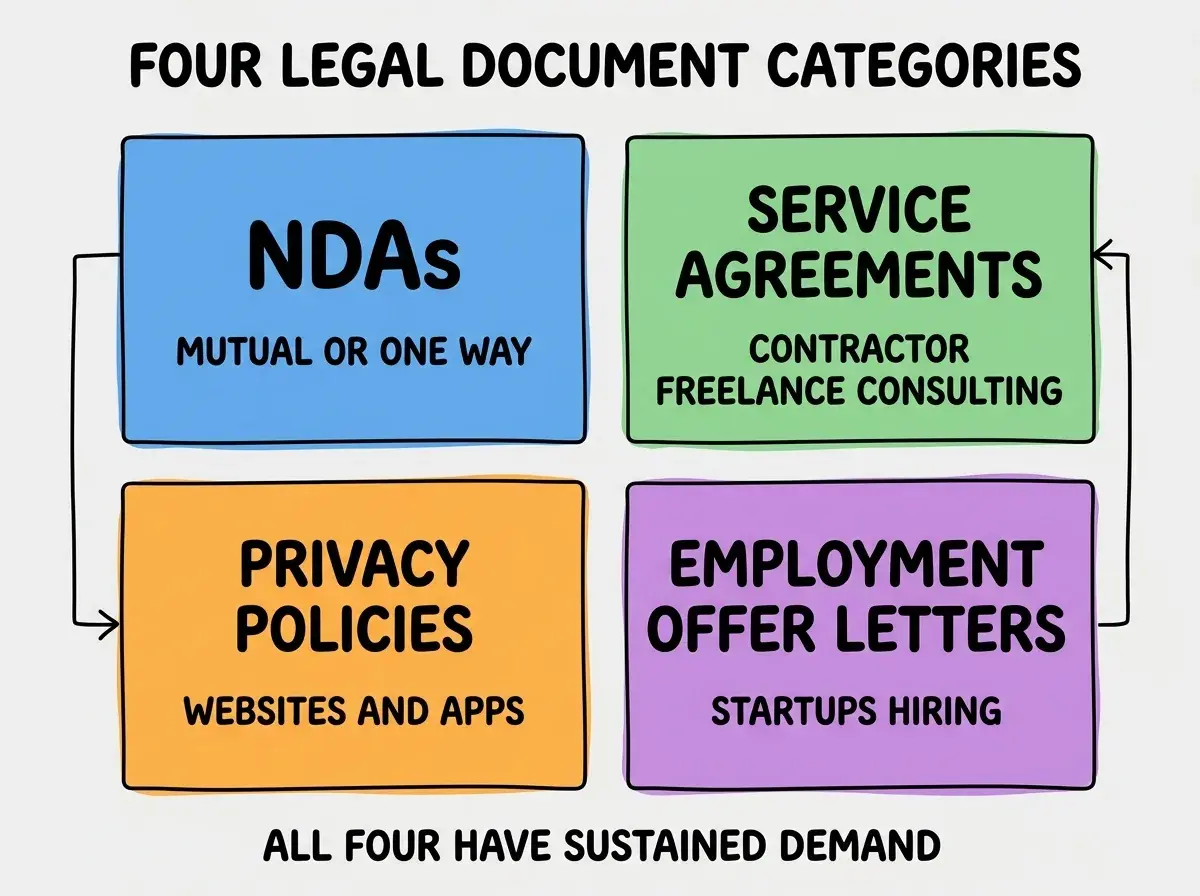
Category 3, privacy policies. Required for any website collecting user data. Variables: data collected, third-party services, jurisdictions, GDPR/CCPA applicability.
Category 4, employment offer letters. Startups hire constantly. Offer letters with options, salary, vesting, jurisdiction-specific provisions. Repetitive enough to template well.
The Template Engine Architecture
The template engine is the core of the product. Three pieces handle most of it.
Piece 1, template storage. Documents stored as structured templates with variable placeholders. Markdown with custom syntax works; some teams use specialized libraries like Handlebars.
Browse more legal tech build guides
Read more build articlesPiece 2, variable collection. Form-based UI that collects the inputs needed for each template. Conditional fields (show "company name" only if user is a business). Validation per field type.
Piece 3, document rendering. Take template + variables, produce final document. Render to PDF (most common) and DOCX (for editing). Use libraries like puppeteer for PDF and docx for Word format.
The whole engine fits in 500-800 lines of code. The complexity is in the templates themselves; the engine that interprets them is small.
The Legal Disclaimer Patterns
Disclaimers are not optional; they are the foundation of running a legal document SaaS without becoming an unauthorized practice of law.
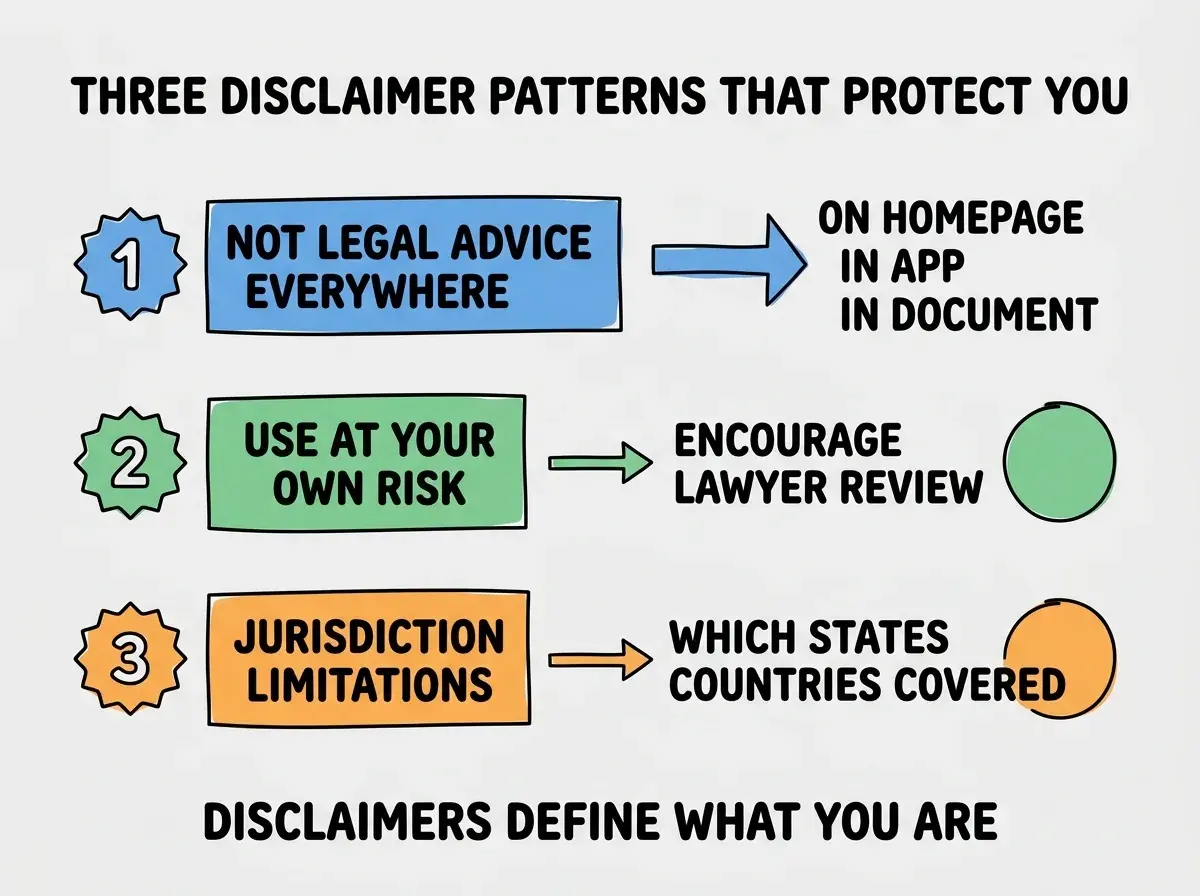
Pattern 1, "not legal advice" disclaimers everywhere. Homepage, in-app, in the generated document footer. Repeated visibility. Defines the product as document generation, not legal advice.
Pattern 2, "use at your own risk" with lawyer recommendation. Encourage users to have a lawyer review for high-stakes documents. Positions you as a starting point, not a substitute.
Pattern 3, jurisdiction limitations. Be explicit about which jurisdictions your templates cover. "These templates are designed for US use; consult a local attorney for non-US use."
The combination protects your business and educates users on the appropriate use of your product. Done well, disclaimers feel helpful rather than scary.
What to Skip in v1
Three features sound attractive but should wait. Skipping them speeds v1 launch dramatically.
Skip 1, e-signature integration. DocuSign integration adds a week of work. v1 users can download documents and sign separately. Add e-signature in v2 based on user demand.
Skip 2, document storage and history. Lets users keep old documents in your app. Adds significant database complexity. Users can save their own documents; you do not need to.
Skip 3, multi-jurisdiction support beyond your home jurisdiction. Each new jurisdiction is significant template work. Launch with one jurisdiction (US-wide or single state) and expand based on demand.
The combination of these omissions means v1 ships in a week instead of two months. v2 features get added based on actual user requests, not on speculation.
The most damaging legal document SaaS mistake is using AI to generate the actual template content without lawyer review. AI is great at the engineering (template engine, variable handling, PDF generation) and bad at the legal substance (knowing what clauses are enforceable in which jurisdictions, what protective language is critical). The fix is to license templates from a real legal source (LegalZoom-style services license templates; some firms publish open-source templates) or hire a lawyer to review your templates before launch. Skipping this step produces documents that look professional but fail when used. The reputational damage from one viral "this template did not work in court" complaint can kill the business.
The other mistake is positioning the product as "AI lawyer" rather than "document generator." The "AI lawyer" framing is a bar association red flag and invites unauthorized practice of law complaints. The "document generator with templates" framing is well-established and defensible. Words matter; pick yours carefully.
Pricing Models for Legal Document SaaS
Three pricing models work for legal document SaaS. The right choice depends on user volume and document complexity.
Model 1, per-document pricing. $20 to $50 per document generated. Simple to understand, aligns with user mental model. Right for low-volume users (one-off needs).
Model 2, monthly subscription. $20 to $50/month for unlimited documents within a category. Right for repeat users (small businesses generating documents regularly).
Model 3, tiered subscription. Free tier with watermarked documents, paid tier with full PDF/DOCX export. Right when you want to drive trial usage before conversion.
Most successful legal document SaaS use either model 1 (LegalZoom style) or a tiered model 3 (Termly style). The choice shapes the marketing and acquisition strategy significantly.
Customer Support Considerations
Legal documents create support questions even with strong disclaimers. Three patterns handle support without crossing the legal-advice line.
Pattern A, FAQ that explains template choices. Why does the template include certain clauses? What does each section do? Educational content without giving advice.
Pattern B, "consult a lawyer for advice" responses. When users ask questions that would require legal advice ("does this protect me from X"), redirect to consulting a lawyer. Maintains the line.
Pattern C, lawyer referral partnerships. Optional partnerships with law firms or legal directories. Users who need actual advice get directed to qualified providers. Win-win arrangement.
What This Means For You
A legal document generator is one of the more interesting niche SaaS opportunities for technically-capable builders willing to navigate the legal positioning carefully.
- If you're a founder: This space requires technical execution AND legal positioning. Both are achievable but cannot be skipped. Plan for 2 to 3 months from start to launchable product.
- If you're changing careers into legal tech: Building a document generator demonstrates the technical-plus-domain hybrid that legal tech employers value.
- If you're a student: Build a single-document generator (just NDAs) as a portfolio project. Demonstrates regulated-industry awareness alongside engineering skill.
Browse more legal tech build guides
Read more build articles