To build a feedback loop that turns user input into product improvements in 2026, design four stages explicitly (collection of feedback through multiple channels, triage to prioritize what matters, action to ship improvements based on themes, and closing the loop by telling users what changed because of their input), use a tool that consolidates feedback rather than scattering it across email and Slack and intercom, and treat the closing-the-loop step as essential rather than optional. Most products collect feedback poorly and act on it inconsistently; the few that build genuine feedback loops earn user loyalty and ship the right things.
This piece walks through the four loop stages, the tooling options, the patterns that produce real iteration, and the four mistakes that turn feedback collection into the graveyards most products produce.
Why Feedback Loops Matter More Than They Seem
Feedback loops separate products that improve over time from products that drift away from user needs. Products with strong loops know what users want; products with weak loops guess. Over years, the difference compounds dramatically; loop-driven products win their categories.
The 2026 reality is that most products collect feedback (surveys, support tickets, NPS) but few close the loop with users about what they did. The closing step matters more than most teams realize; it converts feedback collection from extractive to relational.
A 2025 ProductBoard customer feedback study of 900 SaaS products found that products that closed the loop with users (telling them what shipped because of their feedback) had 38 percent higher net promoter scores than products that collected feedback without follow-up. The mechanism was straightforward: users felt heard and continued engaging; users who felt ignored stopped providing feedback. The closing-the-loop step is the highest-leverage feedback work most products do not do.
The pattern to copy is the way successful Kickstarter campaigns communicate with backers. Successful campaigns send updates: what they heard, what they decided, what they shipped. Backers feel involved in the process. Failed campaigns go silent; backers feel ignored. Product feedback works the same way; closing the loop converts users from sources of input to participants in the process.
The Four Loop Stages
Four stages structure feedback loops that produce real iteration rather than collected-and-forgotten data.
Stage 1, collection. Gather feedback through multiple channels (in-app surveys, support tickets, user interviews, community posts). The variety captures different perspectives.
Stage 2, triage. Categorize and prioritize feedback. Some is critical and immediate; most is suggestion-level. Triage filters signal from noise.
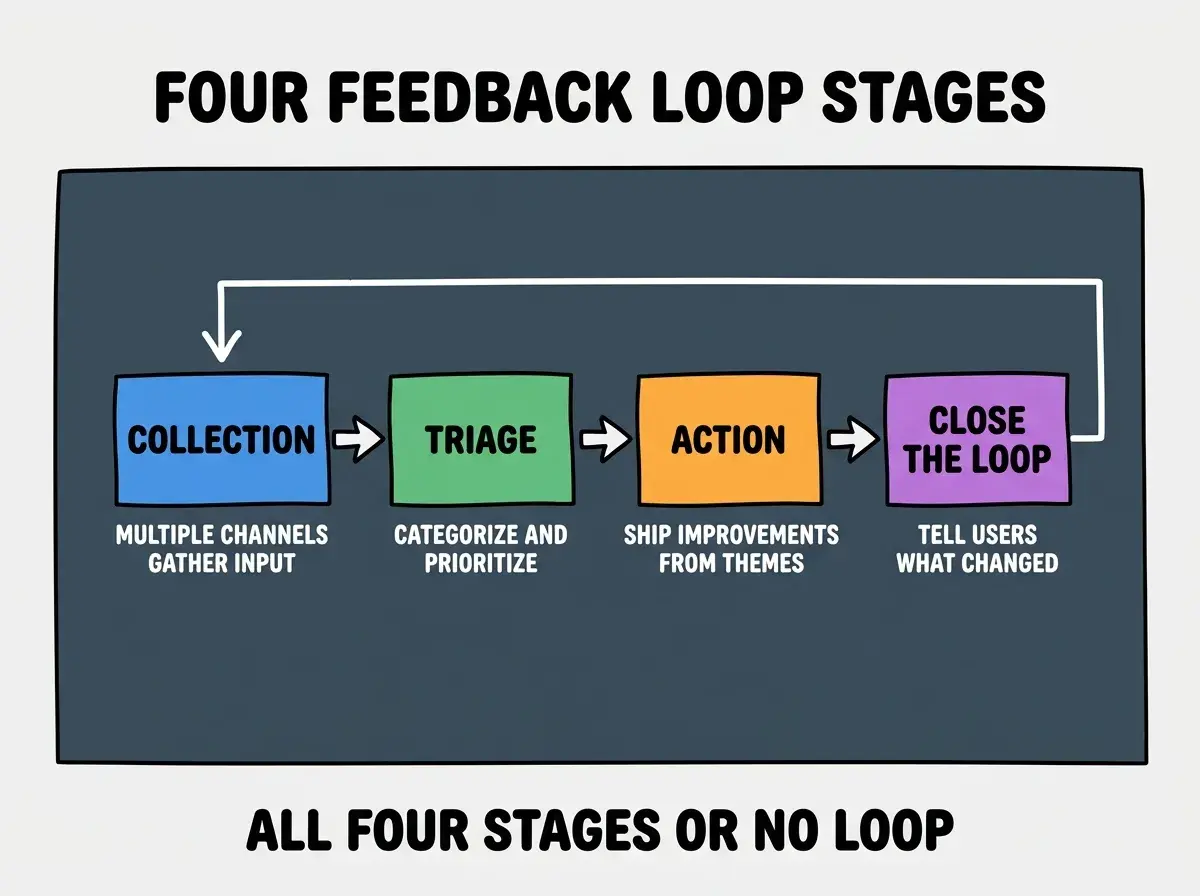
Stage 3, action. Ship improvements based on triaged themes. The action stage converts feedback into product changes; without action, collection is performance.
Stage 4, close the loop. Tell users what changed because of their feedback. The closing step transforms feedback from extraction to relationship.
The Tooling Options
Three categories of tools cover most feedback loop needs. Pick based on team size and feedback volume.
Tool 1, dedicated feedback platforms (Canny, ProductBoard, Beamer Feedback). Best for teams that want structured feedback management. Public roadmaps, voting, automatic notifications.
Browse more product feedback guides
Read more grow articlesTool 2, customer support platforms (Intercom, Help Scout) used as feedback channels. Best for teams that already use these for support. Feedback comes through support; tagging captures themes.
Tool 3, lightweight Notion or Airtable databases. Best for indie teams without budget for dedicated tools. Less polished but functional; the discipline matters more than the tool.
The Patterns That Produce Real Iteration
Three patterns separate teams that genuinely act on feedback from teams that collect it without iteration.
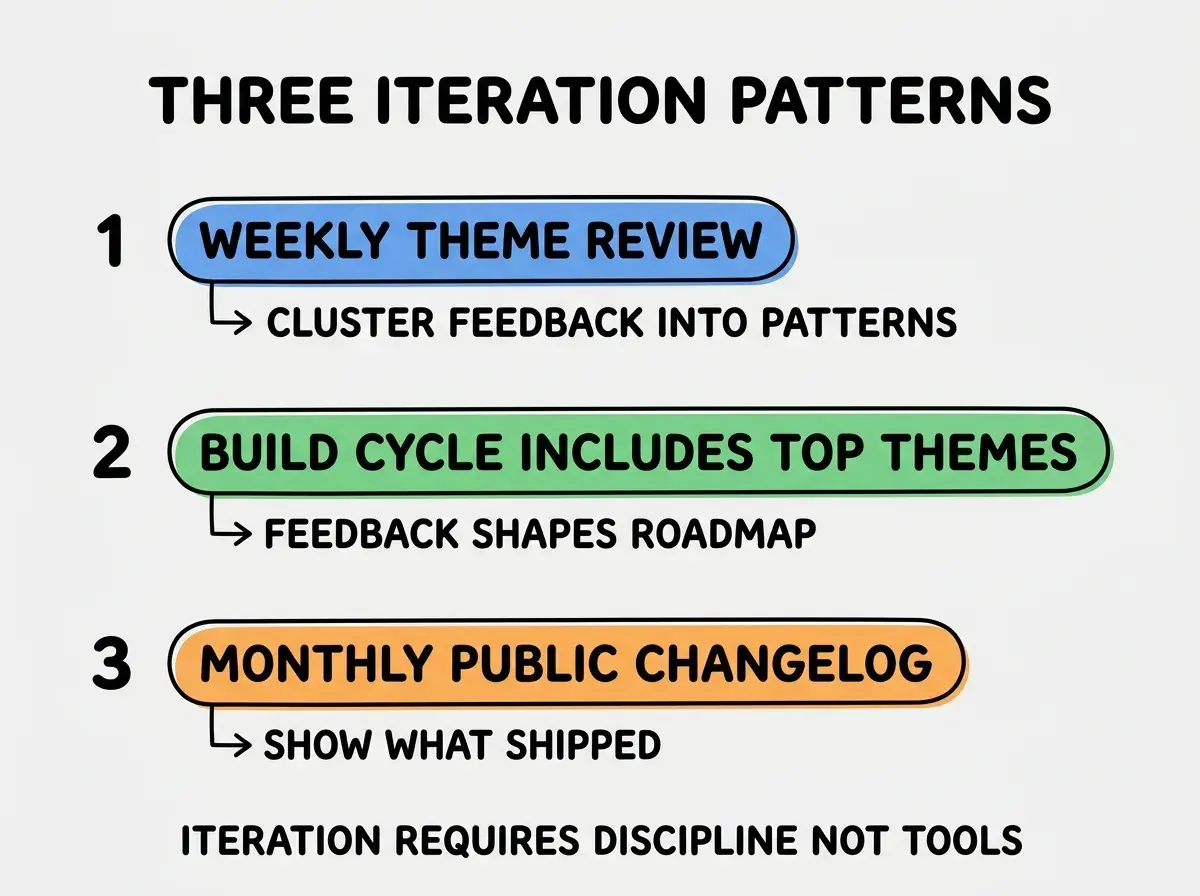
Pattern 1, weekly theme review. Cluster the week's feedback into themes; identify the 2-3 themes most worth attention. Themes beat individual feedback items for prioritization because they reflect patterns rather than outliers.
Pattern 2, build cycle includes top themes. Reserve some build capacity for feedback-driven work. If 0 percent of your build time addresses feedback themes, the loop is broken regardless of how thoroughly you collect input.
Pattern 3, monthly public changelog. Show users what shipped, with attribution to the feedback that triggered the work. The changelog closes the loop publicly and signals to the broader user base that feedback gets acted on.
How to Collect Feedback Without Annoying Users
Three collection patterns produce feedback at sustainable rates without user fatigue.
Pattern 1, NPS or satisfaction surveys quarterly. Once-per-quarter cadence captures sentiment without exhausting users. Monthly surveys produce diminishing response rates and survey fatigue.
Pattern 2, in-app feedback widgets always available. A persistent "send feedback" button lets users initiate when motivated. Pull-based collection produces higher-quality input than push-based prompts.
Pattern 3, monthly customer interviews with 5-10 users. Direct conversations surface depth that surveys miss. Recruit through existing customer relationships; offer modest incentives for participation.
The combination produces sustained feedback flow without burning out the user base. Without these patterns, teams either collect too aggressively (driving users away) or too passively (missing important signal).
How to Categorize Feedback Effectively
Three categorization patterns help triage feedback into actionable buckets.
Pattern A, separate bugs from feature requests from general feedback. Each requires different handling. Mixing them produces confusion; separating them enables proper triage.
Pattern B, tag by feature area. Feedback about onboarding goes to one bucket; feedback about billing to another. Tagging enables analysis by area.
Pattern C, tag by user segment. Feedback from power users matters differently than feedback from new signups. Segment tagging produces nuanced prioritization that aggregate feedback hides.
The combination produces feedback that informs roadmap decisions rather than just accumulating. Without categorization, feedback becomes a pile that nobody can act on systematically.
The most damaging feedback loop mistake is treating individual feedback items as priorities rather than looking for themes. Founders react to each feedback item as if it were equally important; the result is constant context-switching and no coherent direction. The fix is to cluster feedback into themes and act on themes, not individual items. A theme that 20 users mention deserves attention; a request that 1 user mentions usually does not. Theme-thinking produces better roadmap decisions than item-thinking; pattern recognition is the skill that separates effective product teams from reactive ones.
The other mistake is closing the loop only with the user who gave the feedback. The user community wants to see that feedback shapes the product; closing the loop only privately to feedback-givers misses most of the value. The fix is to close the loop publicly through changelogs, blog posts, and in-product messages. Public closing converts individual feedback into community evidence that the product responds to user input.
A third mistake is treating all feedback channels as equal. Feedback from paying customers usually deserves higher weight than feedback from free users; feedback from long-tenured customers usually outweighs feedback from new signups. The fix is to apply explicit weighting in your triage; not all feedback is equal, and pretending it is produces wrong roadmap decisions.
A fourth mistake is acting on the loudest feedback rather than the most representative. The users who write detailed feedback emails are often unrepresentative of your broader user base. Surveys and analytics provide quantitative balance to qualitative feedback; without quantitative balance, the loudest voices steer the roadmap in directions that do not reflect majority needs.
What This Means For You
Feedback loops are core product capability in 2026. The four stages, tooling options, and iteration patterns produce loops that drive real improvement.
- If you're a founder: Build the feedback loop early; the patterns set culture that compounds. Late-stage loop building is much harder than early-stage loop building.
- If you're changing careers into product management: Feedback loop design is increasingly expected for senior PM roles. Practice on side projects to build the skill.
- If you're a student: Study how successful products run feedback loops. Linear, Notion, and Figma all have notable patterns worth examining.
Browse more product iteration guides
Read more grow articles