To build an event management platform with AI tools, follow the four phase approach (define what event types and attendee patterns the platform should support, build the data model that supports registration and ticketing, design the attendee interface that handles the full event lifecycle, and ship with the operational patterns that prevent event day chaos), recognize what separates event platforms organizers love from platforms that frustrate everyone, and apply the patterns that produce sustained organizer adoption. The event management platform becomes valuable when it reduces organizer time while improving attendee experience; without that bar, organizers stick with what they know.
This piece walks through the four phases, the operational patterns, the specific tooling, and the four mistakes that produce event platforms organizers abandon.
Why Event Management Platforms Matter
Event management platforms turn the chaos of running events into structured workflows. The transformation matters; without platforms, organizers manage events through spreadsheets and email tag, while platforms produce the structure that handles registration, payments, communications, and check in coherently.
The 2026 reality is that AI tools dramatically accelerate event platform building while AI integration during event operation can summarize attendee questions, detect registration anomalies, and suggest communications faster than manual review. The combination means small organizers can build platforms matching what enterprise event tools previously required.
A 2025 event organizer survey of 600 small event organizations found that organizations using purpose built event platforms reduced event prep time by 41 percent and improved attendee satisfaction by 28 percent compared to spreadsheet plus email approaches. The structure produces both efficiency and experience improvements.
The pattern to copy is the way airline reservation systems transformed travel. Reservation systems replaced paper ticketing chaos with structured digital workflows; the structure produced both better operations and better passenger experience. Event platforms play similar role for events; structure produces better outcomes than ad hoc coordination.
The Four Phase Approach
Four phases produce event management platforms organizers love.
Phase 1, define what event types and attendee patterns the platform should support. Conferences, meetups, workshops, virtual events. Different event types need different features; defined scope determines feature set.
Phase 2, build the data model that supports registration and ticketing. Events, sessions, attendees, tickets, payments. AI tools generate the schema effectively given clear specifications.
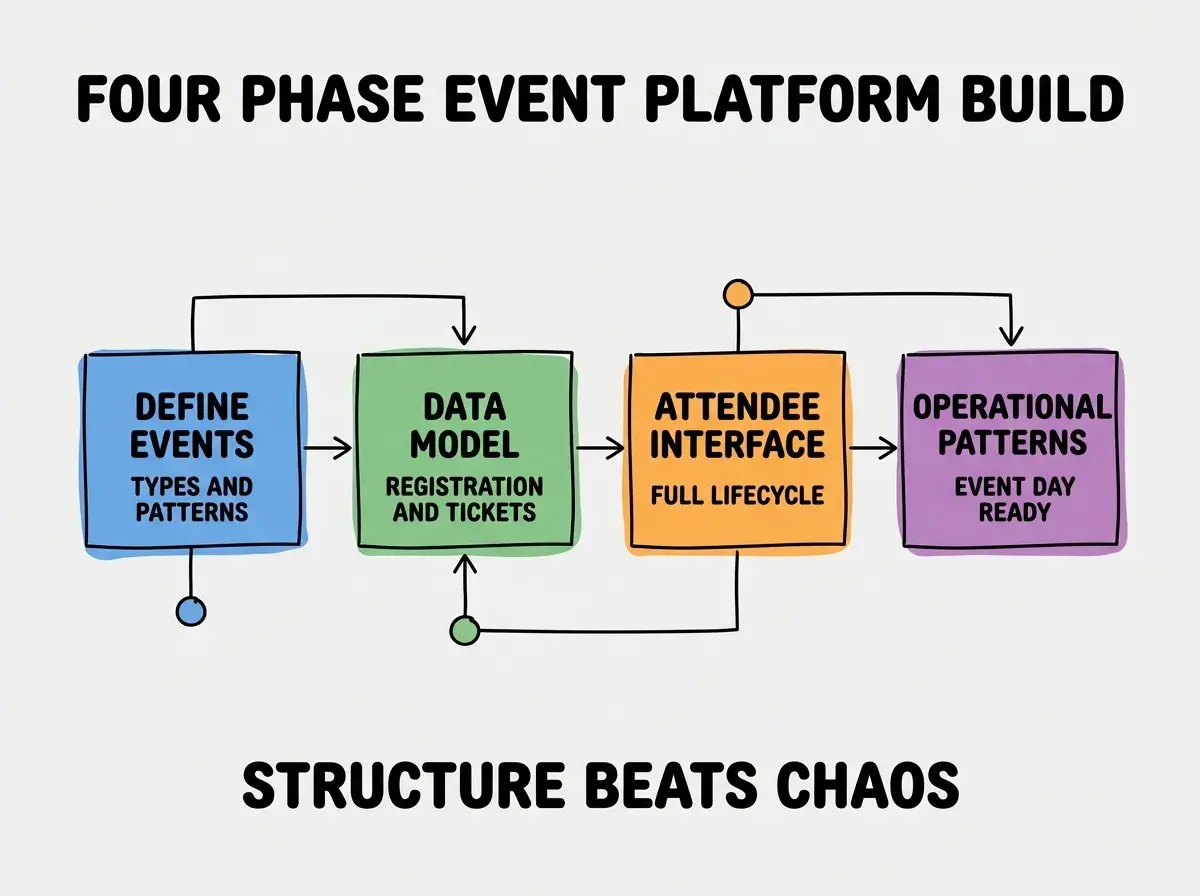
Phase 3, design the attendee interface that handles the full event lifecycle. Registration, communications, agenda, check in, post event. Lifecycle coverage determines attendee experience; partial coverage forces attendees to multiple tools.
Phase 4, ship with operational patterns that prevent event day chaos. Bulk communications, real time check in, contingency procedures. Operational patterns matter; without them, event day reveals platform limitations dramatically.
The Operational Patterns That Prevent Chaos
Three patterns produce smooth event day operations.
Pattern 1, mass communication tools for last minute updates. Schedule changes, location updates, important announcements. Without bulk communications, last minute updates fail to reach attendees in time.
Browse more business tool tutorials
Read more build tutorialsPattern 2, fast check in with QR codes or names. Long check in lines hurt attendee experience. Fast check in produces good first impressions; slow check in produces lasting frustration.
Pattern 3, real time capacity tracking for sessions. When sessions fill up, attendees need to know in real time. Without tracking, overcrowding produces safety and experience problems.
The Specific Tooling That Worked
Three tool categories combine effectively for event platform building.
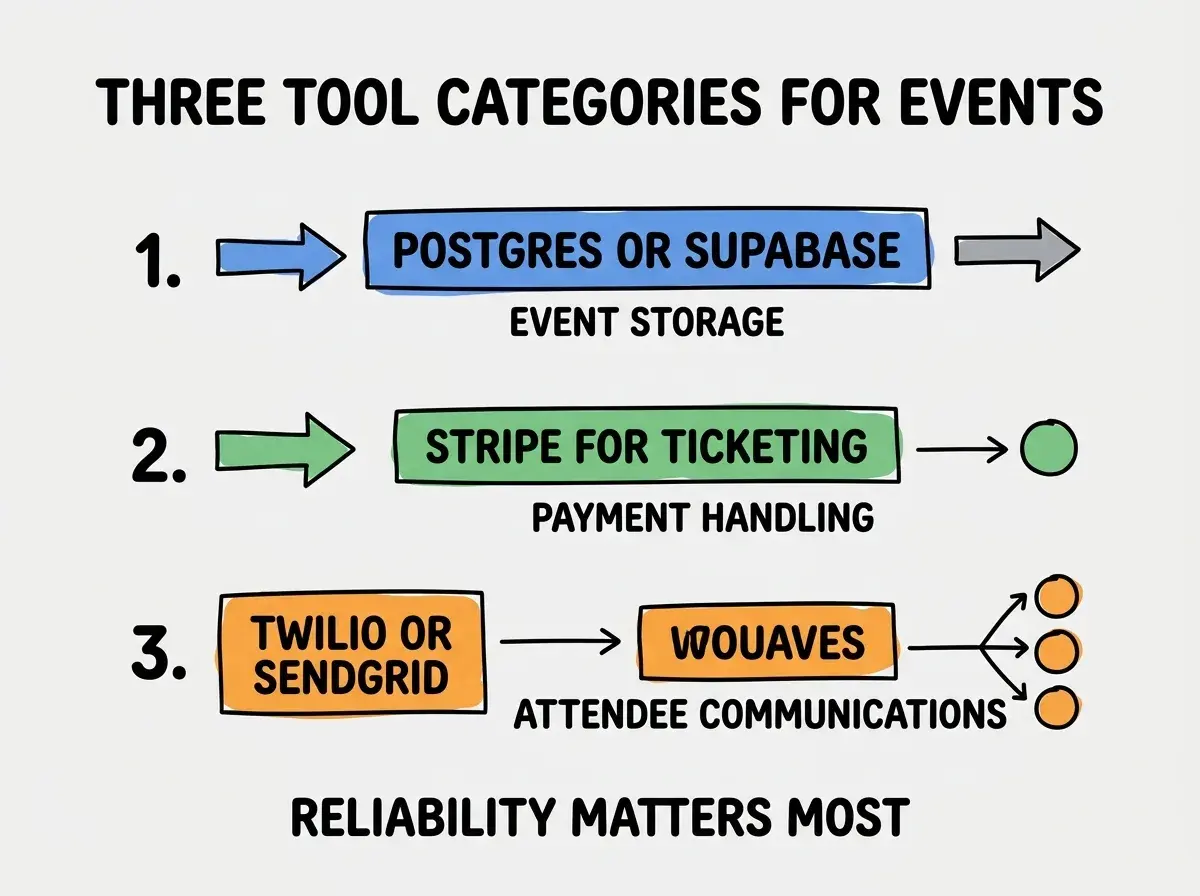
Tool 1, Postgres or Supabase for event storage. Events, sessions, attendees, tickets, payments. Relational data fits naturally.
Tool 2, Stripe for ticketing and payment handling. Standard payment provider with strong refund and dispute handling. Event platforms handle real money; payment reliability matters dramatically.
Tool 3, Twilio or SendGrid for attendee communications. SMS for urgent updates, email for routine communications. Multi channel reach matters for events with hard timing constraints.
What Makes Event Platforms Get Sustained Use
Three patterns separate sustained platform use from platform abandonment.
Pattern 1, faster than the spreadsheet plus email it replaces. If platform takes longer than ad hoc tools, organizers stick with spreadsheets. Platform must be faster or lose to alternatives.
Pattern 2, mobile friendly for attendees and event day staff. Many attendees and staff prefer phone over desktop for event interactions. Mobile design matters; desktop only platforms limit use.
Pattern 3, reliable on event day above all else. Platforms that fail during events lose organizers permanently. Reliability is non negotiable; event day is when failures hurt most.
The combination produces event platforms organizers return to for every event. Without these patterns, platforms get used once then abandoned for the next event.
How to Build Your First Event Platform
Three implementation patterns help first event platforms succeed.
Pattern A, start with one event type, not all event types. Conferences first or meetups first. Single type validates the patterns. Multi type from day one often produces incomplete coverage.
Pattern B, dogfood with internal events before external. Internal events forgive platform issues; external events do not. Internal validation catches problems before external exposure.
Pattern C, instrument event day usage carefully. Check in time, page load times, error rates. Event day data reveals issues that pre event testing missed.
The combination produces first event platforms that establish credibility for sustained use. Without these patterns, first events often reveal platform limitations that destroy organizer confidence.
The most damaging event platform mistake is launching without rigorous event day testing. Platforms that work in development sometimes fail under event day load and timing pressure; without testing, the failures appear during the worst possible moment. The fix is to load test, time pressure test, and dry run test before any real event; the testing investment prevents the event day failures that destroy platform credibility. One bad event day often loses organizers permanently.
The other mistake is overengineering with features no event needs. Comprehensive event platforms produce friction without value for most events. The fix is to build for your specific event types; generic platforms rarely match event patterns optimally.
A third mistake is failing to handle refunds gracefully. Refunds happen; clunky refund handling produces angry attendees and chargebacks. The fix is to design refund flows from the start; refund handling matters as much as initial sale handling.
A fourth mistake is missing accessibility considerations. Events have attendees with diverse needs; inaccessible platforms exclude attendees. The fix is to build accessibility from the start; retrofit accessibility is harder and often incomplete.
What This Means For You
The event management platform built with AI tools becomes valuable through smooth operations, attendee lifecycle coverage, and event day reliability. The four phases, operational patterns, and tool combinations produce platforms organizers return to for every event.
- If you're a founder running events: Event platforms become essential as event scale grows. Build them when ad hoc tools become bottleneck; below that scale, ad hoc may suffice.
- If you're an indie hacker: Event management is attractive market with sustained customer relationships. Niche event platforms (specific industry, specific event type) often outcompete general platforms.
- If you're a senior dev: AI tools handle event platform implementation effectively. The bottleneck is event day reliability and operational patterns, not implementation; invest in those areas more than feature breadth.
Browse more business tool tutorials
Read more build tutorials