To build an EdTech learning platform with AI tools in 2026, focus on four feature pillars that students actually use (course creation, lesson playback with progress tracking, assessments with feedback, and a clear progress dashboard), choose a stack that handles video and content well (Next.js + Mux or Bunny.net for video, Supabase for data), implement basic privacy hygiene (FERPA awareness even if you do not formally need to comply yet), and ship a working v1 in 4 to 6 weeks of focused work. The temptation to build every feature competitors have is the biggest mistake; students use 20 percent of features for 80 percent of their time.
This piece walks through the four feature pillars, the stack choices that scale, the privacy work that protects you, and the five mistakes that consistently derail EdTech projects regardless of how good the underlying engineering is.
The patterns described here apply to corporate training, professional education, K-12, and consumer learning equally well, with small adjustments for each segment around content type and assessment style.
Why EdTech Is a Distinct Build
EdTech looks like SaaS from outside but has specific challenges. Video hosting is expensive and bandwidth-heavy. Content creation tools (lesson builders, quiz makers) are non-trivial UI work. Progress tracking touches every screen and has to be reliable. And the user expectations are shaped by Coursera, Khan Academy, and Duolingo, which set a quality bar that cannot be ignored.
The good news is that AI tools handle most of the implementation well. The challenge is that EdTech founders frequently over-scope. They want gamification, AI tutoring, social features, certificate issuance, and live cohort sessions in v1. The successful pattern is to ship a focused v1 around the four pillars, see what students actually use, and add features based on observed behavior rather than assumed needs.
A 2025 EdTech analytics study from Reach Capital tracked 100 launched learning platforms and found that students used an average of 4 to 7 distinct features regularly, regardless of how many features the platform offered. Platforms with 8 or fewer features had higher engagement than platforms with 30+ features. The data suggests that focused EdTech beats feature-rich EdTech, and the focused version ships faster, costs less, and engages users more.
The pattern to copy is the way Duolingo evolved. The early product was three features (lesson, streak, leaderboard) executed extremely well. They added complexity only as they understood what worked, and many features added later were eventually removed. Most failed EdTech projects do the opposite: ship 30 features in v1, none of which are polished.
The Four Feature Pillars
Each pillar is a fundamental capability that any learning platform needs. Building each one well in v1 produces a competitive product.
Pillar 1, course creation. Instructors need to create courses with modules, lessons, and supporting materials. The lesson builder is where most platforms either nail it or fail. Markdown-first authoring is the cleanest approach for technical content; rich-text editors work for general content but require more polish.
Pillar 2, lesson playback with progress tracking. Students watch or read lessons and the platform tracks where they are, what they have completed, and where they left off. Resume-from-last-position is the single most-used feature.
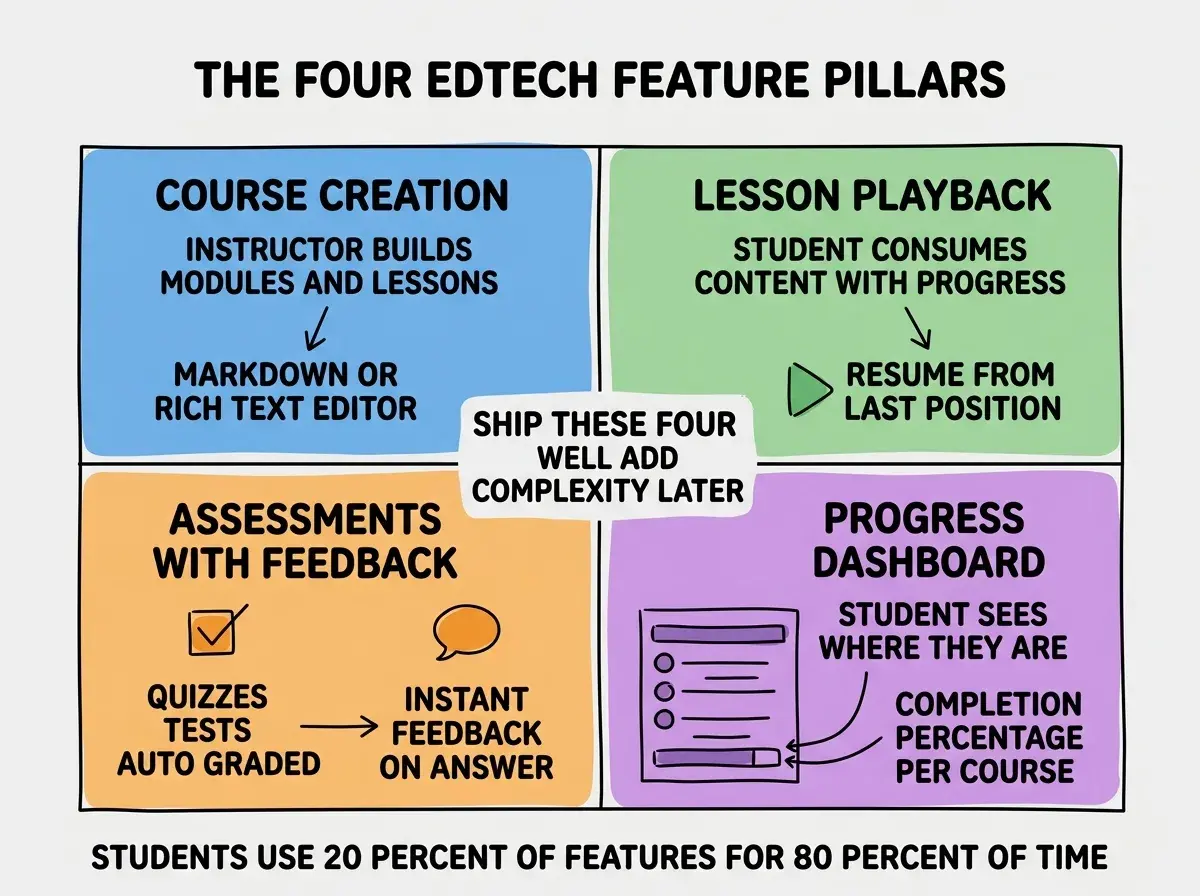
Pillar 3, assessments with feedback. Quizzes, tests, exercises with automatic grading and immediate feedback. The feedback loop is what makes assessments worth taking; submit-and-wait flows kill engagement.
Pillar 4, progress dashboard. Students see what they have completed, what is next, and how much remains. Simple visualizations beat complex ones; a single completion percentage per course covers most of the need.
The Stack That Scales
Picking the right stack upfront prevents a lot of rework. The 2026 stack that works for most EdTech apps is straightforward.
Frontend. Next.js or Remix with Tailwind CSS. Both handle the kind of content-heavy, server-rendered UI that EdTech requires. Next.js has slightly better community for EdTech-specific patterns.
Browse more domain-specific build guides
Read more build articlesDatabase. Supabase for the relational data (users, courses, lessons, progress). Cheap, fast, and the auth comes built in.
Video hosting. Mux or Bunny.net for video. Both handle adaptive bitrate streaming, transcription, and analytics out of the box. Vimeo Pro works as a budget option for very small platforms.
Content storage. Cloudflare R2 for any static content (PDFs, downloads, supplementary materials). Cheaper than S3 with similar performance.
The Privacy Work That Matters
EdTech touches student data, which has specific legal implications even if your students are adults. Three privacy disciplines protect you regardless of formal regulatory status.

Discipline 1, minimize data collected. Only ask for the data you actually use. Do not collect addresses, phone numbers, or demographic data unless your product actually needs them. The less you have, the smaller the risk if anything goes wrong.
Discipline 2, secure data at rest and in transit. TLS for all connections, database encryption at rest. Standard hygiene that most managed databases provide by default.
Discipline 3, clear data policies. Tell students what you collect, why, how long you keep it, and who you share it with. A simple privacy policy at sign-up builds trust and protects you legally.
If you serve K-12 students or under-13s, FERPA and COPPA add specific requirements. If you serve EU students, GDPR. If your students are adults in the US, the privacy disciplines above cover most of what you need.
The single biggest EdTech mistake is over-engineering the AI features in v1. Founders see Khan Academy's AI tutor and want to ship the same thing on day one. The reality is that AI tutoring is genuinely hard to do well, students often disable it after a few uses, and v1 should focus on the four pillars instead. Add AI tutoring or AI-generated lessons in v2 or v3 once you have student behavior data showing what would actually help. Building AI features into v1 commonly delays launch by months and rarely improves engagement.
The other mistake is launching to a generic audience. EdTech wins by being deeply useful to a specific student type (developers learning React, marketers learning SQL, kids learning math). A platform that is good for everyone is good for no one. Pick a narrow audience for v1 and expand only after the niche works.
A useful discipline during the build is to write down the three concrete jobs your platform helps students do, and reject any feature that does not directly support one of those jobs. The discipline is uncomfortable because you constantly want to add things, but it produces a focused product that students recognize as useful within minutes of signing up. Most failed EdTech platforms had three good jobs buried under twenty mediocre features.
What This Means For You
EdTech is a hard market but a real one. Building a focused, well-executed platform around the four pillars produces something students will actually use, and it ships in 4 to 6 weeks rather than 4 to 6 months.
- If you're a founder: Pick a narrow niche and ship the four pillars well. Resist the urge to build everything competitors offer in v1.
- If you're changing careers: EdTech is a friendly sector for career changers because the founders often value teaching ability alongside engineering skill.
- If you're a student: Building an EdTech platform on a topic you know is a great portfolio project. The domain knowledge is more valuable than you might expect.
Browse more domain-specific build guides
Read more build articles