To build a design token manager for designers in a weekend, structure your tokens around four categories (color, typography, spacing, motion), store them as JSON in a single source of truth, generate output formats for Figma, CSS variables, and Tailwind config from the same source, and add a simple UI for designers to edit values and see live previews. The build takes two days with AI assistance and produces a tool that beats Tokens Studio for teams that want full control over their token pipeline.
This piece walks through the four token categories, the data structure that scales, the sync patterns that work, and the four mistakes that turn token managers into orphaned tools.
Why Custom Beats Existing Tools
Tokens Studio for Figma is the dominant tool for design tokens, and it works well for many teams. But for teams that want tighter integration with their codebase, more control over output formats, or specific workflow customizations, a custom tool is often the better answer.
The build is small enough that a designer with AI assistance can ship one in a weekend, and the resulting tool integrates exactly how the team needs it to. No subscription, no plugin update breakage, no waiting for vendor features.
A 2025 Figma survey of 800 design teams found that 58 percent of teams using design tokens reported friction in syncing tokens between Figma and code. Of those, 42 percent had built or were planning to build custom tooling because off-the-shelf solutions did not fit their workflow. The gap is real, and the build cost is small enough that custom is increasingly the right answer.
The pattern to copy is the way modern teams treat configuration as code. Environment variables, infrastructure config, and feature flags all moved from GUI tools into version-controlled files because the engineering team needed control. Design tokens are following the same trajectory.
The Four Token Categories
Design tokens fall into four categories. A good token manager handles all four with consistent patterns.
Category 1, color. Brand colors, semantic colors (primary, secondary, error, success), surface colors, text colors. The most numerous category in most systems.
Category 2, typography. Font families, sizes, weights, line heights, letter spacing. Smaller in count but high in impact.
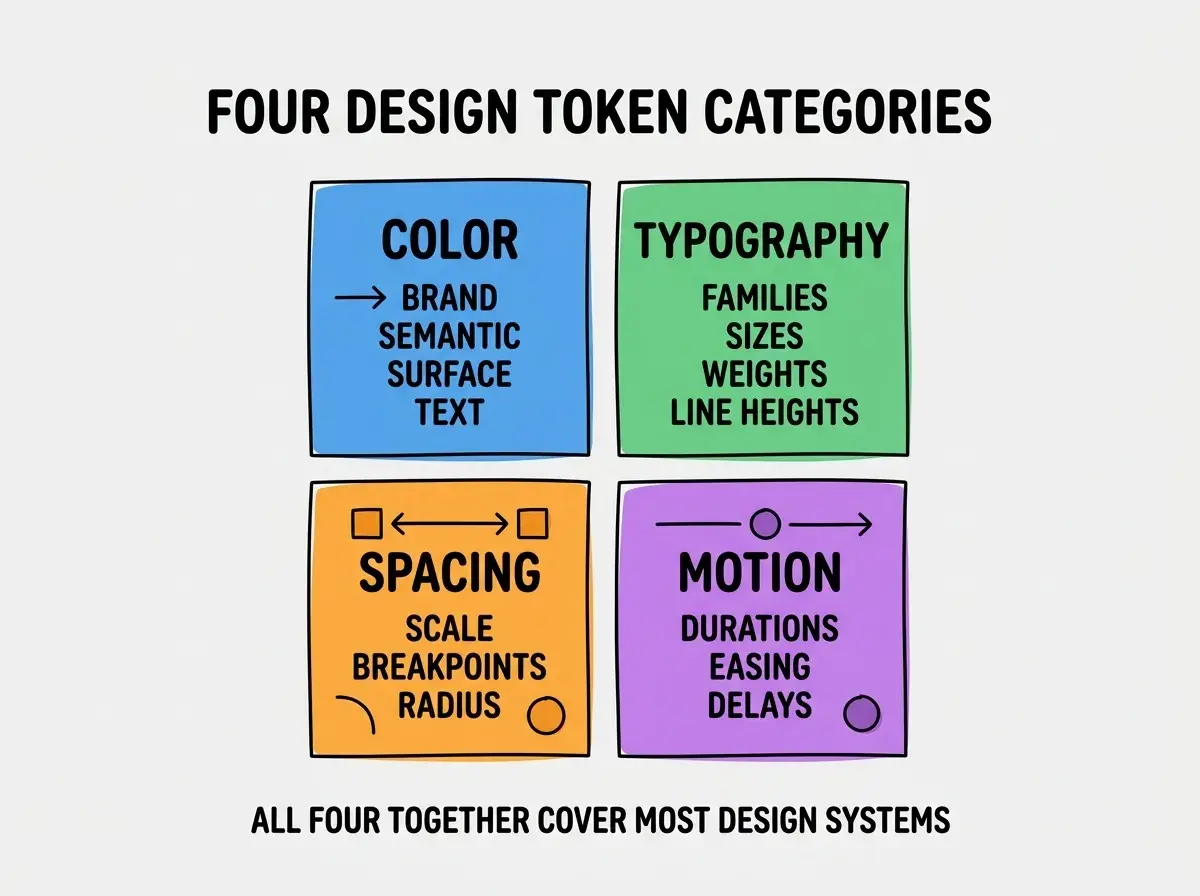
Category 3, spacing. Spacing scale (4, 8, 12, 16, 24, 32, etc.), breakpoints, border radii. Often underdocumented but heavily used.
Category 4, motion. Durations, easing curves, animation delays. Often missing from older token systems but essential for modern UI.
The Architecture That Ships in a Weekend
The architecture is small. Three pieces handle most of the tool.
Piece 1, JSON source of truth. All tokens stored as JSON in a single file (or split across category files). Versioned in git. The canonical source.
Piece 2, generators. Scripts that read the JSON and produce output formats: Tailwind config, CSS variables, Figma styles via the Figma API, TypeScript types for use in code.
Browse more designer build guides
Read more build articlesPiece 3, editor UI. A simple web UI for editing token values. Color pickers for color tokens, number inputs for spacing, dropdowns for easing. Live preview of changes.
How to Sync With Figma and Code
The sync is what makes tokens useful. Three patterns determine whether the sync is reliable.
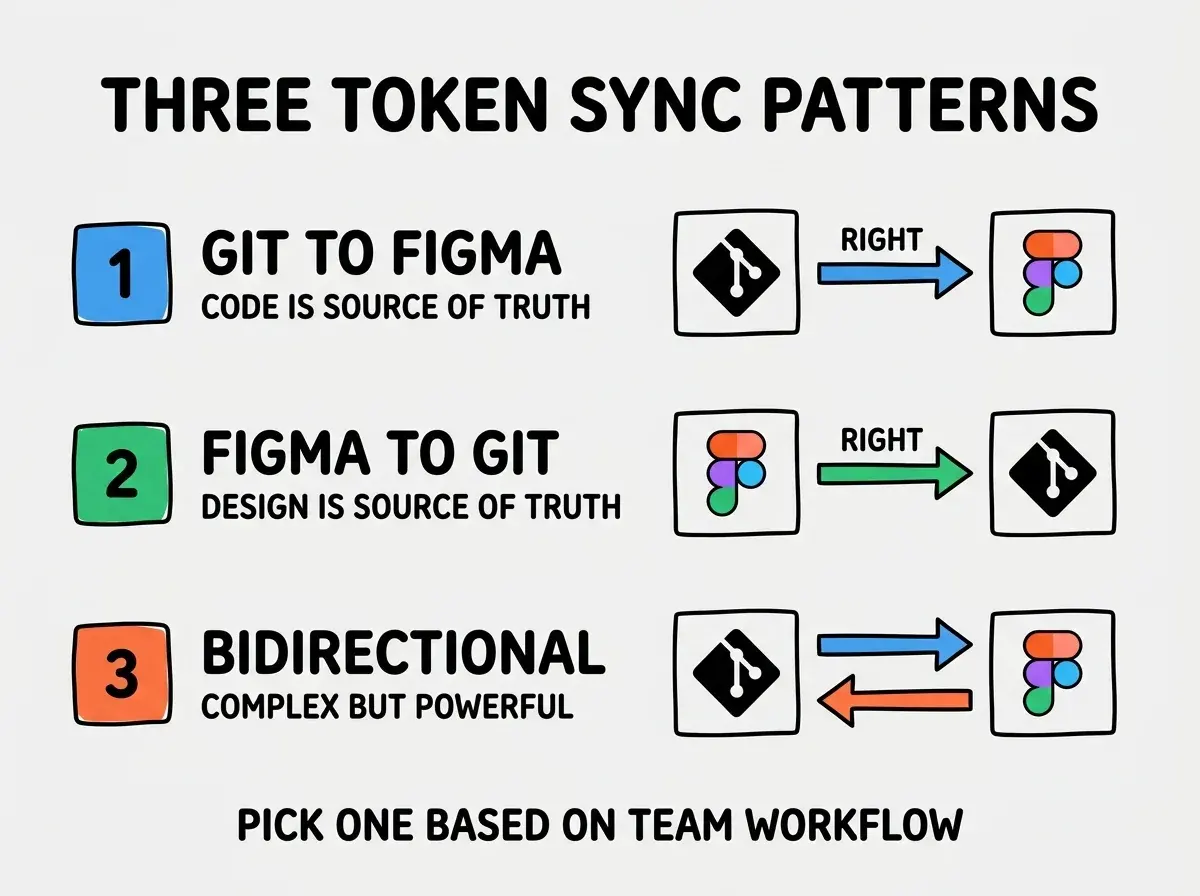
Pattern 1, one-way from git to Figma. Code is the source of truth. Designers edit tokens in code (or in the UI that writes to code), and Figma updates from the JSON. Simpler to maintain.
Pattern 2, one-way from Figma to git. Design is the source of truth. Designers edit in Figma, and a script pulls changes to JSON. Simpler for design-heavy teams.
Pattern 3, bidirectional sync. Both sides can edit, with conflict resolution. More powerful but significantly more complex. Worth it only for large teams.
The right pattern depends on your team. Most teams are best served by one-way sync because it eliminates conflict resolution complexity entirely.
Implementation Choices That Matter
The build is small, but a few choices significantly affect adoption.
Choice 1, hosted vs local. Hosted (web app at a custom URL) is easier for the team to access. Local (CLI tool) is simpler to build. Hosted wins for adoption.
Choice 2, color picker library. Use react-colorful or similar; do not build your own. Color pickers are deceptively complex.
Choice 3, JSON schema validation. Validate token edits against a schema (Zod works well) so designers cannot save malformed tokens. Catches errors before they break the build.
Choice 4, version control integration. When designers save changes, automatically create a git commit. Makes the audit trail automatic.
Choice 5, preview integration. Show changes live in a preview pane (a real component rendering with the new tokens) so designers can see the impact before saving. Dramatically reduces "I did not mean that" moments.
The combination of these choices produces a token manager that ships in a weekend and stays useful for years. The investment is small compared to the cumulative value of having a token pipeline that fits the team's specific workflow.
Naming Conventions That Scale
Token names are surprisingly consequential. Bad naming creates churn as the system grows; good naming compounds. A few conventions work well in 2026.
Convention 1, semantic over literal. Name tokens by purpose (color-text-primary) not by appearance (color-gray-900). Semantic names survive theme changes; literal names break.
Convention 2, three-level hierarchy. Category, subcategory, modifier. Color, text, primary. Spacing, scale, 4. The structure is predictable and grep-friendly.
Convention 3, no design-tool-specific names. Avoid Figma-specific terms like "primary/600" because they assume a particular tool. Plain names travel better between tools.
Convention 4, version your changes. When a token changes meaning (not just value), bump a version. Designers who reference the old token explicitly opt in to the new behavior rather than getting silent breakage.
The convention that matters most is consistency. Pick one approach and apply it everywhere; the specific choice matters less than the discipline of applying it uniformly. Mixed conventions are worse than any single convention because they make tokens unpredictable.
The most damaging design token mistake is creating tokens for things that change infrequently and skipping tokens for things that change often. Teams sometimes tokenize the brand color (which never changes) but skip tokenizing spacing values (which get tweaked constantly). The right approach is to tokenize anything you might want to change consistently across the system. The discipline of asking "would I want to change this everywhere at once" before tokenizing prevents both undertokenization (where changes require sweeping search-and-replace) and overtokenization (where every value becomes a token and the system becomes unmaintainable).
The other mistake is treating tokens as a one-time setup rather than as ongoing maintenance. Token systems evolve as the design system evolves. Schedule a quarterly review to remove unused tokens, consolidate duplicates, and add new ones the team has been needing. The discipline keeps the system clean and prevents the gradual accumulation of cruft that kills most token systems over the course of a year or two.
What This Means For You
A custom design token manager is one of the higher-leverage tools designers can build in 2026. The investment is small, and the integration value compounds across every design and code change.
- If you're a founder: Build this if your team has a design system but pain syncing it with code. The custom build pays back within months.
- If you're changing careers into design: Token systems are increasingly central to design work. Building one teaches you the architecture from the inside.
- If you're a student: Build a personal version for your portfolio projects. The discipline of consistent tokens transfers to every design role.
Browse more designer build guides
Read more build articles