To build a data entry form with validation using AI tools, follow the four phase approach (define what data the form collects and what validation rules matter, build the form fields and validation logic that match those rules, design the error messages and feedback that help users complete the form, and ship with the submission patterns that produce clean data), recognize what separates forms users complete from forms users abandon, and apply the patterns that produce sustained data collection. The data entry form becomes valuable when validation prevents bad data while feedback helps users complete the form; without both, forms produce either dirty data or low completion.
This piece walks through the four phases, the validation patterns, the specific tooling, and the four mistakes that produce forms users abandon.
Why Data Entry Forms With Validation Matter
Data entry forms with validation prevent bad data at the source. The prevention matters; downstream cleanup of bad data costs dramatically more than upstream prevention through validation, and bad data drives bad decisions throughout the data lifecycle.
The 2026 reality is that AI tools dramatically accelerate form building while AI integration during validation can detect patterns, suggest corrections, and surface unusual entries faster than rule based validation. The combination means even small teams can have form quality matching what enterprises previously required as separate tooling investments.
A 2025 data quality survey of 600 small companies found that companies using forms with strong validation reduced downstream data cleanup time by 67 percent compared to companies using forms with minimal validation. The upstream prevention pays back dramatically; downstream cleanup is significantly more expensive than upstream validation.
The pattern to copy is the way bank tellers verify checks during deposit. The verification at entry prevents downstream reconciliation problems; without verification, problems compound through the system. Forms with validation play similar role for digital data; entry validation prevents downstream problems.
The Four Phase Approach
Four phases produce data entry forms users complete with clean data.
Phase 1, define what data the form collects and what validation rules matter. Required fields, format constraints, business rules. Defined rules determine validation logic; unclear rules produce inconsistent validation.
Phase 2, build the form fields and validation logic that match those rules. Field types, real time validation, async checks where needed. AI tools generate the form code effectively.
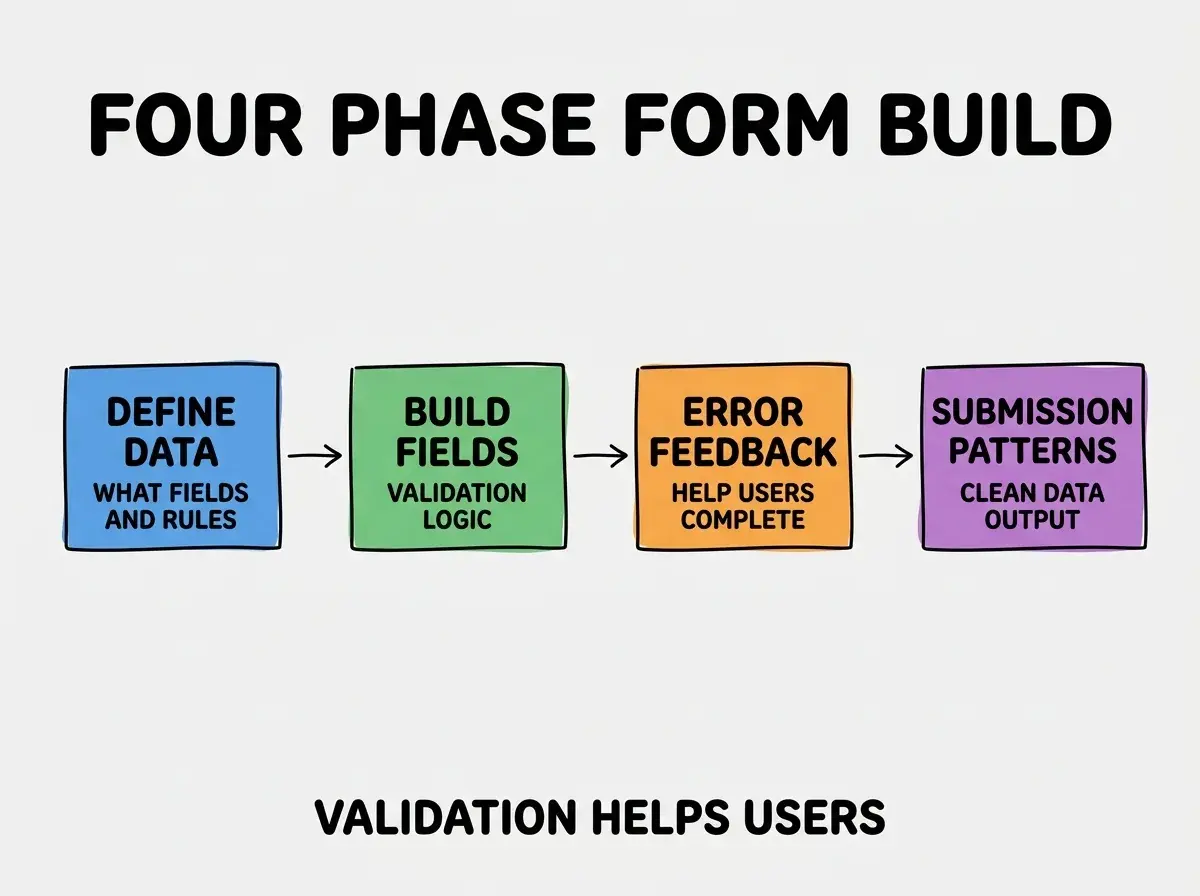
Phase 3, design the error messages and feedback that help users complete the form. Specific error text, inline display, suggested corrections. Error feedback determines whether users complete or abandon; cryptic errors produce abandonment.
Phase 4, ship with submission patterns that produce clean data. Final validation, success confirmation, error recovery. Submission patterns matter; without them, partial completions produce dirty data.
The Validation Patterns That Help Users
Three patterns produce validation that helps users rather than blocks them.
Pattern 1, real time validation as users type. Format errors caught immediately rather than at submission. Real time validation produces faster correction; submission only validation produces lost work.
Browse more form tutorials
Read more build tutorialsPattern 2, specific error messages with suggested fixes. "Phone number must include area code" beats "Invalid phone number". Specific messages help users; vague messages produce confusion.
Pattern 3, AI assisted correction suggestions. "Did you mean john@example.com" for typos. AI suggestions help users complete what they meant rather than starting over.
The Specific Tooling That Worked
Three tool categories combine effectively for form building.
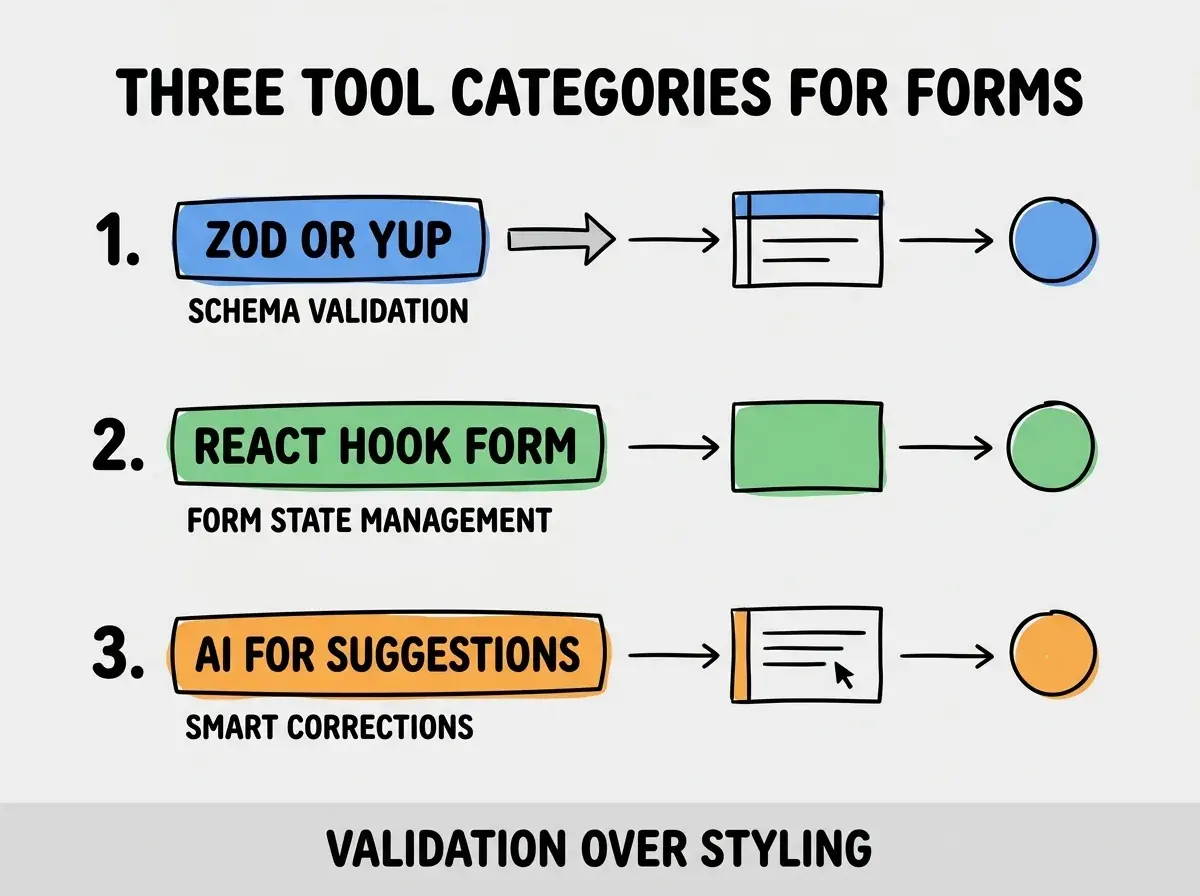
Tool 1, Zod or Yup for schema validation. Schema based validation produces consistent rules across client and server. Reuse prevents validation drift between layers.
Tool 2, React Hook Form or similar for form state management. Form state, error handling, submission handling. Pre built libraries beat custom form state code.
Tool 3, AI for suggestion and correction. Claude or GPT suggests corrections for common typos and formatting errors. Reduces user error correction effort.
What Makes Forms Get High Completion
Three patterns separate high completion forms from abandoned ones.
Pattern 1, fewer fields beat more fields. Each additional field reduces completion rate. Ruthless field reduction produces higher completion.
Pattern 2, optional fields clearly marked. Users skip optional fields; mandatory only forms with optional fields hidden produce higher completion than mandatory forms with everything visible.
Pattern 3, progress indicators for multi step forms. Knowing how many steps remain produces sustained engagement; unknown remaining steps produces abandonment.
The combination produces forms users complete reliably. Without these patterns, forms become friction that produces either bad data or abandoned submissions.
How to Build Your First Validated Form
Three implementation patterns help first forms succeed.
Pattern A, start with the minimum viable fields. What data do you absolutely need versus what data would be nice to have. Minimum viable produces higher completion; comprehensive produces abandonment.
Pattern B, instrument completion rate from day one. What percentage of starts produce completions. Without instrumentation, completion problems stay hidden.
Pattern C, A/B test validation timing. Real time versus submission validation; field by field versus page by page. Different forms have different optimal patterns; testing reveals what works.
The combination produces first forms that establish patterns for sustained data collection. Without these patterns, first forms often produce poor completion rates that affect downstream business decisions based on the missing data.
The most damaging form mistake is asking for too much data. Each additional field reduces completion rate; comprehensive data collection often produces less total data than minimal collection because completion rate drops. The fix is ruthless field minimization; only ask for what you immediately need, with progressive profiling for additional data over time. Forms with 10 fields often collect less data than forms with 5 fields because completion rate suffers more than per submission data increases.
The other mistake is requiring perfect data when good enough would suffice. Strict validation that rejects close matches produces frustration. The fix is to accept close matches with confirmation; "did you mean X" beats outright rejection.
A third mistake is failing to save partial progress. Long forms that lose data on errors produce abandonment; partial save produces resilience. The fix is to save form state continuously; users return to complete rather than starting over.
A fourth mistake is using generic error messages. "Required field" tells users nothing about what is wrong. The fix is specific, actionable error messages; specific errors enable correction while generic errors produce confusion.
What This Means For You
The data entry form with validation built using AI tools becomes valuable through validation that helps users, minimal field counts, and specific error feedback. The four phases, validation patterns, and tool combinations produce forms with high completion and clean data.
- If you're a founder: Forms drive much of business data collection. Build them with validation discipline from day one; bad data compounds across all downstream business decisions.
- If you're a marketer: Lead capture forms determine lead quality. Build them with appropriate validation; over validated forms reduce lead volume while under validated forms produce dirty leads.
- If you're a senior dev: Forms seem simple but production quality forms require deliberate design. Invest in the validation and error feedback layers; they determine whether forms succeed or frustrate.
Browse more form tutorials
Read more build tutorials