To build a customer support ticket system with AI tools, follow the four phase approach (define ticket lifecycle states clearly, build the data model that supports the lifecycle, integrate inbox sources that capture tickets reliably, and ship with the workflow patterns that produce sustained team usage), recognize what separates ticket systems that get used from ones that get abandoned, and apply the patterns that produce ticketing teams genuinely rely on. The customer support ticket system becomes valuable only when the team uses it consistently; consistency depends on integration with how support actually happens.
This piece walks through the four phases, the lifecycle modeling that produces clarity, the specific tooling, and the four mistakes that produce ticket systems that team members work around.
Why Ticket Systems Matter
Customer support ticket systems exist to ensure no customer issue gets dropped. The ensuring matters; without ticket tracking, the busiest customer issues get attention while others fall through cracks. Good ticket systems give every customer fair attention.
The 2026 reality is that AI tools dramatically accelerate ticket system building while AI assistance during ticket handling reduces resolution time. The combination means small teams can offer support quality previously requiring dedicated support orgs; the leverage matters for solo founders and small teams.
A 2025 customer support survey of 1,000 small companies found that companies using AI assisted ticket systems resolved tickets 47 percent faster than companies using traditional ticket systems. The build cost is no longer the barrier; the discipline of using the system consistently is. Built but unused systems produce no benefit.
The pattern to copy is the way restaurants use ticket rails to track orders. Every order goes on a ticket; cooks pull tickets in order; servers know which tickets are ready. The system works because everyone uses it consistently; restaurants where servers bypass the rail to deliver orders directly produce chaos. Support ticket systems work the same way.
The Four Phase Approach
Four phases produce customer support ticket systems that get sustained use.
Phase 1, define ticket lifecycle states clearly. New, in progress, waiting on customer, resolved, closed. The state model determines workflow; unclear states produce confusion about ticket status.
Phase 2, build the data model that supports the lifecycle. Tickets, customers, agents, messages, attachments. Relationships modeled clearly; AI tools generate the schema effectively given clear specifications.
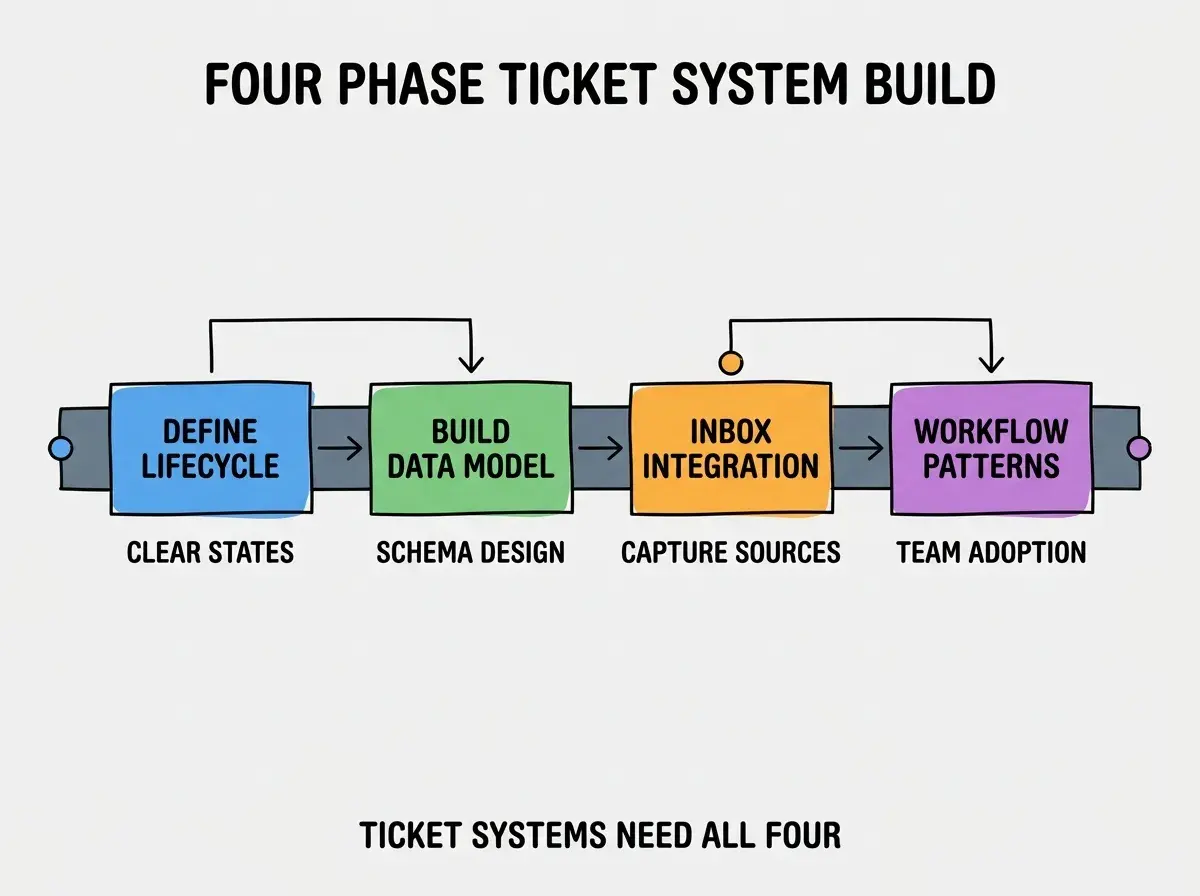
Phase 3, integrate inbox sources that capture tickets reliably. Email forwarding, contact forms, in app widgets. Capture matters; tickets that never enter the system never get tracked.
Phase 4, ship with workflow patterns that produce sustained team usage. Triage rituals, response time targets, resolution patterns. The workflow patterns determine whether the system becomes the team default or gets bypassed.
The Lifecycle Modeling That Produces Clarity
Three patterns produce ticket lifecycles teams understand clearly.
Pattern 1, fewer states beat more states. 4-5 states produce clear workflows; 8-10 states produce confusion. The simpler model gets used; complex models get worked around.
Browse more internal tool tutorials
Read more build tutorialsPattern 2, explicit "waiting" states prevent ticket leakage. Tickets waiting on customer response need different handling than active tickets. The explicit state prevents stalled tickets from looking active.
Pattern 3, automated state transitions reduce manual overhead. Auto close after N days without response. Auto reopen on customer reply. Automation removes the maintenance work that often gets skipped manually.
The Specific Tooling That Worked
Three tool categories combine effectively for support ticket system building.
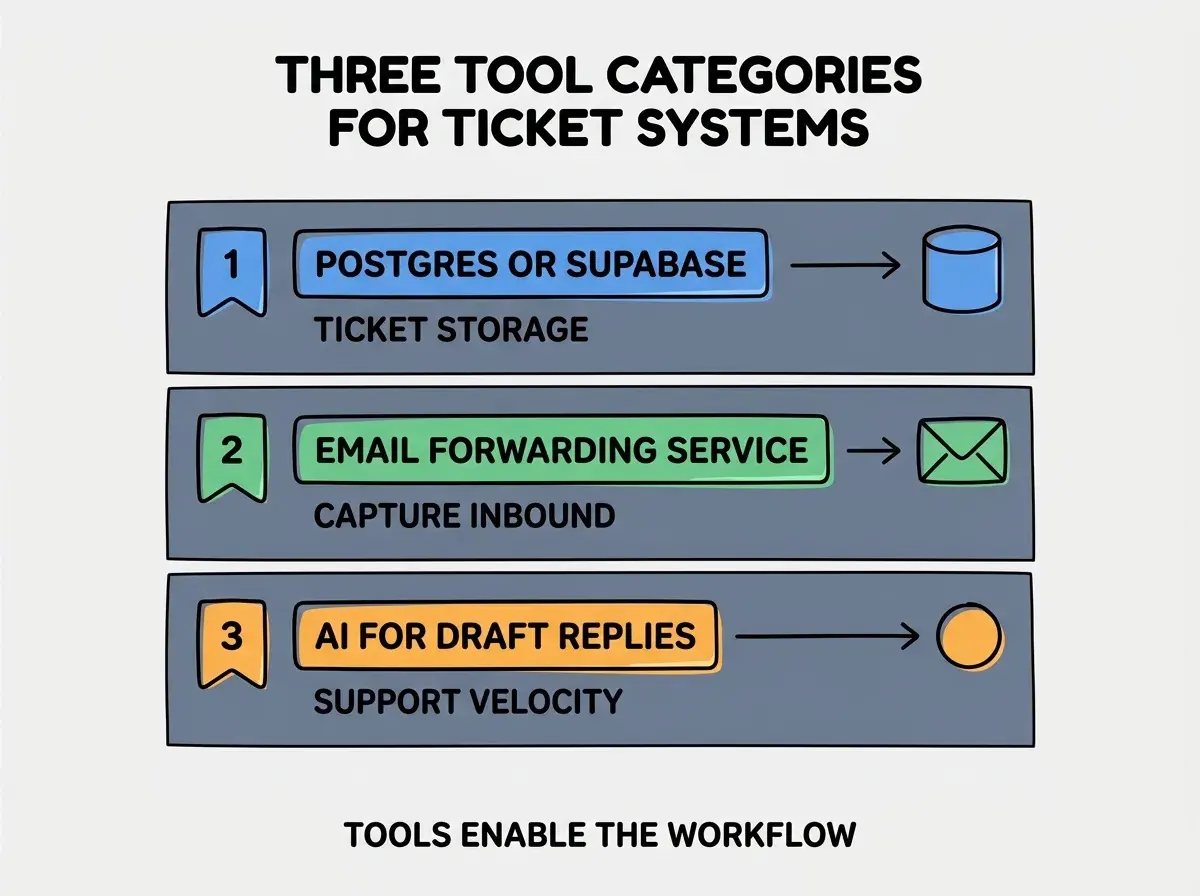
Tool 1, Postgres or Supabase for ticket storage. Relational database matches ticket data model naturally. AI tools generate schema and queries effectively against these databases.
Tool 2, email forwarding service for inbound capture. Forwarding all support@ email to your ticket system means no ticket gets missed. Capture rate determines system completeness.
Tool 3, AI for draft reply generation. Common questions get AI drafted replies; agents review and send. Velocity improves dramatically without quality loss when humans review.
What Makes Ticket Systems Actually Get Used
Three patterns separate used ticket systems from abandoned ones.
Pattern 1, faster than the workaround it replaces. If tickets take longer than email reply, agents email instead. The system must be faster than alternatives or it loses to alternatives.
Pattern 2, integrated with where agents already work. Slack notifications for new tickets, browser based UI for replies. Integration into existing workflow produces use; isolated systems get ignored.
Pattern 3, visible team metrics produce friendly pressure. Response time leaderboards, resolution rate visibility. Visibility produces accountability; invisible metrics produce drift.
The combination produces ticket systems teams rely on. Without these patterns, ticket systems become abandoned features that the team replaces with informal workarounds.
How to Build Your First Ticket System
Three implementation patterns help first ticket systems succeed.
Pattern A, start with one channel, not all channels. Email tickets first. Add chat and form tickets after the email workflow stabilizes. Multi channel from day one often produces incomplete coverage of all channels.
Pattern B, capture all tickets even if processing imperfectly. Imperfect processing of complete tickets beats perfect processing of partial tickets. The capture matters more than the workflow elegance initially.
Pattern C, measure resolution time from day one. Resolution time becomes the metric that improves; without measurement, improvement happens by chance. Measurement produces sustained improvement.
The combination produces first ticket systems that establish the pattern for sustained support discipline. Without these patterns, first systems often produce one week of attention then drift back to ad hoc support.
The most damaging ticket system mistake is building elaborate workflow before validating the basic capture works. Teams sometimes design comprehensive ticket flows that handle every edge case but miss the simple "we got an email and it became a ticket" reliability that the system depends on. The fix is to nail capture first; validate every email becomes a ticket reliably before building elaborate processing. Without reliable capture, no workflow elegance produces value.
The other mistake is requiring perfect categorization before allowing ticket creation. Categorization can happen during processing; requiring it at creation slows capture. The fix is to allow uncategorized creation with categorization happening in triage.
A third mistake is failing to involve the team in workflow design. Solo design produces workflows that match the designer's mental model but not the team's. The fix is to involve the team in workflow choices; bought in workflows get used, imposed workflows get bypassed.
A fourth mistake is treating the ticket system as static after launch. Real ticket patterns differ from anticipated patterns; the system needs evolution to match real use. The fix is monthly review of what is working and what is not, with deliberate changes based on observed patterns.
What This Means For You
The customer support ticket system built with AI tools becomes valuable through clear lifecycle, reliable capture, and team adoption. The four phases, lifecycle patterns, and tool combinations produce systems teams genuinely rely on.
- If you're a founder: Ticket systems become valuable when ticket volume exceeds what you can track in inbox. Build them when volume justifies; before that, inbox can suffice.
- If you're an indie hacker: Even solo operations benefit from ticket systems beyond a few customers per week. The discipline scales better than ad hoc; building it early pays dividends as you grow.
- If you're a senior dev: AI tools handle ticket system implementation effectively. The bottleneck is workflow design and team adoption, not implementation; invest in workflow more than tooling sophistication.
Browse more internal tool tutorials
Read more build tutorials