To build a client onboarding portal with AI tools, follow the four phase approach (define what your specific onboarding flow should accomplish for clients and your team, build the data model that supports the flow stages and deliverables, design the client interface that makes progress visible without confusion, and ship with the workflow patterns that prevent stalled onboardings), recognize what separates onboarding portals that delight clients from portals that frustrate them, and apply the patterns that produce sustained client confidence. The client onboarding portal becomes valuable when it accelerates time to value while reducing back and forth; without that bar, email beats portals.
This piece walks through the four phases, the workflow patterns, the specific tooling, and the four mistakes that produce onboarding portals clients ignore.
Why Client Onboarding Portals Matter
Client onboarding portals turn the chaotic first weeks of client relationships into structured progress. The transformation matters; chaotic onboarding produces lost momentum and client doubt, while structured onboarding produces confidence and faster time to value.
The 2026 reality is that AI tools dramatically accelerate portal building while AI integration during onboarding can categorize requests, suggest next steps, and detect stalled flows faster than manual review. The combination means even small agencies and consultants can have onboarding portals matching what enterprise services previously required as separate platforms.
A 2025 client services survey of 800 agencies found that agencies using structured onboarding portals reduced client onboarding time by 38 percent and improved client satisfaction scores by 24 percent compared to email based onboarding. The structure produces both speed and clarity that ad hoc email cannot match.
The pattern to copy is the way medical patient portals transformed care coordination. Patient portals replaced paper forms and phone tag with structured digital workflows; the structure produced better outcomes than the prior chaos. Client onboarding portals play similar role for professional services; structure produces better outcomes than email coordination.
The Four Phase Approach
Four phases produce client onboarding portals that delight clients.
Phase 1, define what your specific onboarding flow should accomplish for clients and your team. Document collection, kickoff meetings, deliverable approvals. The defined flow determines portal design.
Phase 2, build the data model that supports the flow stages and deliverables. Clients, projects, stages, deliverables, approvals. AI tools generate the schema effectively given clear specifications.
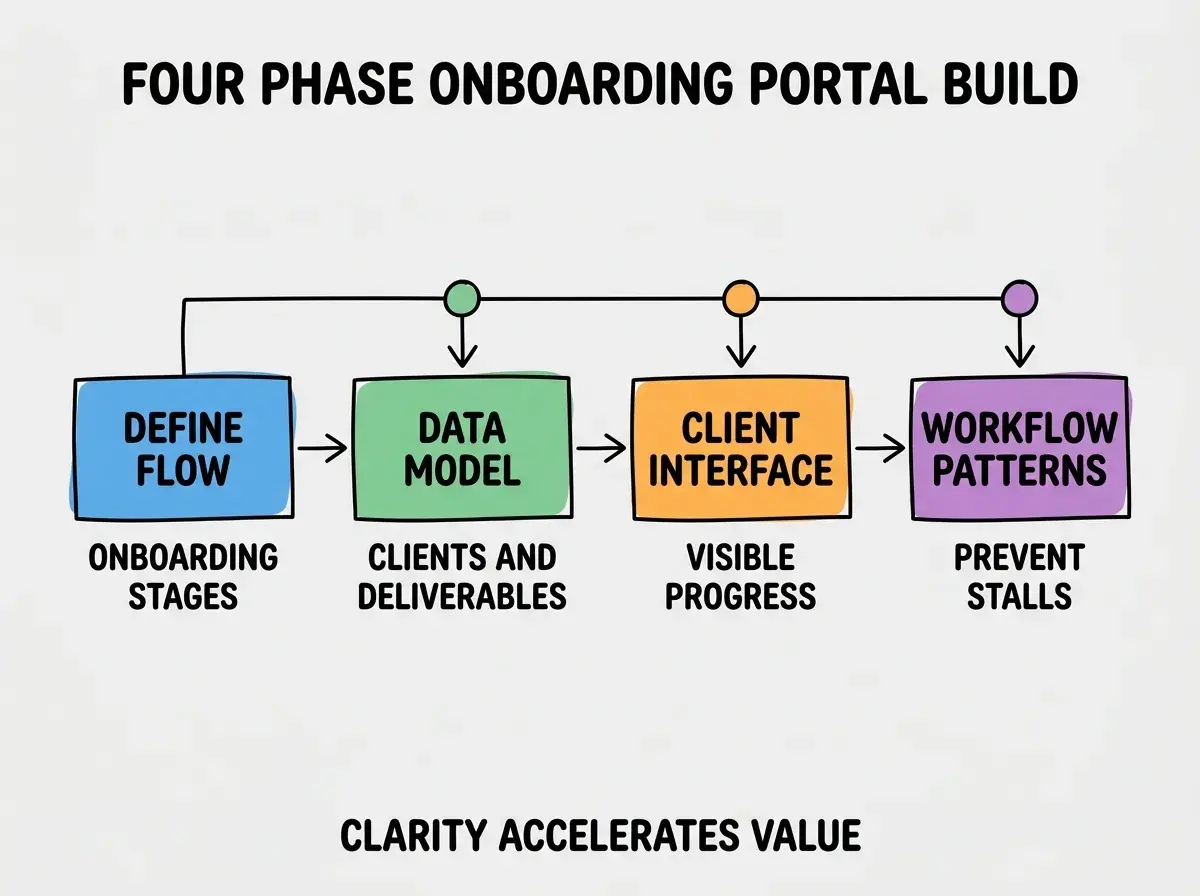
Phase 3, design the client interface that makes progress visible without confusion. Stage indicators, next steps, deliverable status. Interface clarity determines client confidence; confusing interfaces produce client doubt.
Phase 4, ship with workflow patterns that prevent stalled onboardings. Reminder automations, escalation rules, milestone celebrations. Workflow patterns prevent the typical onboarding stall; without them, onboardings often stall in the middle.
The Workflow Patterns That Prevent Stalls
Three patterns produce workflows that move onboardings to completion.
Pattern 1, automated reminders for pending client actions. Clients forget what they owe; reminders surface pending items. Without reminders, onboardings stall when client action is needed.
Browse more business tool tutorials
Read more build tutorialsPattern 2, internal escalation when client items exceed reasonable wait. Account manager pings when items pending too long. Escalation produces intervention; without it, items can languish indefinitely.
Pattern 3, milestone celebrations recognize completion. Welcome, kickoff complete, first deliverable approved. Recognition produces motivation; without recognition, completed milestones feel like nothing happened.
The Specific Tooling That Worked
Three tool categories combine effectively for onboarding portal building.
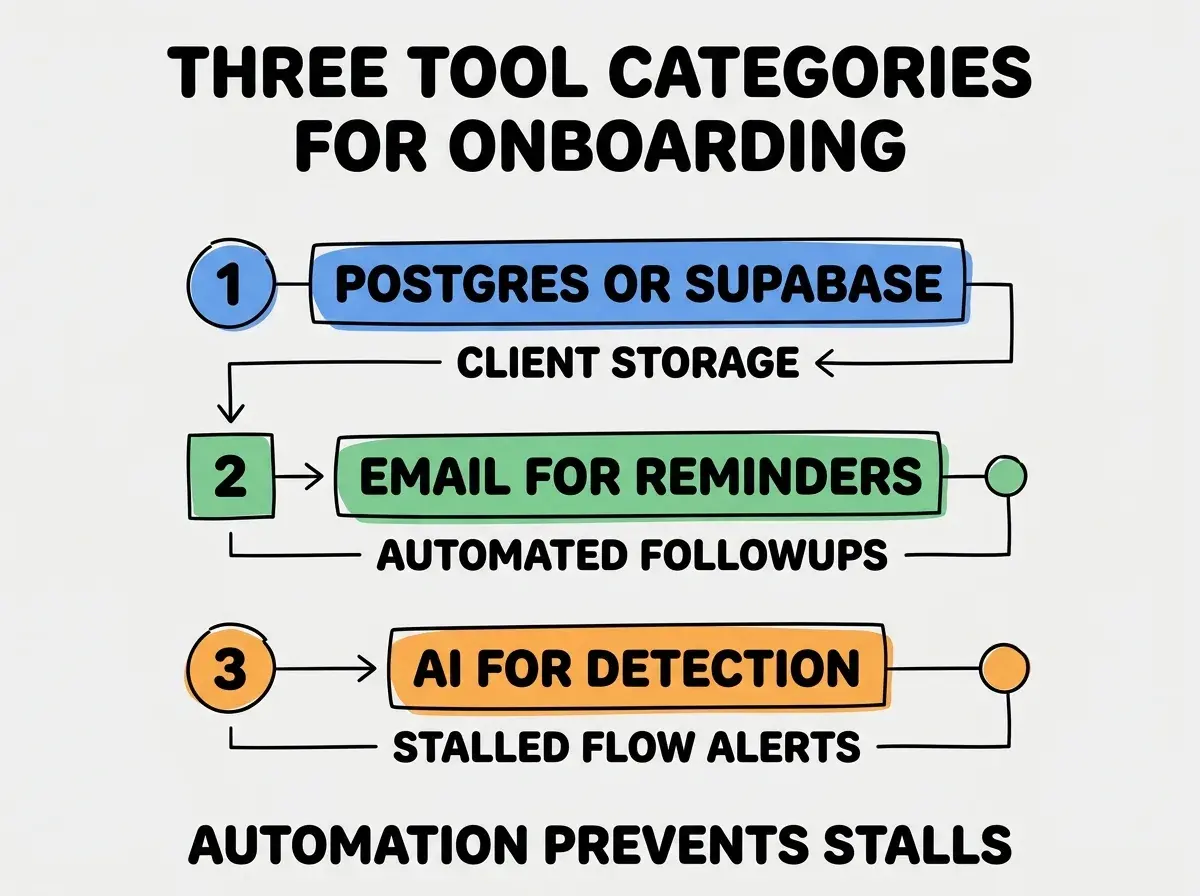
Tool 1, Postgres or Supabase for client storage. Clients, projects, stages, deliverables, approvals. Relational data fits naturally.
Tool 2, email for automated reminders. Resend or SendGrid for transactional reminders. Email reaches clients where they are; portal only notifications miss clients who do not visit the portal.
Tool 3, AI for stalled flow detection. Claude or GPT detects when flows are not progressing as expected and surfaces patterns for intervention. AI catches stalls humans might miss.
What Makes Onboarding Portals Sustainably Used
Three patterns separate sustained portal use from portal abandonment.
Pattern 1, faster than the email tag it replaces. If portal takes longer than email, clients use email instead. Portal must be faster or lose to alternatives.
Pattern 2, mobile friendly for clients on the go. Many clients prefer phone over desktop for portal interactions. Mobile design matters; desktop only portals limit use.
Pattern 3, integration with existing client tools. Document upload from Drive or Dropbox. Calendar integration for scheduling. Integration reduces friction; isolated portals require client tool switching.
The combination produces portals clients genuinely engage with. Without these patterns, portals become digital filing cabinets that clients avoid.
How to Build Your First Onboarding Portal
Three implementation patterns help first onboarding portals succeed.
Pattern A, start with one client type, not all client types. Single client type validates the flow. Multi type from day one often produces incomplete flows for all types.
Pattern B, dogfood with internal team before client launch. Use the portal for internal projects first; reveals UX issues before clients experience them.
Pattern C, instrument portal usage from day one. Login frequency, action completion rate, time per stage. Without instrumentation, portal problems stay hidden until clients complain.
The combination produces first portals that establish credibility for subsequent portal investments. Without these patterns, first portals often launch with friction that destroys client confidence in the portal approach.
The most damaging onboarding portal mistake is requiring portal use rather than allowing email fallback. Clients who prefer email for some interactions abandon portals that prevent email; the abandonment hurts more than portal use would have helped. The fix is to allow email fallback for interactions clients prefer that way; portal becomes the central record while email continues as preferred interaction channel for some clients. Forcing portal use destroys the relationship more than it streamlines onboarding.
The other mistake is overengineering with features no client requests. Comprehensive onboarding platforms produce friction without value for most clients. The fix is to build for your specific client patterns; generic platforms rarely match service patterns.
A third mistake is failing to handle account changes gracefully. Client champions leave; replacements join. The fix is to design for handoffs; flexible portals survive normal client team changes that rigid portals do not.
A fourth mistake is treating onboarding as one time event rather than ongoing relationship. Onboarding portal use should continue past initial onboarding into ongoing client relationship. The fix is to design portals as relationship hubs rather than just onboarding tools.
What This Means For You
The client onboarding portal built with AI tools becomes valuable through structured flows, automated reminders, and integration with client workflows. The four phases, workflow patterns, and tool combinations produce portals that accelerate time to value.
- If you're a founder running services: Onboarding portals reduce time consuming email tag with new clients. Build them when client volume justifies; below that volume, custom email may suffice.
- If you're an indie hacker doing client work: Portals signal professionalism that ad hoc email does not. Build them as soon as you have repeat patterns; the professionalism affects pricing and retention.
- If you're a senior dev: AI tools handle portal implementation effectively. The bottleneck is workflow design and client adoption, not implementation; invest in those areas more than tooling sophistication.
Browse more business tool tutorials
Read more build tutorials