To build an AI email assistant in 2026, focus on the four core features that matter most (smart reply drafting, inbox triage and prioritization, follow-up reminders for unanswered messages, summary digests for long threads), integrate with Gmail or Outlook via their official APIs, handle authentication via OAuth 2.0 with appropriate scopes, and deploy as either a web app, browser extension, or native app depending on user preferences. The build takes 2 to 4 weeks for a basic version and produces a tool that beats most consumer email AI features on customization.
This piece walks through the four core features, the email API integration patterns, the authentication considerations, and the four mistakes that turn email assistants into privacy disasters.
Why Email Assistants Are an Underrated Opportunity
Email is still the dominant communication channel for business work, despite predictions of its decline. The average professional spends 2-3 hours per day on email. AI assistants that meaningfully reduce this time are highly valuable; the market is enormous.
The 2026 reality is that consumer email AI features (Gmail Smart Reply, Outlook Copilot) work but are limited. Independent email assistants can offer better customization, deeper integration with specific workflows, and features the platform vendors do not prioritize. The opportunity for indie operators is real.
A 2025 productivity research study of 1,500 knowledge workers using AI email assistants found average daily email time dropped from 142 minutes to 89 minutes, a 37 percent reduction. The recovered time went to higher-leverage work. Workers were willing to pay $20-50/month for tools that produced this time savings; the per-user economics support viable indie email assistant businesses targeting specific niches.
The pattern to copy is the way Superhuman built a sustainable email business by focusing on specific user segments (executives, sales) with premium features. The general-purpose email market belongs to Google and Microsoft; the niche segments belong to focused independent products. AI email assistants follow the same pattern: pick a niche, serve it deeply.
The Four Core Features That Matter
Email assistants can do many things; four features deliver most of the value.
Feature 1, smart reply drafting. AI generates draft replies based on incoming messages and your previous response patterns. The most-used feature by far.
Feature 2, inbox triage and prioritization. Sort incoming emails by importance, urgency, action required. Surfaces what matters; hides what does not.
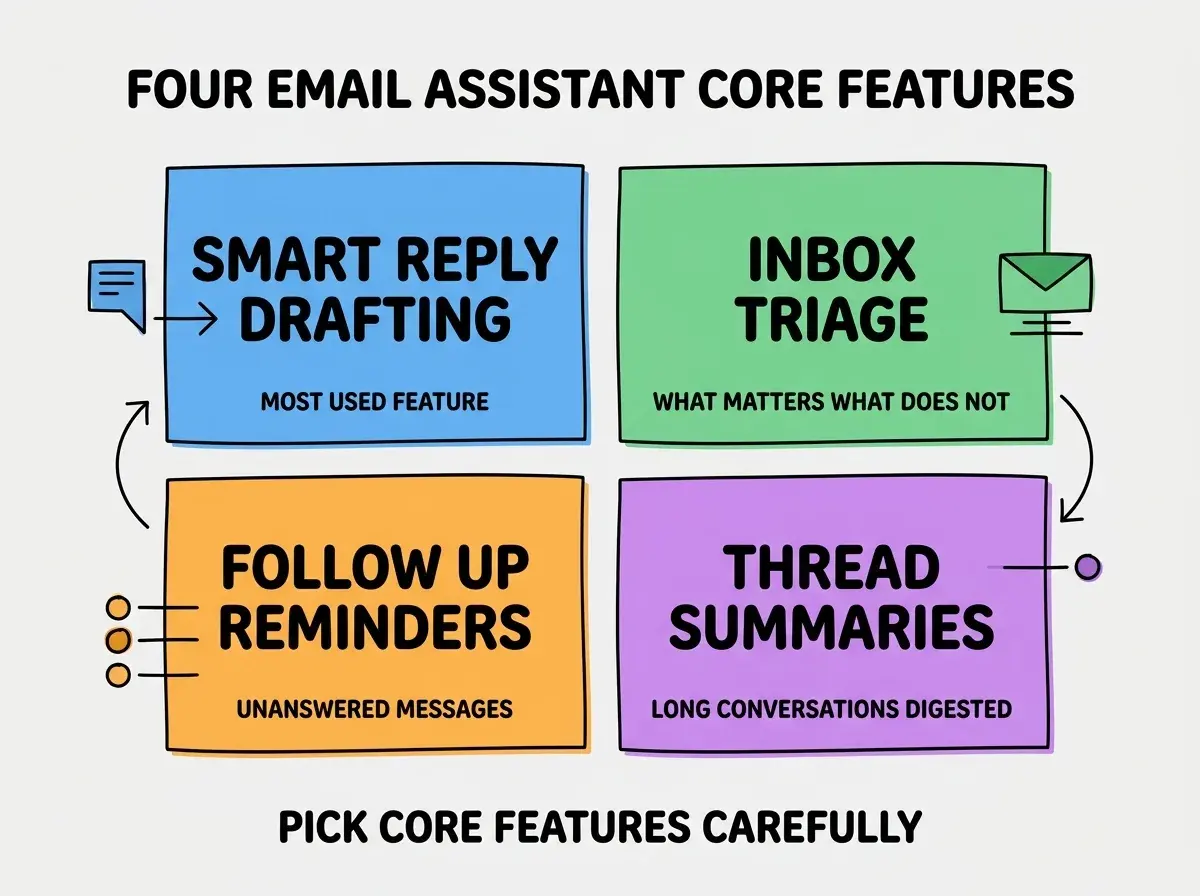
Feature 3, follow-up reminders. Track outgoing emails that did not receive replies. Surface the ones that need follow-up. Critical for sales and external communication.
Feature 4, thread summaries. Long email threads get summarized into the key points. Reduces "scroll back to remember context" overhead.
The Email API Integration Patterns
Different email platforms have different APIs. Three patterns cover Gmail and Outlook.
Pattern 1, Gmail API with read/write scopes. Google's Gmail API is comprehensive. Read messages, draft replies, modify labels. Requires OAuth 2.0 with specific scopes.
Browse more AI feature build guides
Read more build articlesPattern 2, Microsoft Graph API for Outlook. Microsoft's unified API covers Outlook and other Office services. Similar capability to Gmail API but different patterns.
Pattern 3, IMAP for legacy or custom. Fallback for users on non-mainstream email providers. Less elegant but works universally. Avoid if you can use platform APIs.
The Authentication Considerations
Email is sensitive data. Authentication needs to be done right. Three patterns matter most.
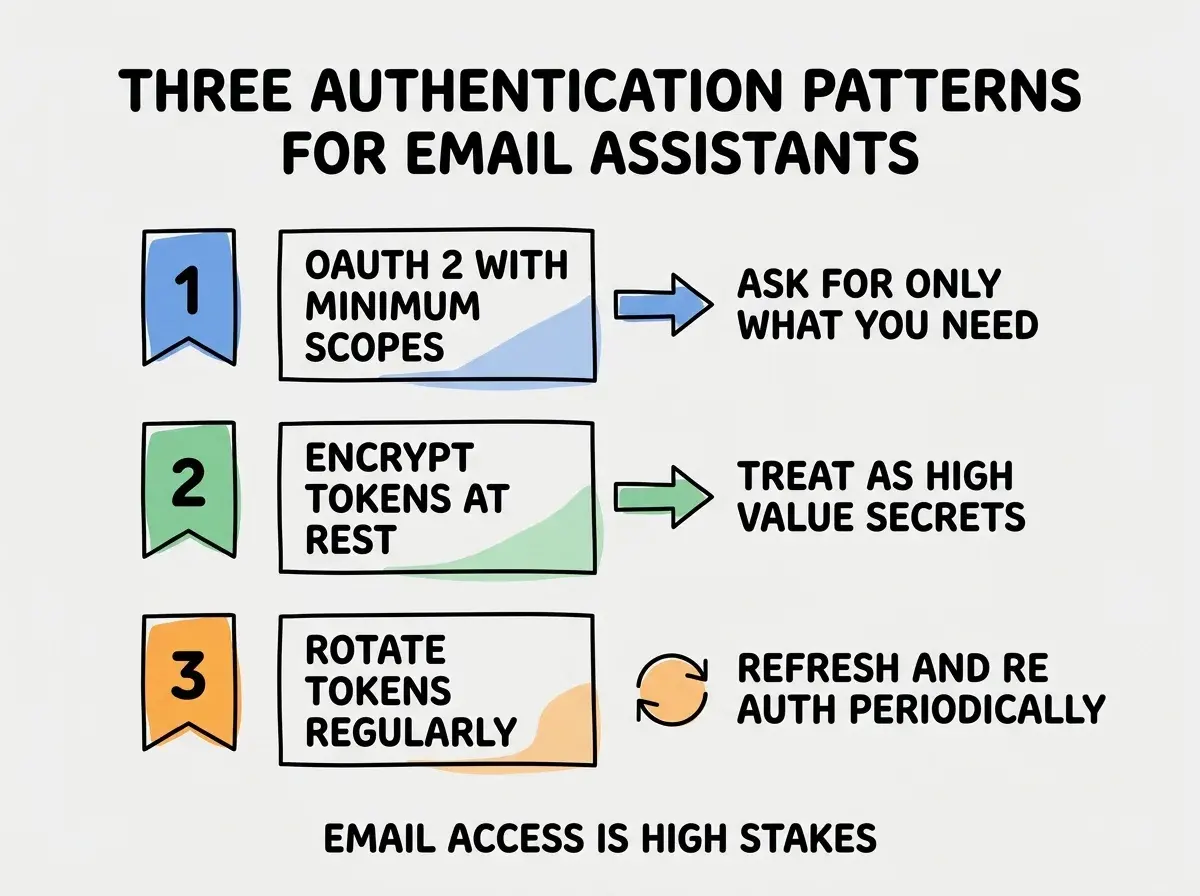
Pattern 1, OAuth 2.0 with minimum scopes. Request only the scopes your assistant needs. Read-only access is much safer than read-write. Match scopes to features.
Pattern 2, encrypt tokens at rest. OAuth tokens are extremely sensitive (effectively temporary email passwords). Encrypt them in your database. Use a key management service for the encryption key.
Pattern 3, rotate tokens and re-authenticate periodically. Refresh tokens regularly. Periodically prompt users to re-authenticate. Limits the damage from any single token compromise.
Privacy Considerations That Matter
Email content is highly sensitive. Three privacy patterns build user trust.
Pattern 1, on-device processing where possible. Some features (smart compose, basic triage) can run on-device without sending email content to your servers. Best for privacy-conscious users.
Pattern 2, no training on user data. Use AI providers that explicitly do not train on submitted data. Document this in your privacy policy. Critical for trust.
Pattern 3, transparent data handling. Clear documentation of what email content goes to AI providers, what is stored, what is deleted. Users who understand the data flow trust the product more.
The combination of these patterns produces an email assistant that users feel comfortable connecting to their primary inbox. Without trust, no amount of feature value matters because users will not connect their email.
The most damaging email assistant mistake is asking for too many OAuth scopes. Some apps request "full mailbox access" when they only need to read recent messages. Users decline the connection or revoke it later when they realize the scope. The fix is to request only the minimum scopes needed for current features. If you add features later that need more scopes, ask for them at that point. Progressive permission requests build trust; up-front mega-requests destroy it.
The other mistake is integrating with too many email platforms in v1. Pick Gmail OR Outlook for the first version (whichever your target users use most), nail it, then expand. Trying to support both from day one doubles complexity without proportional value, because most users only have one primary email.
The AI Provider Choices for Email
Different AI providers suit different email assistant use cases. Three considerations matter.
Consideration 1, response quality and speed. Claude and GPT-4 produce highest quality drafts; smaller models are faster and cheaper. Match to feature importance.
Consideration 2, context window size. Long email threads benefit from larger context windows. Anthropic's models with 200K+ context handle most email threads in one shot.
Consideration 3, fine-tuning capability. Some users want the assistant to learn their personal style. Providers that support fine-tuning enable this; others require prompt-based approximation.
The right provider mix often involves multiple providers for different features. Smart routing (cheaper model for simple tasks, premium model for complex ones) optimizes cost without sacrificing quality.
Distribution Strategies for Email Assistants
Email assistants can ship through multiple channels. Three distribution patterns work well.
Pattern A, web app with OAuth. User signs in to your web app, connects their email. Highest conversion to paid plans; depends on user remembering to use a separate app.
Pattern B, browser extension. Extends Gmail or Outlook web interfaces directly. Lower friction; harder to charge for premium features.
Pattern C, native app or mobile. Standalone email client with AI features built in. Highest user commitment; longest development cycle.
The right distribution depends on your target users. Power users prefer extensions and native apps; casual users prefer web apps. Most successful email assistants offer multiple distribution channels with shared backend so users can pick the surface that fits their workflow without losing access to their data and preferences across devices.
What This Means For You
AI email assistants are one of the more interesting indie SaaS opportunities in 2026. The market is large, the unit economics work, and the technical path is achievable.
- If you're a founder: Consider an email assistant for a specific niche (sales reps, executives, customer support). Focused beats general for indie email products.
- If you're changing careers into AI: Building an email assistant teaches OAuth, AI integration, and privacy engineering. Highly transferable skills.
- If you're a student: Build an email assistant for your own inbox first. The dogfooding teaches you what features actually save time.
Browse more AI feature build guides
Read more build articles