To build an AI chatbot for your website with vibe coding tools, follow the four phase approach (define what questions the chatbot should answer well, build the retrieval system that feeds the AI relevant context, integrate the chat interface into your site flow, and ship with the guardrails that prevent embarrassing responses), recognize what separates helpful chatbots from frustrating ones, and apply the patterns that produce chatbots users actually return to. The website chatbot becomes valuable when it answers questions faster and better than the alternatives; without that bar, chatbots become friction rather than feature.
This piece walks through the four phases, the retrieval patterns that produce good answers, the specific tooling, and the four mistakes that produce chatbots users avoid.
Why Website AI Chatbots Matter
Website AI chatbots reduce response latency for common user questions. The reduction matters; users often abandon sites rather than search documentation or contact support. Good chatbots convert abandoned questions into satisfied answers.
The 2026 reality is that AI tools make chatbot quality dramatically better than 2023 era chatbots. The combination of better LLMs and better retrieval produces chatbots that genuinely help rather than the frustrating early generation chatbots that mostly redirected to email forms.
A 2025 conversion analysis tracked 600 e-commerce sites that added AI chatbots. The median time-to-answer dropped from 8 minutes (email support) to 30 seconds (chatbot). Sites that implemented chatbots well saw conversion improvements; sites that implemented poorly saw user frustration that hurt conversions. Implementation quality determines whether chatbots help or hurt.
The pattern to copy is the way knowledgeable retail employees handle customer questions. They listen to the question, retrieve relevant product knowledge from memory, and answer specifically. Bad retail employees give vague generic responses; bad chatbots do the same. Good chatbots, like good employees, retrieve specifically and answer precisely.
The Four Phase Approach
Four phases produce website AI chatbots that genuinely help users.
Phase 1, define what questions the chatbot should answer well. Top 20 questions stakeholders ask. Common product questions. Refund and shipping questions. The defined scope makes the chatbot reliable; undefined scope makes it unreliable.
Phase 2, build the retrieval system that feeds AI relevant context. Vector embeddings of help docs, product info, FAQs. Semantic search retrieves relevant context for each query; retrieval quality determines answer quality.
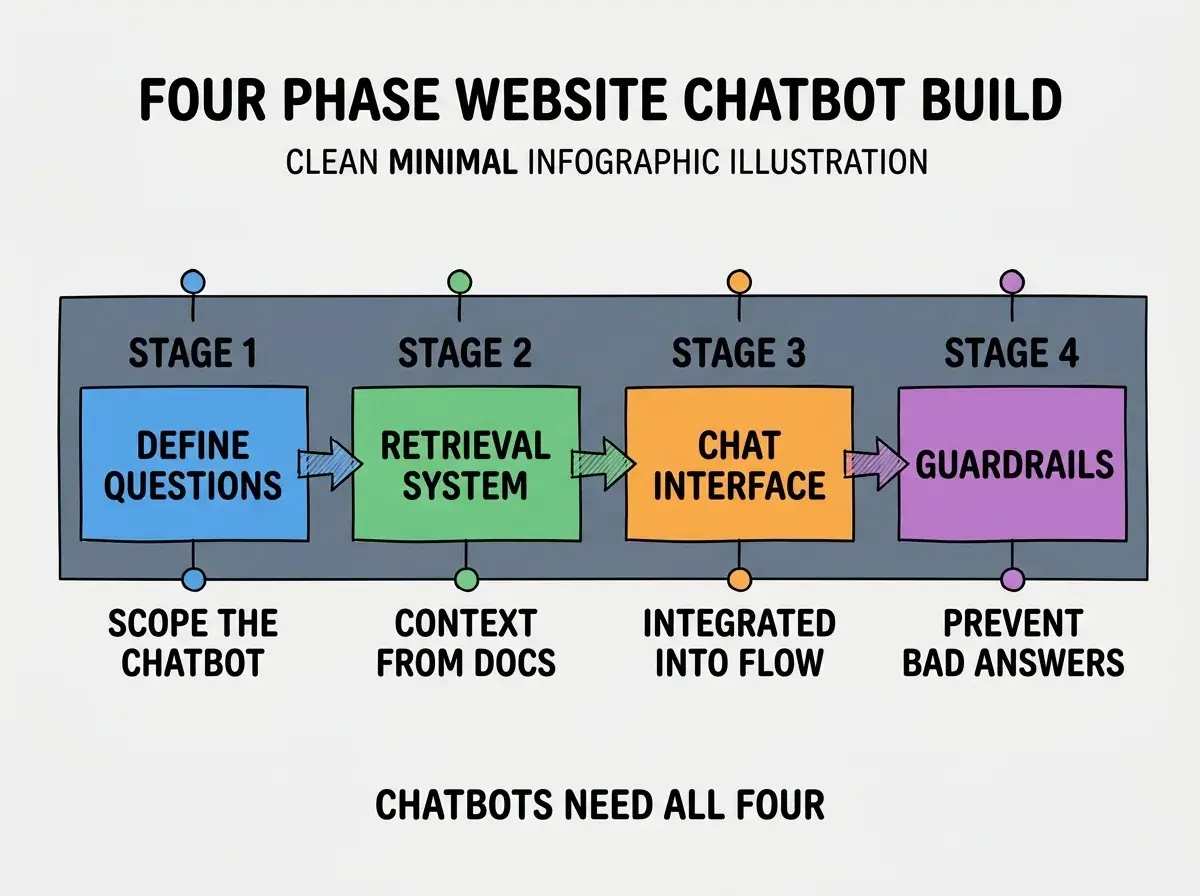
Phase 3, integrate the chat interface into site flow. Persistent chat button, context aware initial messages, natural placement. Integration determines whether users find and use the chat; hidden chat buttons get ignored.
Phase 4, ship with guardrails that prevent embarrassing responses. Topic restrictions, hallucination detection, escalation paths. Without guardrails, chatbots produce occasional embarrassing responses that hurt brand more than the chatbot helps.
The Retrieval Patterns That Produce Good Answers
Three patterns produce retrieval that feeds AI good context.
Pattern 1, semantic search across all relevant docs. User questions match relevant content even when wording differs. Beats keyword search dramatically for actual question variety.
Browse more AI feature tutorials
Read more build tutorialsPattern 2, retrieved context limited to most relevant chunks. 3-5 chunks rather than 20. Too much context confuses LLMs; focused context produces better answers.
Pattern 3, fallback to "I do not know" when retrieval finds nothing relevant. Better to admit uncertainty than to hallucinate. Uncertainty preserves user trust; hallucinations destroy it.
The Specific Tooling That Worked
Three tool categories combine effectively for website chatbot building.
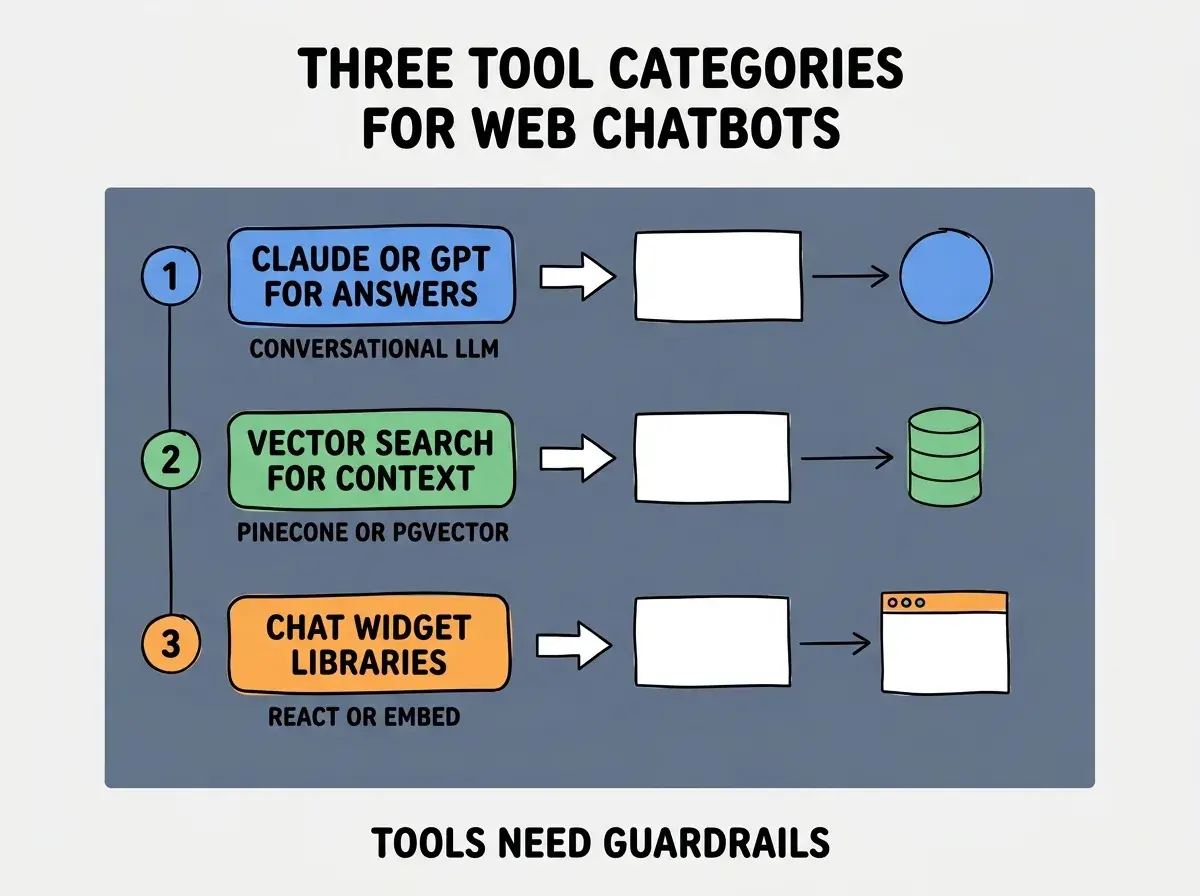
Tool 1, Claude or GPT-4 for conversational answers. Best in class LLMs for natural responses. The model choice matters less than retrieval quality; better retrieval with good model beats best model with poor retrieval.
Tool 2, vector search for context retrieval. Pinecone, Weaviate, or pgvector embeddings. Semantic queries surface relevant docs for each user question.
Tool 3, chat widget libraries for the interface. Stream UI, Chatbot UI, or custom React. Pre built widgets save time; custom implementations match brand more precisely.
What Makes Chatbots Actually Helpful
Three patterns separate helpful chatbots from frustrating ones.
Pattern 1, fast responses always beat slow ones, even if slow is more accurate. Users abandon slow chats. Snappy responses keep engagement; slow chats lose users to alternatives.
Pattern 2, escalation to human support when AI cannot answer. Failed AI answers without escalation produce frustration. Available escalation produces satisfied users even when AI fails.
Pattern 3, honest acknowledgment that you are talking to AI. Pretending to be human creates problems when problems happen. Honest AI identity preserves trust; deceptive identity destroys it.
The combination produces chatbots users return to. Without these patterns, chatbots become initial novelties that users avoid after first frustrating experiences.
How to Ship Your First Website Chatbot
Three implementation patterns help first chatbots succeed.
Pattern A, start with narrow scope, not "general assistant". Top 20 questions answered well beats 1000 questions answered badly. Narrow scope produces successful first chatbot; broad scope produces failures.
Pattern B, soft launch with monitoring before site wide rollout. Watch first 100 conversations. Identify failure patterns. Iterate before broad exposure; rollout without monitoring produces public failures.
Pattern C, integrate analytics to track actual question patterns. What questions do users actually ask? Build to those patterns rather than imagined patterns. Real usage data improves chatbots; assumed usage often misses what users want.
The combination produces first chatbots that establish credibility for AI features. Without these patterns, first chatbots often produce the negative perception that blocks future AI rollouts.
The most damaging chatbot mistake is launching without quality guardrails. Hallucinated answers, off topic responses, or embarrassing outputs damage brand trust beyond what the chatbot helps. The fix is to layer guardrails before public launch; topic restrictions, hallucination detection, escalation paths, and human review of edge cases. Chatbots without guardrails become brand liabilities; chatbots with guardrails become brand assets.
The other mistake is hiding the chatbot deep in site navigation. Users do not find chatbots they cannot see; chatbots only help users they reach. The fix is persistent visible chat button on every page; visibility produces use, hidden chatbots become unused features.
A third mistake is treating chatbot launch as project completion rather than starting point. Chatbots improve through ongoing iteration based on real conversations. The fix is to commit ongoing iteration time; launch is the beginning of chatbot work, not the end.
A fourth mistake is ignoring conversation analytics after launch. Real conversations reveal what users actually ask versus what was assumed; the gap usually surprises teams. The fix is weekly review of failed conversations and unexpected questions; the review identifies retrieval gaps and content gaps that ongoing iteration can fix.
What This Means For You
The website AI chatbot built with vibe coding tools becomes valuable through retrieval quality, integration, and guardrails. The four phases, retrieval patterns, and tool combinations produce chatbots users return to.
- If you're a founder: Chatbots reduce support load and improve response time. Build them when support volume justifies the investment; below that volume, ad hoc support beats premature chatbot.
- If you're a marketer: Chatbots convert hesitant visitors who would otherwise abandon. The conversion impact often justifies investment; track conversion lift to validate ROI.
- If you're a senior dev: AI tools handle chatbot implementation effectively. The bottleneck is retrieval quality and content curation, not LLM choice; invest time in content and retrieval more than model selection.
Browse more AI feature tutorials
Read more build tutorials