Building your first tool stack as a student is like packing for a semester abroad. You have limited luggage space (budget), you do not know exactly what you will need (experience), and everyone gives you conflicting advice about what to bring. The students who pack well bring versatile items that work across situations. The ones who pack badly bring five specialized gadgets they never use and forget a rain jacket.
Your AI coding tool stack works the same way. You want versatile tools that cover multiple needs, prioritize free tiers that are genuinely usable (not crippled demos), and avoid locking yourself into paid plans before you know what you are building. This guide is the packing list I wish someone had given me.
The Complete Free Stack
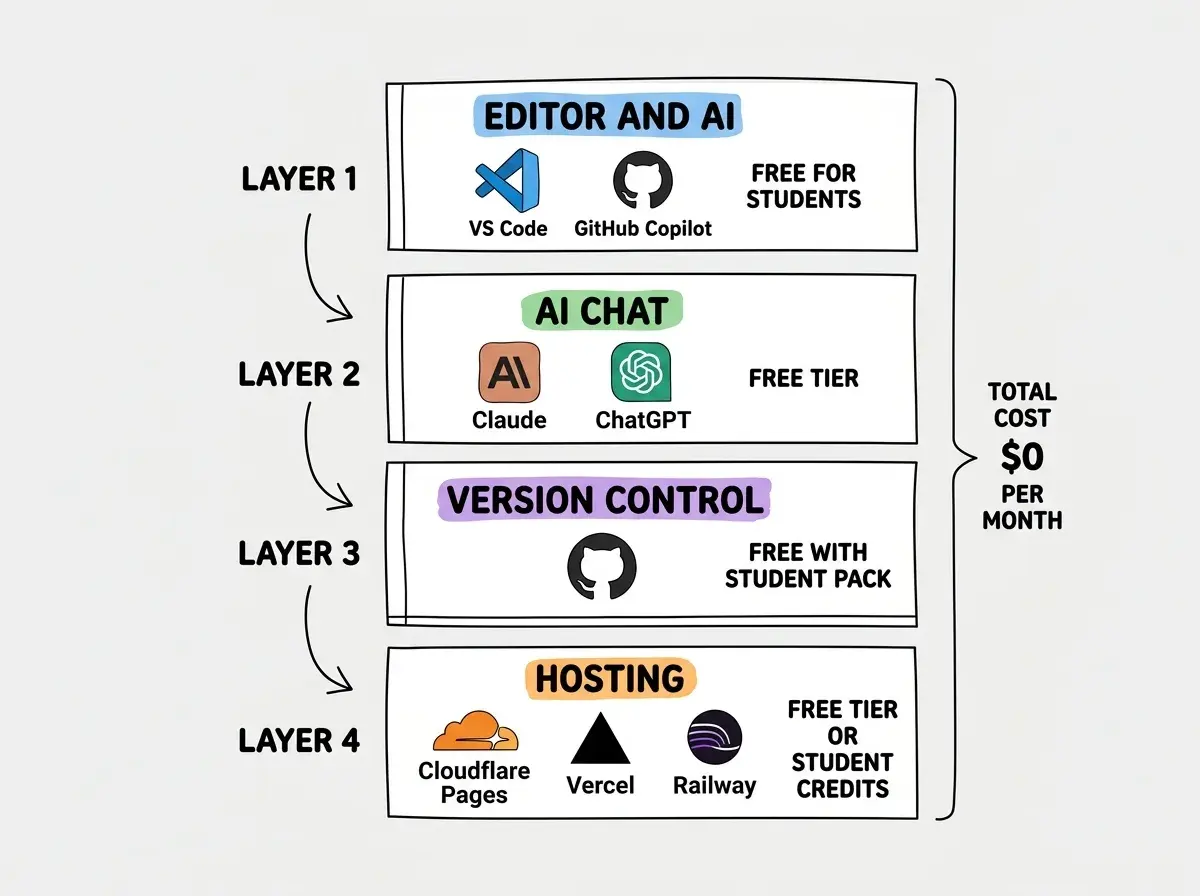
Here is the full tool stack, from code editor to deployment, that costs exactly $0 and covers everything a student needs to build and ship real projects.
You do not need to spend money to build real software in 2026. The free tiers of modern AI coding tools are more capable than the paid tools professionals used five years ago. The key is choosing tools with generous free tiers that do not expire after a trial period. Every tool in this stack is free indefinitely, not free for 14 days.
1. Code Editor and AI Assistant
VS Code + GitHub Copilot (Free for students). This is your rain jacket. It goes with everything. VS Code is the most popular code editor in the world, and GitHub Copilot is free for verified students through the GitHub Student Developer Pack. Copilot suggests code as you type, explains unfamiliar code, and helps you debug errors. It is not perfect, but it turns a blank file from intimidating to approachable.
Why this over Cursor? Cursor is excellent, but its free tier limits you to 50 premium completions per month. After that, you are back to basic suggestions. GitHub Copilot for students has no such limit. When you are learning and writing code for hours every day, unlimited suggestions matter more than slightly smarter ones.
2. AI Chat for Problem Solving
Claude Free Tier or ChatGPT Free. When you are stuck on a concept, need help debugging a complex error, or want to understand how something works, a conversational AI is invaluable. Claude's free tier gives you access to Sonnet, which handles coding questions well. ChatGPT's free tier gives you GPT-4o with usage limits.
Use these for understanding, not just code generation. Ask "why does useEffect run twice in development mode" instead of "write me a useEffect." The explanation teaches you something. The raw code does not.
3. Version Control
GitHub (Free). Non-negotiable. Every project you build should live in a GitHub repository. The Student Developer Pack gives you GitHub Pro features for free, including unlimited private repositories, GitHub Actions minutes for CI/CD, and GitHub Pages for hosting static sites.
Learn git basics early. git add, git commit, git push, git branch, git merge. These five commands cover 90% of what you need. Your future self (and future employers) will thank you for every project that has a clean commit history instead of a zip file on your desktop.
4. Hosting and Deployment
Cloudflare Pages or Vercel (Free tier). Both offer generous free tiers for deploying web apps. Cloudflare Pages gives you unlimited bandwidth and 500 builds per month. Vercel gives you 100 GB of bandwidth with instant deploys. Connect your GitHub repo, push code, and your app is live in minutes.
For backend/full-stack apps: Railway gives students $5/month of free credits through their education program. That is enough to run a small Node.js or Python backend 24/7. If you need a database, Supabase's free tier includes a PostgreSQL database with 500 MB of storage and 50,000 monthly active users.
5. Database
Supabase (Free tier). PostgreSQL database, authentication, file storage, and real-time subscriptions. The free tier is legitimately generous: 500 MB database, 1 GB file storage, 50,000 monthly active users, and unlimited API requests. For a student project, you will not hit these limits unless your app goes viral, which would be a good problem to have.
6. Design and Prototyping
Figma (Free for students). The education plan gives you everything in the Professional plan for free. Design your UI before you code it, or use Figma to understand the layouts you want your AI tools to generate. Even if you never become a designer, knowing how to read a Figma file makes you more effective on any team.
Free Tier Comparison
| Feature | GitHub CopilotRecommended | Cursor | Claude Free | ChatGPT Free |
|---|---|---|---|---|
| Monthly cost for students | $0 | $0 (limited) | $0 | $0 |
| Code completions | Unlimited | 50/month premium | N/A | N/A |
| Chat for debugging | ||||
| Inline code editing | ||||
| Multi-file context | Workspace | Full codebase | Paste only | Paste only |
| Best for students | Daily coding | Exploring AI IDE | Understanding concepts | Quick questions |
How to Get the Most From Free Tools
Packing light does not mean packing badly. Here is how to make each free tool punch above its weight.
Write specific prompts. "Build me a todo app" gives you generic code. "Build a React todo app with local storage persistence, drag-to-reorder using dnd-kit, and a dark mode toggle using Tailwind CSS" gives you something you can actually learn from. The more specific your prompt, the better the output, regardless of which AI tool you use.
Use AI chat for debugging, not just generating. When your code breaks, paste the error message and the relevant code into Claude or ChatGPT. Ask it to explain what went wrong, not just fix it. You learn the debugging pattern, not just the fix for this specific bug. Over a semester, those explanations compound into real understanding.
Commit early and often. Before you ask an AI tool to refactor your code, commit your working version. If the refactor breaks things, you can always go back. Students who do not use version control lose hours of work regularly. Students who commit every working state never lose more than a few minutes.
Learn the basics of building with AI tools from scratch.
Read the guideWhat to Skip (For Now)
Part of packing well is knowing what to leave behind. These tools are excellent but premature for most students.
Skip paid AI subscriptions until you exhaust free tiers. GitHub Copilot Pro, Cursor Pro, Claude Pro, and ChatGPT Plus are all great. But you will not meaningfully benefit from them until you have spent enough time with the free versions to understand what you are missing. Most students never hit the free tier limits.
Skip complex deployment setups. Kubernetes, Docker Compose, multi-region deployments. These are professional-grade tools. A Vercel or Cloudflare Pages deploy is all you need for student projects. Learn infrastructure when you have something worth scaling, not before.
Skip multiple AI tools simultaneously. Pick one editor (VS Code + Copilot) and one chat tool (Claude or ChatGPT). Using four AI tools at once does not make you four times more productive. It fragments your attention and makes it harder to learn any single tool's strengths.
Spending more time configuring AI tools than actually building projects. Your tool stack should take less than an hour to set up, and then you should forget about it and focus on building. The students who ship the most impressive portfolios are not the ones with the most sophisticated setups. They are the ones who picked simple tools and spent their time coding.
The Semester Project Checklist
Here is what to actually build with your free stack, in order of complexity.
Month 1: A personal portfolio site. Static HTML/CSS/JS or a simple React app deployed on Cloudflare Pages. Learn git, learn deployment, learn the feedback loop of push-and-see-it-live. This is your home base for everything else you build.
Month 2: A CRUD app with a database. A habit tracker, a bookmark manager, a study notes app. Something with Supabase for the backend, authentication, and basic CRUD operations. This teaches you how real web apps work, from user login to data persistence.
Month 3: Something that solves a real problem. A tool for your classmates, a project for a local organization, or a side project that scratches your own itch. The best portfolio projects are ones where you can explain why you built them, not just how.
Month 4: Contribute to open source. Find a project you use, read the contributing guide, fix a small bug or add a minor feature. This teaches you how to read other people's code, work within existing conventions, and collaborate through pull requests. One merged PR is worth more on a resume than ten solo projects.
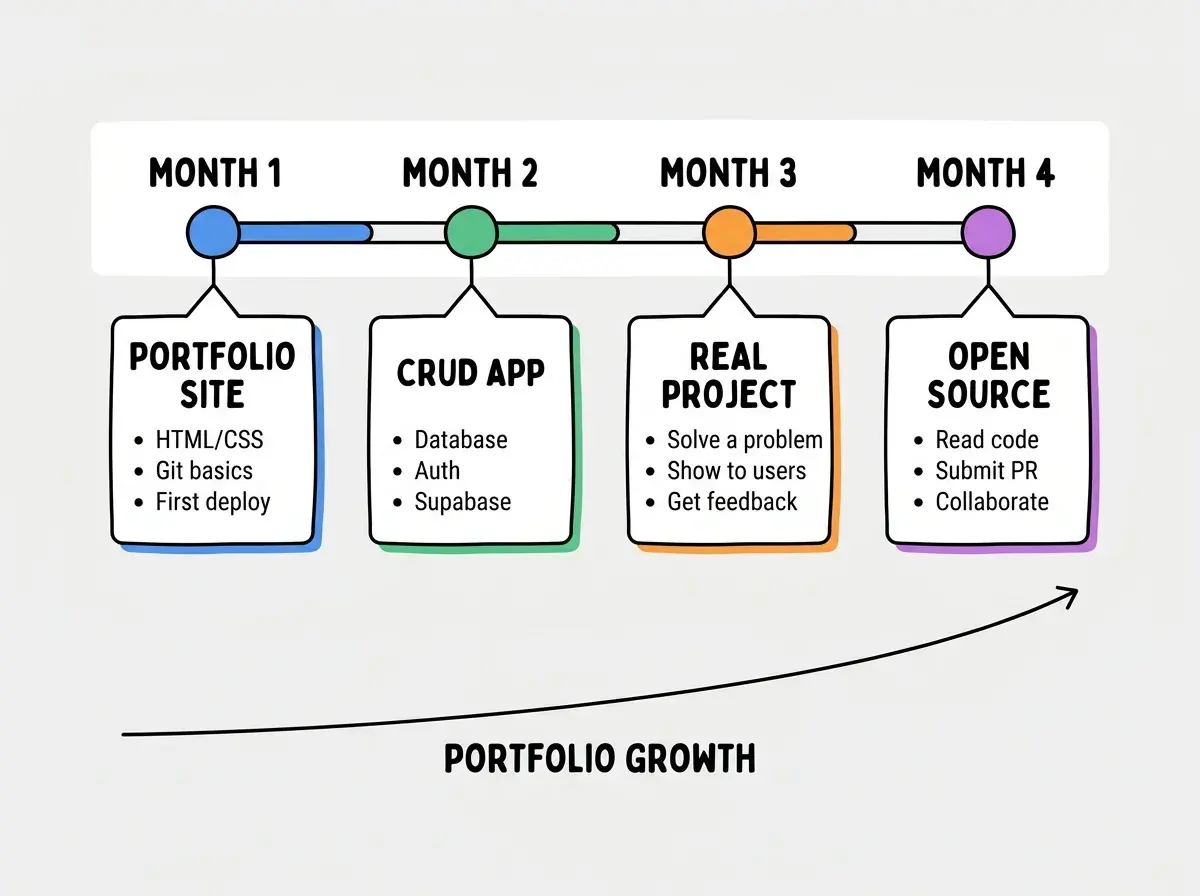
By the end of this checklist, you will have a portfolio that demonstrates range, consistency, and the ability to ship.
Free resources to help you go from student to professional developer.
Get startedWhat This Means For You
Your tool stack is luggage, not the destination. The best developers I know started with simple, free tools and built remarkable things because they spent their energy on building, not optimizing their setup. VS Code, GitHub Copilot, a free hosting tier, and a database. That is everything you need to build a portfolio that gets you hired.
Pack light. Build often. Ship something every month. The tools will upgrade themselves as your skills and needs grow, but only if you spend the time using them instead of shopping for the next shiny option.