To build animation patterns with Framer Motion and AI in 2026, focus on the four patterns that cover most app needs (entrance/exit animations, layout transitions, gesture-driven interactions, scroll-linked effects), use AI to generate the boilerplate but always tune the timing and easing yourself, and treat motion as part of the design system rather than as decoration applied at the end. AI is good at the syntax of Framer Motion (now called Motion) and bad at calibrating motion taste, which is exactly the right division of labor.
This piece walks through the four patterns, the AI prompting that works, the easing curves that separate amateur from polished, and the four mistakes that produce animations that feel cheap.
Why AI-Generated Animations Often Feel Off
AI is excellent at writing the JSX for Framer Motion components: import the right primitives, set up variants, wire up the state. What AI struggles with is the calibration of timing, easing, and amplitude that makes an animation feel like it belongs to your product.
The result is animations that work technically but feel generic: 300ms duration, ease-in-out curves, default 20px slide distances. They look like they came from a tutorial, because they did. Tuning these defaults is where designer judgment matters and where AI assistance saves time on the boilerplate so you have attention left for the calibration.
A 2025 Webflow study of 500 production sites found that sites with custom-tuned animations had 23 percent higher session duration than sites with default Framer Motion settings. The technical implementation was identical; the difference was in the easing curves, durations, and amplitudes. Motion calibration is one of the least discussed and most impactful UI craft skills.
The pattern to copy is the way professional photographers approach editing. The camera captures the technical shot; the editing decisions (color grading, contrast, crop) are what make the photo distinctive. Motion follows the same pattern: AI captures the technical implementation; the calibration decisions are what make the animation distinctive.
The Four Patterns That Cover Most Cases
Most app animations fit one of four patterns. Knowing which pattern fits your use case lets you ask AI for the right starting point.
Pattern 1, entrance and exit. Elements appearing or leaving the screen. Modals, toasts, dropdowns, page transitions. The most common pattern; gets used everywhere.
Pattern 2, layout transitions. Elements changing position or size as data changes. Lists reordering, cards expanding, sidebars collapsing. Powered by Framer Motion's layout prop.
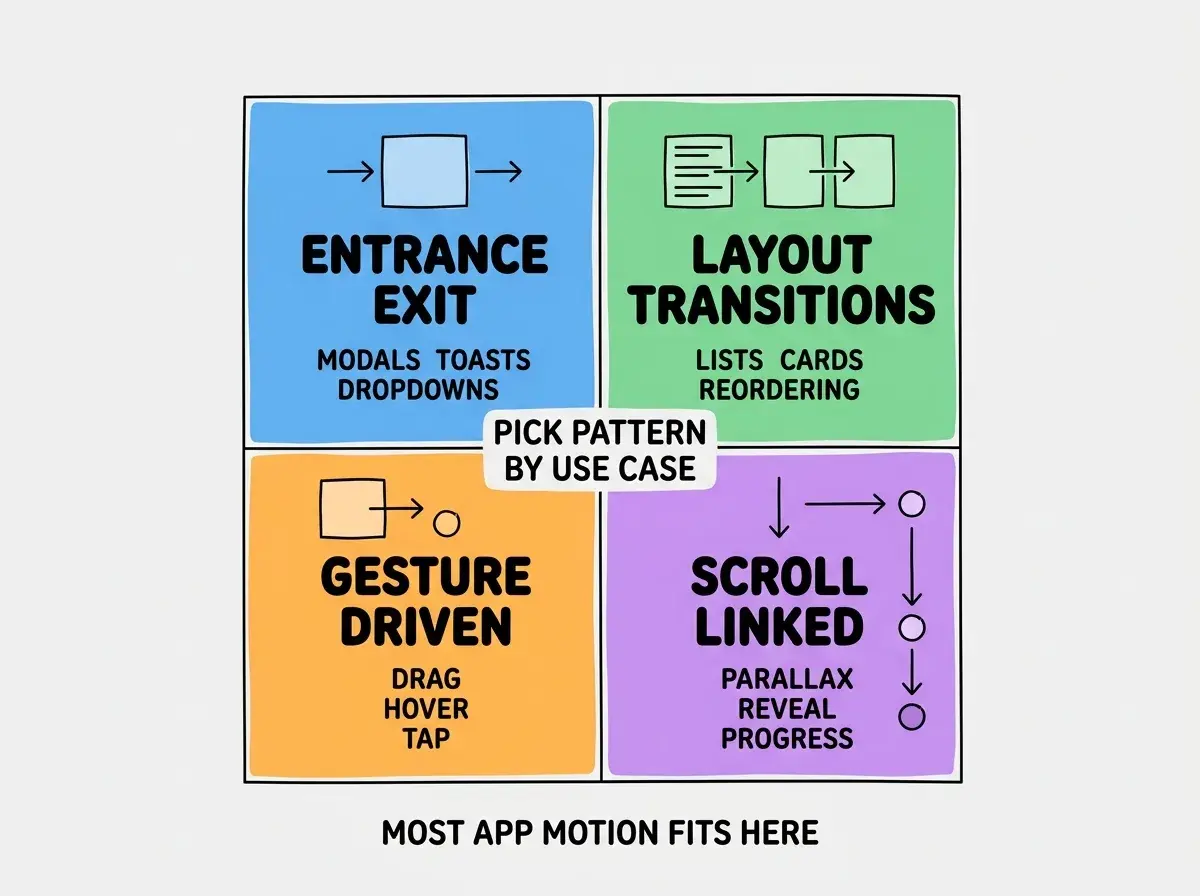
Pattern 3, gesture-driven. Animations responding to user input. Drag to dismiss, tap to expand, hover to preview. Powered by Framer Motion's gesture handlers.
Pattern 4, scroll-linked. Animations tied to scroll position. Parallax effects, reveal-on-scroll, scroll progress indicators. Powered by useScroll and useTransform.
How to Prompt AI for Each Pattern
Different patterns benefit from different prompt structures. Generic prompts produce generic animations.
Prompt structure for entrance/exit. Specify the element, the trigger, the from/to states, the duration, and the easing. Example: "Modal that animates in from y=20 to y=0 with opacity 0 to 1 over 200ms with easeOut, exits in reverse over 150ms."
Browse more frontend craft guides
Read more build articlesPrompt structure for layout transitions. Specify the parent container, the items, and the trigger. Framer Motion handles most of the math via layout prop; AI just needs to wire it up.
Prompt structure for gesture-driven. Specify the gesture, the constraints, the elastic behavior, and the snap-back. Drag interactions especially benefit from explicit constraints.
Prompt structure for scroll-linked. Specify the scroll range, the property to animate, and the input/output mapping. The math gets tricky; AI handles it well if you give clear bounds.
The Calibration That AI Cannot Do
Motion calibration separates amateur from polished. Three dimensions matter most.
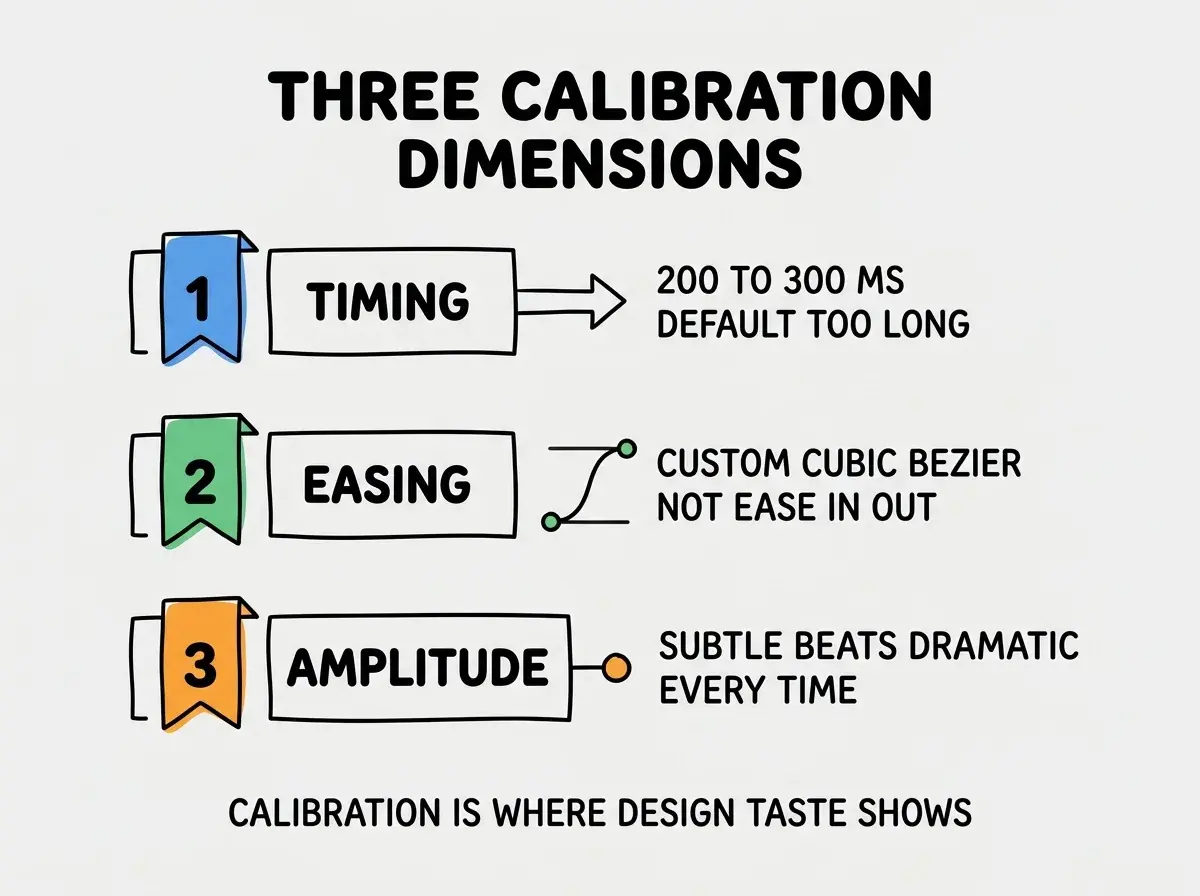
Dimension 1, timing. Default 300ms feels slow for micro-interactions. 150-200ms is usually right for hovers and small state changes. 250-400ms for entrances. Faster for exits than entrances.
Dimension 2, easing. Default ease-in-out is rarely the right choice. Custom cubic-bezier curves (especially with overshoot for entrances) feel more intentional. Tools like easings.net help find the right curve.
Dimension 3, amplitude. How far elements move, how much they scale. Default 20px slides feel generic; smaller (8-12px) often feels more refined. Default 1.05 hover scales feel right; 1.2 feels childish.
The best way to develop motion taste is to study apps you admire (Linear, Arc, Raycast) frame by frame and notice how subtle their animations actually are. Most great motion is restrained.
Real-World Implementation Tips
Beyond the patterns and calibration, a few practical tips significantly affect production animations.
Tip 1, respect prefers-reduced-motion. Users who set this OS preference want animations disabled or minimized. Framer Motion has a useReducedMotion hook for this. Skipping it is an accessibility failure.
Tip 2, animate transform and opacity only. These properties are GPU-accelerated and do not trigger layout recalculation. Animating width, height, top, or left is expensive and produces janky results.
Tip 3, use AnimatePresence for exit animations. Without AnimatePresence, components that unmount disappear immediately. AnimatePresence holds them around long enough to play the exit animation.
Tip 4, batch animations with stagger. When multiple items animate at once (a list of cards loading), staggering them by 30-50ms feels more polished than firing them simultaneously.
Tip 5, profile on real devices. Animations that look smooth in dev on a fast laptop can be janky on a 2-year-old phone. Test on actual mid-range hardware before shipping.
These five tips compound. Each one alone is a small improvement; together they separate animations that ship to production cleanly from animations that need rework after launch. The discipline of running the full checklist before considering an animation done is the practical habit that distinguishes mature frontend teams.
Building a Motion Library for Your Project
Beyond individual animations, the highest-leverage motion investment is a small library of motion primitives that the rest of the codebase reuses.
Primitive 1, fade. A standardized fade-in/fade-out used everywhere. One source of truth means tweaking the fade curve once updates the entire app.
Primitive 2, slide. Slide from any direction with a consistent distance and easing. Used for drawers, sheets, and toasts.
Primitive 3, scale. Subtle scale animations for hovers, taps, and modal entrances. Tuned once for the brand voice.
Primitive 4, stagger. A reusable stagger pattern that lists and grids can opt into with one line of code.
The motion library is the design system equivalent of a typography scale. It enforces consistency without requiring every developer to make calibration decisions on every component. AI is great at writing the primitives once the patterns are decided; designers are great at deciding the patterns.
The most damaging animation mistake is using AI-default settings everywhere without calibration. The result is an app where every animation looks the same: 300ms ease-in-out, 20px slide, no overshoot. The calibration work (custom timing, custom easing, restrained amplitude) is what makes animations feel intentional. The fix is to spend an hour after the initial implementation just tuning the values until the motion feels right. The boilerplate from AI is the start, not the finish.
The other mistake is over-animating. Every interaction does not need motion; every state change does not need a transition. Restrained motion (animating the things that matter, leaving the rest static) feels more refined than animating everything. The discipline of leaving things alone is one of the marks of mature motion design.
What This Means For You
Animation patterns with Framer Motion and AI assistance are one of the highest-leverage frontend craft areas in 2026. AI handles the boilerplate; designer judgment handles the calibration.
- If you're a founder: Ship the four patterns above with default AI output to start. Spend a focused hour later tuning the calibration. The investment shows immediately.
- If you're changing careers: Motion is one of the most transferable frontend skills. Practice the patterns on personal projects until calibration becomes intuitive.
- If you're a student: Study motion in apps you admire frame by frame. The taste you develop transfers to every UI you build.
Browse more frontend craft guides
Read more build articles