Managing how artificial intelligence interacts with your codebase requires structured guidance. As development teams adopt different intelligent assistants, the landscape of configuration files has fragmented. You might find yourself juggling multiple formats just to ensure your preferred assistant understands your architectural patterns and styling preferences.
Establishing a reliable configuration strategy prevents inconsistent code generation. When assistants understand your specific project constraints, they produce code that requires fewer manual revisions. This article examines the current ecosystem of configuration standards and provides practical strategies for maintaining a unified set of instructions across your repositories.
Retrospective edition for 2026-03-24. Researched and published September 9, 2026. Product details reflect documentation checked at publication unless explicitly identified as historical.
Evaluating the Current Configuration Landscape
The ecosystem currently features several distinct approaches to providing context to automated assistants. Each tool has developed its own standard to address the specific needs of its user base. Understanding these differences helps you choose the right approach for your specific team structure.
Cursor utilizes a structured directory approach. According to their documentation (official documentation), the current standard involves placing .mdc files within a .cursor/rules/ directory. These files support specific frontmatter properties like descriptions and glob patterns to target specific file types. This replaces the legacy .cursorrules file approach.
GitHub Copilot relies on a repository-level configuration strategy. Based on GitHub documentation (official documentation), developers can use a primary .github/copilot-instructions.md file or create scoped instructions using .github/instructions/*.instructions.md files.
Claude Code maintains project guidance through a dedicated file. The official documentation (official documentation) specifies the use of a CLAUDE.md file to store memory and instructions specific to the project context.
Finally, the open community has proposed AGENTS.md (official documentation), which serves as a plain Markdown open convention designed to provide a universal set of instructions that any compliant client can read.
| Feature | Cursor | Copilot | Claude Code | AGENTS.md |
|---|---|---|---|---|
| Primary File Location | .cursor/rules/*.mdc | .github/copilot-instructions.md | CLAUDE.md | AGENTS.md |
| Format | Markdown with Frontmatter | Plain Markdown | Plain Markdown | Plain Markdown |
| File Scoping Support | Yes via glob patterns | Yes via scoped files | Nested files and scoped rules | Client-dependent nested files |
| Legacy Support | .cursorrules | None | None | None |
The table describes supported mechanisms; it does not establish one universal precedence order across products.
Configuration files provide guidance for code generation but do not act as security permissions. You must still enforce access controls and security policies at the repository and environment levels.
Deep Dive into Cursor and Copilot Configurations
When setting up Cursor for a modern project, the transition from a single legacy file to a directory of specific rules offers significant advantages. By utilizing the .cursor/rules/*.mdc structure, you can ensure the assistant only loads relevant instructions based on the files you are actively editing.
Consider a project where you want strict typing in your TypeScript files but different formatting rules for your CSS. You would create a file named .cursor/rules/typescript.mdc and include frontmatter that specifies globs: ["*.ts", "*.tsx"]. This targeted approach prevents the context window from filling up with irrelevant CSS guidelines when you are working on backend logic.
GitHub Copilot offers a similar scoped approach but routes it through the .github directory. If your team heavily relies on GitHub pull requests and Copilot enterprise features, placing your rules in .github/copilot-instructions.md makes those standards available to supported Copilot experiences; confirm the support matrix for the feature you use.
For larger projects, you can break down Copilot instructions into .github/instructions/frontend.instructions.md and .github/instructions/backend.instructions.md. This mirrors the Cursor approach but integrates directly into the GitHub ecosystem.
Strategies for Mixed Teams and Monorepos
Many engineering departments do not standardize on a single assistant. You might have frontend developers using Cursor while backend engineers prefer Claude Code or GitHub Copilot. In these mixed environments, maintaining separate instruction files quickly leads to conflicting code generation patterns.
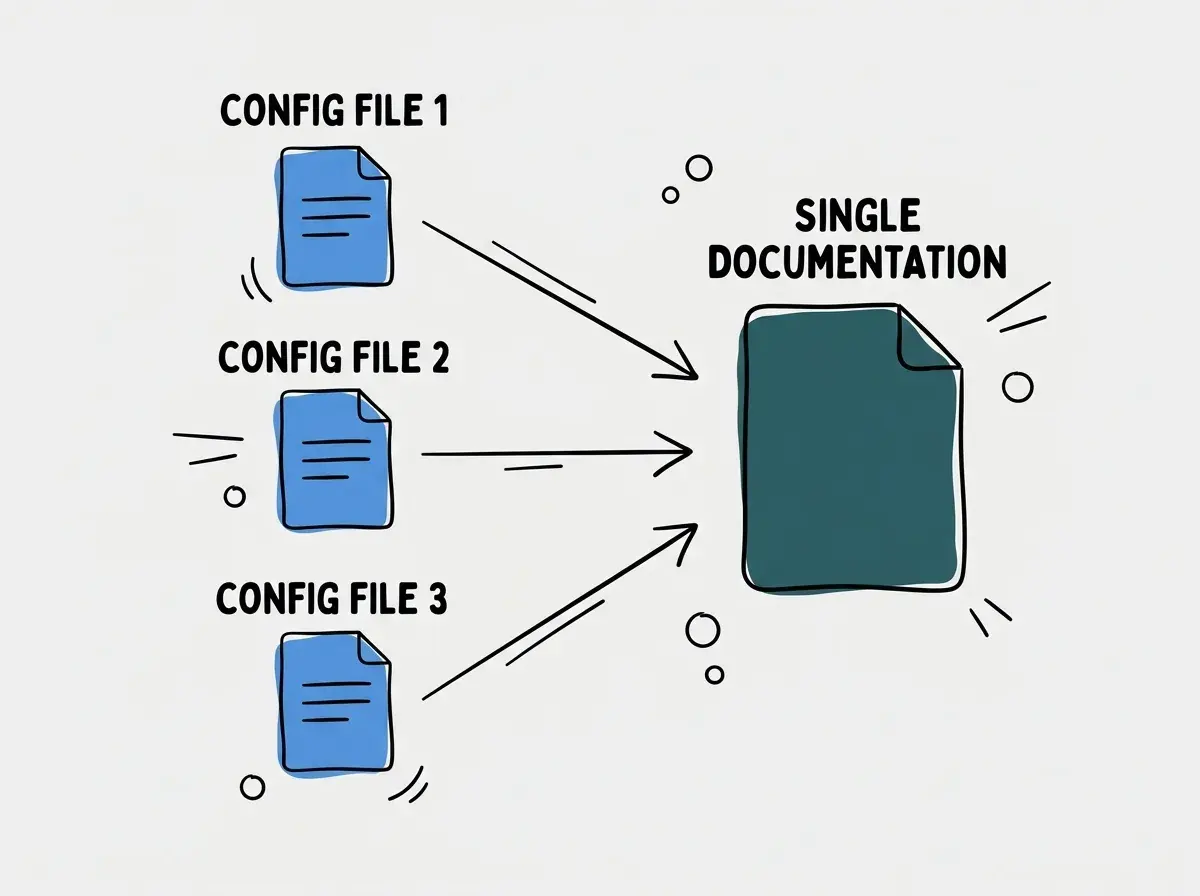
To solve this, you need a single source of truth strategy. Instead of duplicating your engineering guidelines across .cursor/rules/, CLAUDE.md, and .github/copilot-instructions.md, you can use an adapter pattern.
Create a comprehensive docs/engineering-standards.md file. Then, configure your tool-specific files to explicitly instruct the assistant to read this shared document.
For example, your CLAUDE.md might simply contain the text: "Before generating code, you must read and apply the architectural guidelines found in docs/engineering-standards.md."
Do not assume that cross-file imports or include directives work universally across all assistants. An explicit instruction to read a shared file is one portable starting point; native imports are another option where the client documents them. Verify that the referenced file is actually loaded.
Make that discovery check part of adopting the shared policy, rather than assuming an adapter works because its filename looks right.
Explore clear explanations of AI coding tools, project context, and reliable development workflows.
Explore the blogMonorepos introduce additional complexity. A single repository might contain a Next.js frontend, a Python backend, and a Go microservice. Applying a global set of rules across this entire structure will confuse the assistant.
In a monorepo, you should leverage the scoping features of Cursor and Copilot. Place your .cursor/rules/ directory at the root, but use strict glob patterns to isolate instructions. A rule for the Python backend should specify globs: ["apps/backend/**/*.py"].
Claude Code supports nested guidance and path-scoped rules through its documented mechanisms. AGENTS.md nesting depends on the client, and Cursor currently documents combining nested files with parent guidance. Check each client rather than assuming a single precedence rule. Descriptive sections can help readers, but they do not replace actual file discovery and activation behavior.
Choose a setup for the people using the repository
For a solo developer using one editor, start with its simplest documented mechanism. A root AGENTS.md may be enough for a compatible client. Add structured Cursor rules when file-based activation solves a real problem, rather than creating a rule directory because a template includes one. Fewer files make it easier to see what the assistant is being told.
For a team using Claude Code and Copilot, identify the shared policy first. Build commands, generated-code boundaries, and public API compatibility usually belong to the project. Personal response style belongs to a user's own settings. Keeping those concerns separate prevents one developer's preferences from becoming an accidental team mandate.
For a monorepo, choose one representative task in each major package. A frontend task might add a labeled field; an API task might reject an invalid input; a shared-library task might change a public type. Write down which instructions should apply to each. This small matrix exposes overlaps more clearly than reading every rule file in isolation.
When migrating, keep the old and new configuration under version control so the change is reviewable. Remove duplicated rules after the new discovery path is verified. Do not leave both versions active indefinitely and assume their wording will stay synchronized. A later edit to only one copy can reintroduce the contradiction you were trying to remove.
A useful acceptance test is that a new team member can answer two questions without asking you: where should a shared convention be changed, and how can they verify that their coding tool sees it? If the answer requires editing four unrelated documents, simplify the arrangement before adding more automation.
Migration and Verification Steps
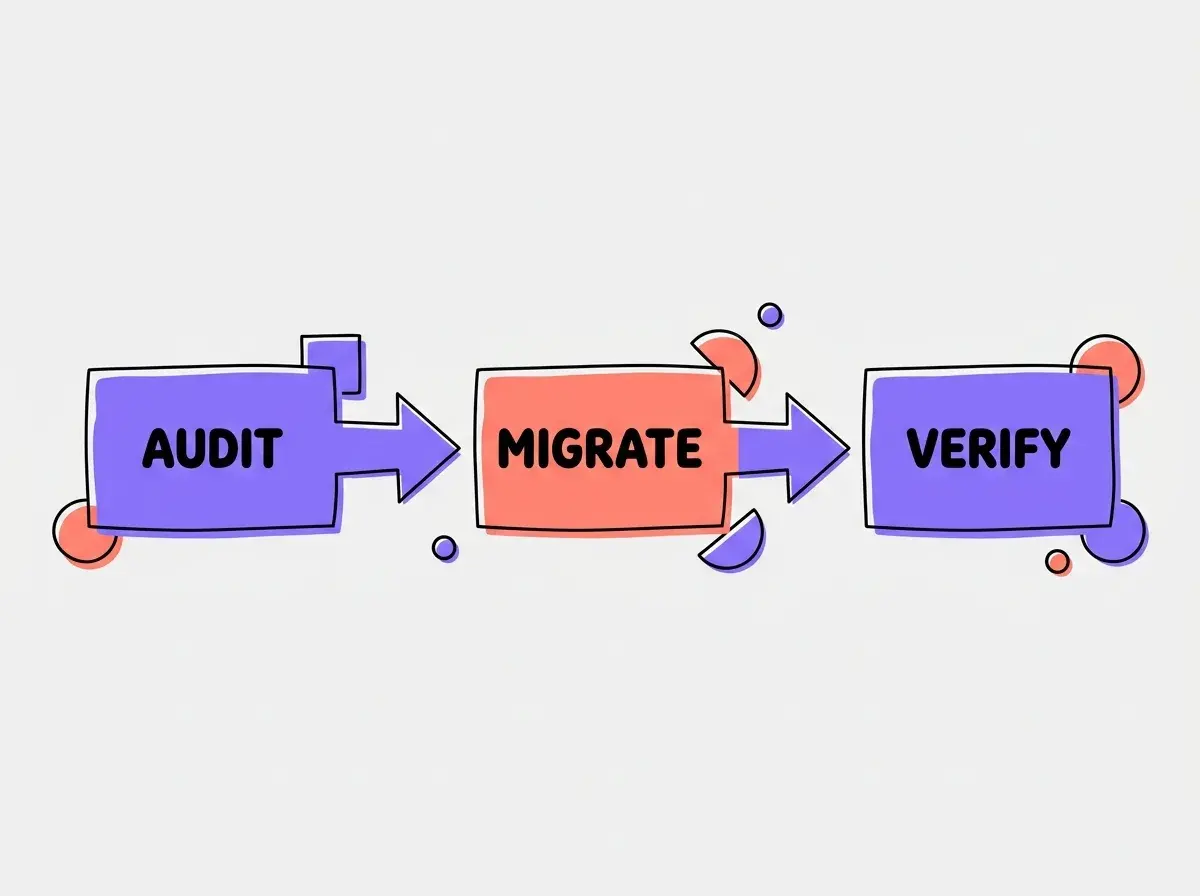
Moving from a fragmented setup or a legacy .cursorrules file requires a systematic approach. Start by auditing your current instructions. Gather all implicit team rules and document them in a central location.
Next, implement the adapter pattern. Create your central engineering standards document and point the tool-specific files toward it.
To verify that the configuration works, you must test the assistant in a controlled manner. Open a new file in your repository and prompt the assistant to generate a standard component or function. Review the output to ensure it adheres to the rules defined in your configuration files.
If the assistant fails to follow a rule, refine the wording in your instructions. Automated assistants respond best to clear, affirmative statements. Instead of saying "do not use var", write "always use let or const for variable declarations."
Testing Claude Code involves running a session and explicitly asking it to summarize the project rules. If it fails to mention the guidelines in your CLAUDE.md, you may need to adjust the file location or formatting.
For Copilot, use a supported chat or agent experience in a file covered by your scoped instructions. If the suggestion violates your repository standards, check the syntax of your .github/instructions/*.instructions.md files to ensure they are properly formatted.
Frequently Asked Questions About AI Configs
What this means for you
The proliferation of different configuration standards reflects the rapid evolution of intelligent development tools. While it may seem tedious to manage multiple files, understanding the nuances of Cursor, Copilot, Claude Code, and AGENTS.md allows you to tailor the development experience to your team's specific needs.
By adopting a single source of truth strategy and utilizing the adapter pattern, you can maintain consistent engineering standards regardless of which tool your developers prefer. This approach reduces friction during code reviews and ensures that automated contributions align with your architectural vision.
Take the time to audit your current repository configurations. Keep the setup only as elaborate as the team needs, and revise it when actual work reveals a gap.
Read more practical articles for choosing tools, reviewing changes, and shipping useful software.
Read more guides