To build accessible software with AI coding tools in 2026, recognize four accessibility patterns that AI tools consistently get wrong (missing ARIA attributes that screen readers need, color contrast that fails WCAG standards, keyboard navigation gaps that lock out non-mouse users, and focus management that breaks for assistive technology), use explicit accessibility prompts that produce better defaults, test with both automated tools and real assistive technology, and treat accessibility as core requirement rather than polish. Accessible software is not harder with AI; it requires deliberate practice that AI does not provide automatically.
This piece walks through the four accessibility patterns AI gets wrong, the prompts that produce better output, the testing approaches that catch issues, and the four mistakes developers make when reasoning about AI accessibility.
Why Accessibility Matters and AI Often Misses It
Accessibility benefits all users (users on slow networks, users in bright sunlight, users with temporary impairments) plus the 15-20 percent of users with permanent disabilities. Inaccessible software excludes substantial user populations and increasingly carries legal risk in many jurisdictions.
The 2026 reality is that AI coding tools generate accessible code less often than equivalent code from accessibility-trained developers. The training data overrepresents non-accessible patterns; the AI produces what it learned. Founders who do not deliberately prompt for accessibility get inaccessible defaults.
A 2025 WebAIM accessibility audit of 500 AI-generated landing pages found that 78 percent had at least one major accessibility violation (missing alt text, insufficient color contrast, broken keyboard navigation, missing form labels). Equivalent landing pages by accessibility-trained developers had violations in only 22 percent of cases. AI defaults are substantially less accessible; deliberate prompting and testing closes most of the gap. Accessibility with AI is achievable but not automatic.
The pattern to copy is the way architects approach building accessibility. Architects do not add ramps after the building is designed; they design accessibility into the foundation from the beginning. Software accessibility works the same way; trying to add it after the AI generates inaccessible defaults is dramatically harder than prompting for accessibility from the start.
The Four Patterns AI Gets Wrong
Four accessibility patterns appear consistently in AI-generated code. Knowing them enables targeted fixes.
Pattern 1, missing ARIA attributes. Screen readers depend on ARIA labels and roles to interpret UI elements. AI often generates UI without ARIA, producing interfaces that screen readers cannot interpret correctly.
Pattern 2, insufficient color contrast. AI often picks colors that look good visually but fail WCAG AA contrast requirements (4.5:1 for normal text). The contrast issues exclude users with vision impairments.
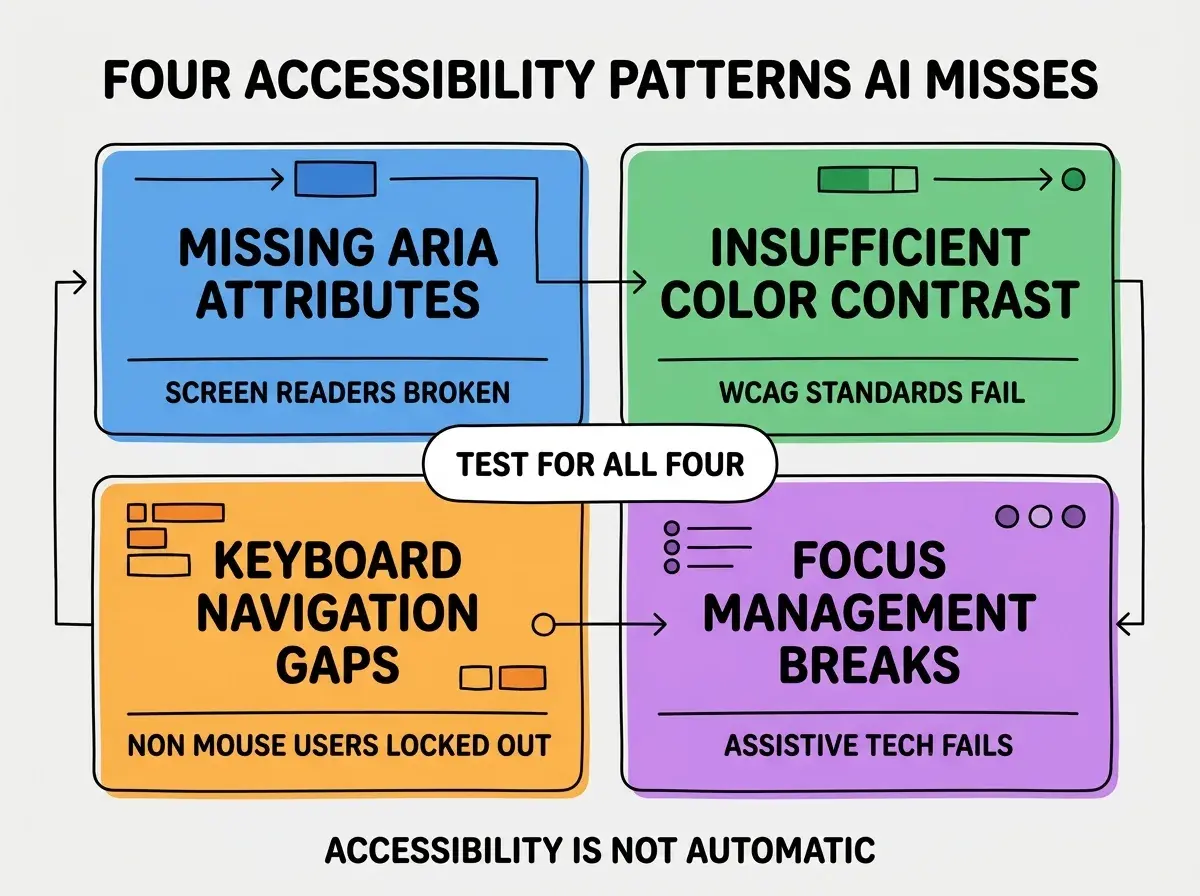
Pattern 3, keyboard navigation gaps. AI often generates interactive elements (modals, dropdowns, custom widgets) without keyboard navigation. Users who cannot use a mouse get locked out of features.
Pattern 4, focus management breaks. Interactive flows (multi-step forms, modals, navigation) often lose focus when transitioning between steps. Assistive technology depends on focus; broken focus produces broken experiences.
How to Prompt for Better Accessibility
Three prompt patterns produce more accessible AI output than default prompts.
Pattern 1, explicit accessibility requirements in the prompt. "Generate this form with proper ARIA labels, keyboard navigation, and WCAG AA color contrast." Explicit requests produce dramatically better output than implicit assumptions.
Browse more inclusive design guides
Read more foundations articlesPattern 2, reference accessibility libraries by name. "Use the patterns from Reach UI" or "follow the accessibility patterns from shadcn/ui" produces output aligned with proven accessible patterns.
Pattern 3, ask for accessibility review on existing code. When AI generates UI, follow up with "review this for accessibility issues and fix them." The follow-up often catches what the original generation missed.
How to Test Accessibility Effectively
Three testing approaches catch accessibility issues before they reach users.
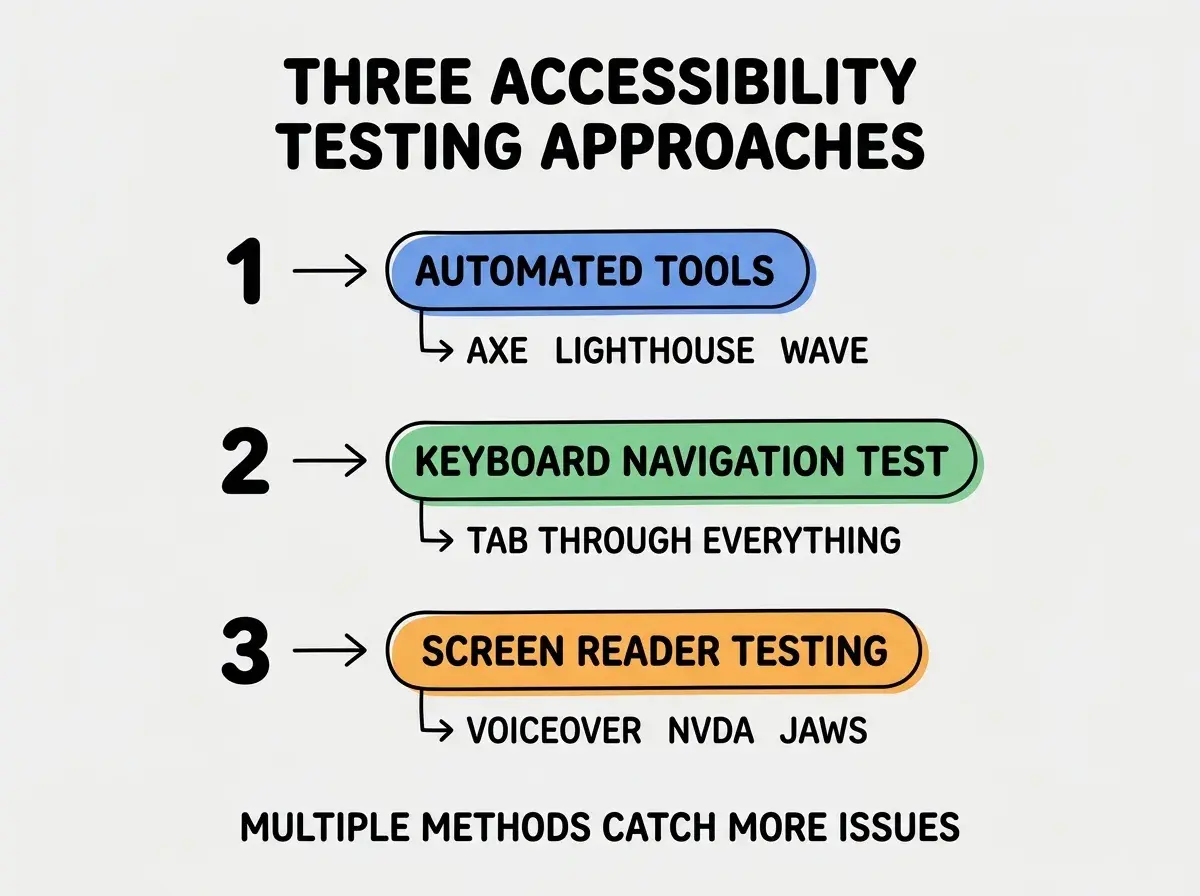
Approach 1, automated tools (axe-core, Lighthouse, WAVE). Run on every page; fail builds on regressions. Automated tools catch many but not all accessibility issues; they are necessary but not sufficient.
Approach 2, keyboard navigation testing. Tab through every interactive flow without using a mouse. The exercise reveals navigation gaps automated tools miss.
Approach 3, screen reader testing. VoiceOver on Mac, NVDA or JAWS on Windows. Testing with actual screen readers catches issues that look fine to sighted users.
How to Handle Common Accessibility Pushback
Three pushback patterns commonly arise when teams try to add accessibility. Knowing them helps respond effectively.
Pushback 1, "accessibility is too expensive." The data shows the opposite; retroactive accessibility costs 10x more than built-in accessibility. The fix is to demonstrate the cost differential with specific examples; the math usually convinces.
Pushback 2, "our users do not need it." The data shows 15-20 percent of users have permanent disabilities and 40 percent benefit from accessibility features at some point. The fix is to share the data; assumptions usually shift.
Pushback 3, "we will add it later." Later usually never arrives, and retrofit is expensive. The fix is to show the cost of retrofit vs build-in; the comparison usually motivates action.
The combination produces team buy-in for accessibility investment. Without explicit response patterns, accessibility advocates often lose the resource conversation to higher-perceived-priority work.
How to Build Accessibility Into Your Workflow
Three workflow patterns make accessibility consistent rather than intermittent.
Pattern A, accessibility checks in PR template. Code review template includes accessibility checklist; reviewers must explicitly verify accessibility before approval. The checklist makes the consideration visible during normal workflow.
Pattern B, automated accessibility testing in CI. Lighthouse CI or axe-core runs on every PR; fails builds with regression.
Pattern C, designate an accessibility owner. Even small teams benefit from one person who champions accessibility. The role can rotate; the consistency matters more than the individual person filling it at any given time.
The combination produces accessible defaults at the team level. Without explicit workflow, accessibility depends on individual developer awareness, which varies and produces inconsistent outcomes.
The most damaging accessibility mistake when using AI is treating accessibility as something to add after the AI generates the basic structure. Accessibility added after the fact requires substantially more effort than accessibility built in from the start; sometimes it requires complete rewrites. The fix is to include accessibility requirements in the original AI prompt and verify before moving forward. Founders who prompt for accessibility from the start ship 4-5x more accessible code than founders who add it later.
The other mistake is testing only with automated tools. Automated tools catch perhaps 30-50 percent of accessibility issues; the remainder require human judgment and assistive technology testing. The fix is to combine automated testing with manual keyboard navigation testing and periodic screen reader testing. The combination catches dramatically more issues than any single approach.
A third mistake is treating accessibility as a binary compliant-vs-not state. Accessibility has degrees; partial accessibility is dramatically better than no accessibility. The fix is to ship incremental improvements rather than waiting for perfect compliance; users benefit from each incremental improvement immediately.
What This Means For You
Accessibility with AI coding tools is achievable in 2026 but requires deliberate practice. The four patterns, prompts, testing approaches, and workflow integrations produce inclusive software for committed teams.
- If you're a founder: Build accessibility into your AI prompting and testing from the start. The cost of retrofitting accessibility later dramatically exceeds the cost of building it in from day one.
- If you're changing careers into design or development: Accessibility skill is increasingly expected for senior roles. Practice on personal projects to build the muscle.
- If you're a student: Learn accessibility fundamentals alongside AI coding. The combination produces hireable skills that sets you apart from peers who only learn the AI tools.
Browse more inclusive development guides
Read more foundations articles