AGENTS.md is a Markdown file that gives compatible coding agents instructions for working in a repository. Use it for project-specific commands, architecture boundaries, and checks an unfamiliar contributor would otherwise have to discover. Its value comes from accurate guidance, not from collecting the largest possible set of rules.
Retrospective edition for March 10, 2026. Researched and published September 9, 2026. Compatibility notes describe documentation checked at publication; verify support in the version of your coding tool.
Think of this file as the handover note you would leave for a capable contractor. The contractor already knows how to program. What they do not know is that your generated client must never be edited directly, your tests require a fixture service, or an apparently redundant compatibility layer supports a paying customer.
What the format actually specifies
The AGENTS.md project defines a simple, open Markdown convention for agent guidance. It deliberately complements the human-facing README. You do not need a special schema, mandatory section names, or an elaborate configuration header to write a useful file. Start with ordinary headings and concrete instructions.
Do not interpret the name as a promise that every AI feature reads it. Support belongs to the application using the model. A coding agent, an inline completion feature, and an unrelated chat interface can handle repository context differently, even if they use similar underlying models.
For example, Cursor documents AGENTS.md support, including project-root and nested files in its current documentation. That is evidence about Cursor's documented behavior, not proof of universal behavior across tools or older releases. Check your chosen application's documentation and observe what it loads.
The practical contract you control is simpler: this repository has a predictable place for durable working instructions. A developer can review it, an agent can read it, and changes can travel with the code through version control.
Write the information that changes a coding decision in this repository. Generic advice such as “write good code” consumes attention without telling an agent what to do differently.
A useful sentence has an observable consequence. “Use the existing error envelope from src/http/errors.ts” changes an implementation choice. “Be consistent” leaves the choice to interpretation.
Start with five questions
Before writing, answer five questions about your project. What does it do? Where is the code likely to change? How do you install and run it? How do you check a change? Which mistakes recur during review?
The answers form a compact onboarding map. Resist copying your entire architecture document into the file. Point to the relevant document and explain when to read it. An agent fixing button spacing usually does not need the full history of database partitioning.
Use real repository evidence. Read package scripts before documenting commands. Check the test configuration before naming a runner. If a command only works with a local service, name that prerequisite. A plausible command that fails is worse than a clearly identified unknown.
Here is an original example for a fictional small TypeScript service. The paths and scripts are illustrative; adapt them to your repository before use.
# Working in the catalog service

## Project map
- src/http contains request handlers.
- src/catalog contains catalog business rules.
- src/generated is built from schema/catalog.json.

## Setup and checks
- Use the Node version in .nvmrc.
- Install locked dependencies with npm ci.
- Run npm run test:unit after changing catalog logic.
- Run npm run typecheck before handing off TypeScript changes.
- Integration tests require the fixture service described in docs/testing.md.

## Implementation boundaries
- Keep pricing calculations in src/catalog/pricing.ts.
- Change schema/catalog.json and regenerate instead of editing src/generated.
- Preserve existing public response fields unless the task authorizes an API change.

## Handoff
- Explain the changed behavior and checks actually run.
- Name any skipped check and its missing prerequisite.
The example does not dictate an architecture for every project. It records decisions for one invented project. That is the right level of specificity: enough to guide real work, without turning local conventions into universal programming laws.
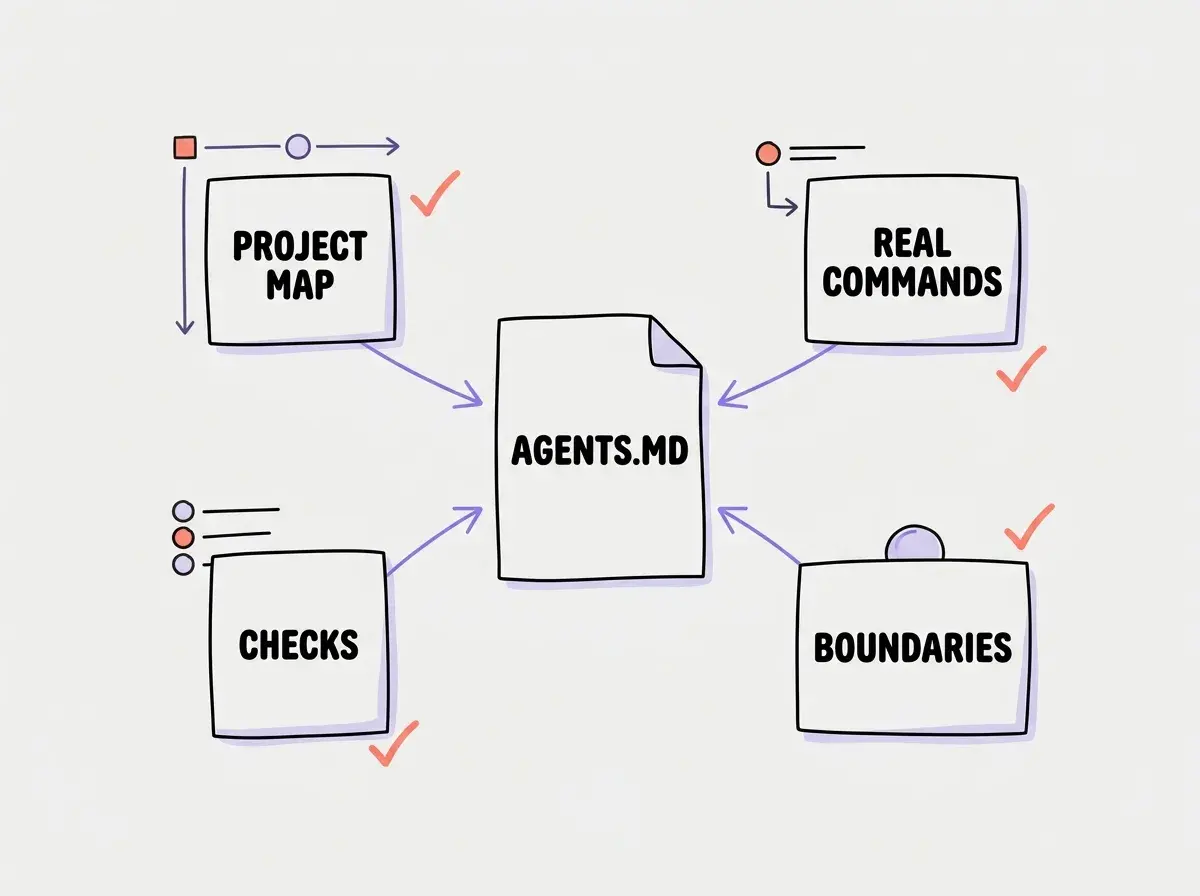
Review each line by asking what would change if you removed it. If the answer is “nothing observable,” shorten or delete it. That exercise usually improves an instruction file more than adding another section.
Keep instructions close to their scope
A monorepo creates a different problem from a small service. The frontend may use one test runner, the API another, and infrastructure a separate deployment workflow. A single root file can become an awkward set of exceptions if it tries to explain all of them at equal depth.
Use a root file for shared conventions and scoped guidance where your client supports it. The root might explain workspace layout and cross-package validation. A frontend instruction file can explain component conventions; a backend file can identify migration rules. Keep the hierarchy shallow enough for a human reviewer to understand.
A conceptual layout could look like this:
AGENTS.md
apps/
  storefront/
    AGENTS.md
  api/
    AGENTS.md
packages/
  shared/
Do not assume a nested file automatically replaces every instruction above it. Read the client's precedence rules, then avoid contradictions where possible. “Use the workspace scripts” at the root and “run the storefront unit-test script for UI logic changes” inside the storefront work together. Two competing package-manager mandates do not.
When several tools work in the same repository, record the intended shared policy once. Keep tool-specific adapters small and test their loading behavior. Copying a long policy into four filenames creates four opportunities for drift.
Explore practical context engineering guides for repositories built with AI assistance.
Explore the guidesA repository instruction file is most useful when it evolves alongside the project. Adding it once and forgetting it preserves yesterday's assumptions as tomorrow's confident guidance.
Verify that the file changes behavior
Start a fresh session in a disposable branch. Ask the agent to describe which repository instructions it found and what checks apply to a small proposed change. Compare its answer with the actual files. This establishes whether the guidance is visible before you judge whether it is good.
Then assign a harmless task with an observable rule. For the fictional catalog service, ask for a small pricing validation change. Check whether the edit lands in the intended module, whether generated files remain untouched, and whether the agent attempts the documented validation command.
Do not rely only on the assistant saying it complied. Read the diff and execution output. An instruction such as “run tests” is fulfilled by a completed relevant check, not by a sentence claiming tests should be run. If the environment lacks a prerequisite, an accurate explanation is better than a fabricated passing result.
Keep this evaluation small. You are checking a working agreement, not running a model leaderboard. A useful record includes the task, expected behavior, observed behavior, and one revision to the instructions if needed. Change one unclear rule at a time so you can tell what improved.
Repeat the check after a significant tool upgrade or instruction reorganization. A repository policy that depends on file discovery is only effective while the discovery path still works.
Make recurring mistakes actionable
Suppose an agent repeatedly adds new dependencies for simple formatting tasks. “Avoid unnecessary dependencies” may help, but it leaves necessity undefined. A stronger project rule says to check the existing utility module first and explain any proposed new runtime dependency before installation.
Suppose generated files keep appearing in diffs. Name the generated directory, the source file, and the generation command. That gives the agent a replacement action. A prohibition without an alternative can leave a task stalled or encourage a workaround.
Suppose a build requires an environment file. Document the template and the nonsecret setup steps. Do not put credentials in AGENTS.md. Anyone who can read the repository, including automation processing it, may encounter the file. Secrets belong in the project's existing secret-management mechanism.
These examples illustrate a useful pattern: trigger, action, and evidence. When a change touches pricing, use the pricing module and run the relevant tests. When a change affects generated code, edit the source and regenerate. The instruction becomes a miniature decision rule rather than an expression of taste.
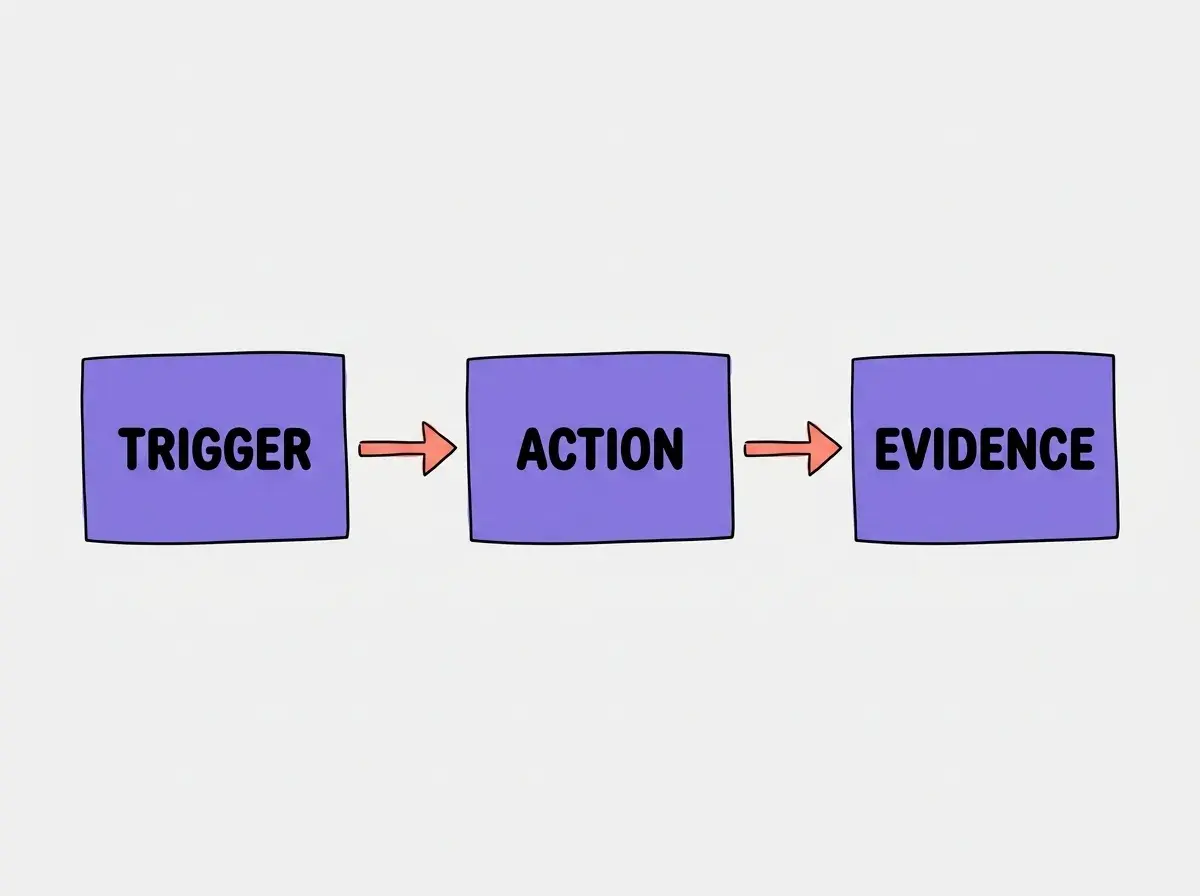
You can use the same pattern during code review. When a reviewer catches a recurring project-specific mistake, decide whether the fix belongs in automated enforcement, agent guidance, or both.
Using AGENTS.md as a substitute for tests, lint rules, or access controls. Written guidance helps an agent choose an action; executable checks and permissions enforce boundaries independently.
If a rule can be enforced cheaply and reliably by tooling, prefer that enforcement. Keep the instruction file focused on explaining how to work with it and what decisions still require judgment.
Maintain a small memory layer
Assign ownership to the same team that owns the code. When a script changes, update the documented command in the same pull request. When a directory moves, update the project map. When an exception disappears, remove the instruction that preserved it.
Separate durable guidance from temporary task notes. A migration checklist for this week's release belongs in the migration task or a dated document. A persistent rule about how migrations are reviewed may belong in AGENTS.md. Mixing them makes finished work look like an ongoing obligation.
Prefer a short explanation for surprising constraints. “Keep this compatibility path until the mobile client migration is complete; see docs/client-migration.md” is more maintainable than an unexplained “never remove this.” It gives a future contributor a way to determine whether the rule still applies.
Questions about adoption
The following questions usually determine whether a team needs a new file, a small cleanup, or better verification of an existing setup.
What this means for you
For a solo builder, begin with the three mistakes you keep correcting in chat. Turn each into a specific instruction with a path or command. For a team, use the next onboarding or code review to find missing project facts. For a student, practice distinguishing a preference from a checkable requirement.
The file earns its place when a fresh session can make a correct first move with less repeated explanation. Keep that outcome as your measure, and let the document stay small enough to review.
Read more about context, working conventions, and reliable AI coding workflows.
Continue reading