To pick between vibe coding, Scratch, and Python for kids in 2026, recognize that the right answer depends on the child's age, learning goal, and patience for friction (Scratch for ages 6 to 10 building visual confidence, Python for ages 10 to 14 learning programming concepts deeply, vibe coding for ages 10 and up shipping real projects fast). The three are not competitors; they are complementary tools at different developmental stages, and the best long-term outcome comes from progressing through all three.
This piece walks through the four factors that determine fit, the right answer by age group, the progression that compounds, and the four mistakes parents and educators make when choosing.
Why This Comparison Matters in 2026
The "what should kids learn first" debate used to be mostly Scratch versus Python, with answers depending on the child's age and the educator's preference. AI-assisted coding (vibe coding) has added a third major option that reframes the whole conversation. Now there are three credible paths, each with distinct strengths.
The mistake parents and educators are making is treating the three as competitors. They are not. Each fits a different developmental stage and learning goal. The right strategy is usually a progression through all three, not a one-time choice between them.
A 2025 Code.org study of 8,000 kids ages 6 to 16 found that those who progressed through Scratch then vibe coding then Python had higher long-term programming retention (76 percent still coding after 2 years) than those who started with any single tool (38 to 52 percent depending on tool). The progression matters more than the starting point. Each tool teaches different mental models, and the cumulative effect is dramatically better than depth in any one tool.
The pattern to copy is the way kids learn music. Recorder in elementary school, band instrument in middle school, choice instrument with serious technique in high school. Each stage teaches something the next stage builds on. Programming education is starting to look the same: visual blocks, then AI-assisted shipping, then pure code.
The Four Factors That Determine Fit
Different tools fit different kids. Four factors matter most.
Factor 1, age and reading level. Scratch works for kids who can read a few words; Python and vibe coding require fluent reading. Match the tool to the child's reading capacity, not to ambition.
Factor 2, learning goal. Build confidence and intuition (Scratch), learn programming concepts deeply (Python), ship real projects fast (vibe coding). Each tool optimizes for different goals.
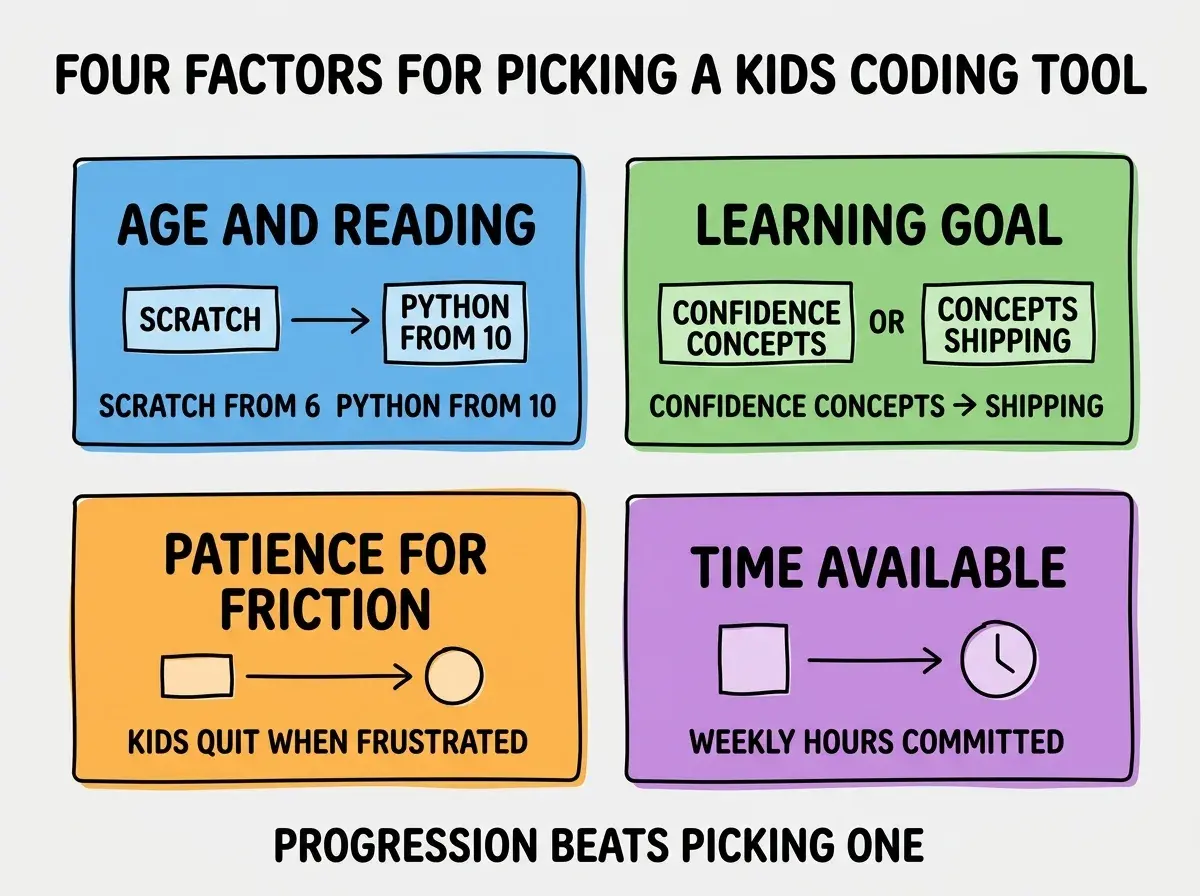
Factor 3, patience for friction. Python has compilation errors, syntax issues, environment setup. Scratch and vibe coding hide most of these. Kids who quit at frustration need lower-friction tools.
Factor 4, time available. Python rewards hours per week of practice; Scratch and vibe coding can produce results from shorter sessions. Match the tool to actual time the kid will commit.
The Right Answer by Age Group
Each age group has a clear "best starting point," with the others coming later in the progression.
Ages 6 to 10, start with Scratch. Visual blocks remove syntax barriers. Kids drag and drop code blocks to build animations, games, stories. Builds the mental model of "code does things" without the friction of typing. Stay with Scratch until the kid asks to type real code.
Browse more kids coding guides
Read more foundations articlesAges 10 to 12, add vibe coding alongside Scratch. AI assistance bridges the gap from blocks to code. Kids prompt the AI in plain English, see real code, ship real projects. Builds confidence with grown-up tools while skipping the syntax frustration. Use vibe coding for projects, Scratch for foundational concepts.
Ages 12 to 14, layer in Python. Once the kid is comfortable with code via vibe coding, Python teaches the fundamentals deeply. Variables, loops, conditionals, data structures. The deeper understanding pays back across every future programming work.
Ages 14 and up, progression continues. JavaScript for web, more advanced Python for data, specific frameworks for specific projects. The earlier progression provides the foundation.
The Progression That Compounds
The progression through all three tools produces dramatically better outcomes than depth in any one tool.
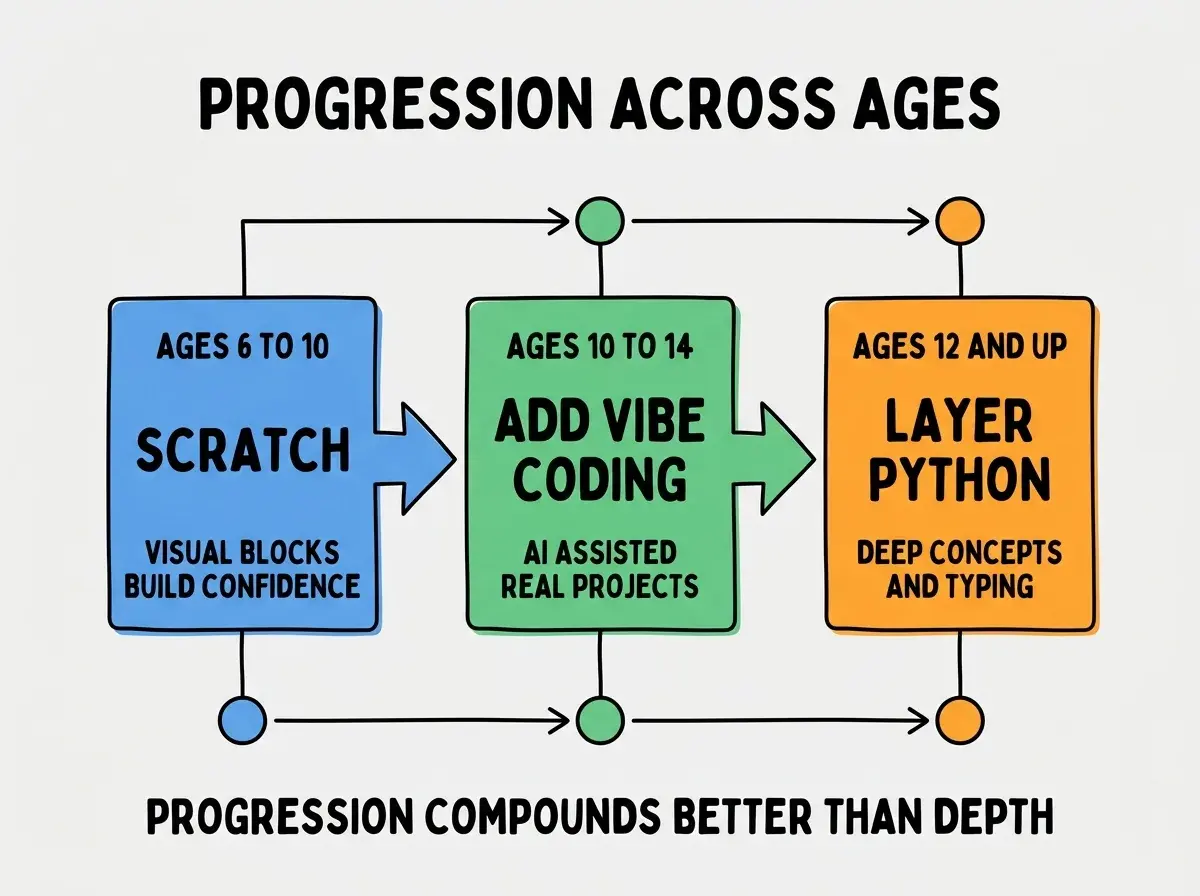
Stage 1 builds intuition. Scratch teaches the mental model of programming (sequences, loops, events, parallelism) without requiring typing. The intuition transfers to every future tool.
Stage 2 builds confidence. Vibe coding lets kids ship real projects (websites, games, tools) without grinding through syntax. The "I made a real thing" feeling sustains long-term motivation.
Stage 3 builds depth. Python teaches the specifics of how programming languages actually work. The depth enables the kid to understand and modify code at a level that vibe coding alone cannot teach.
How Parents and Educators Should Think About the Choice
Beyond the age-based defaults, three principles guide the choice.
Principle 1, optimize for not quitting. The single biggest predictor of long-term programming success is not quitting in the first year. Pick the tool that minimizes the kid's frustration.
Principle 2, follow the kid's interest. A kid who wants to make games should use the tool that makes games well (Scratch or vibe coding). A kid who wants to analyze data should use Python. Tool follows interest.
Principle 3, do not skip stages. Parents sometimes want to jump kids straight to "real code" because Scratch feels childish. The skipping costs the foundational intuition that makes later learning easier. Progress through stages even if it feels slow.
The three principles together produce a framework that almost always picks the right tool. Apply them in order: minimize quitting risk first, then follow interest, then respect the natural progression. The framework beats the alternative of "what does the parent prefer" or "what is trendy this year" by significant margins, and it generalizes to almost every age and learning style without major tweaks.
The most damaging mistake parents make is forcing Python on a kid who is not ready, because Python "looks like real programming." A 9-year-old fighting Python syntax errors quits faster than a 9-year-old building dragons in Scratch. The result is that the kid who could have become a great programmer gets convinced "programming is too hard." The fix is to match the tool to the developmental stage rather than to adult preferences. Scratch is not less than Python for an 8-year-old; it is more, because it produces success. The progression to Python comes when the kid is ready for it, not when the parent is.
The other mistake is treating vibe coding as a "shortcut" that skips real learning. AI-assisted coding teaches different skills (problem decomposition, prompt clarity, code review) than syntax-first coding teaches. Both skill sets are valuable; neither replaces the other. Vibe coding is not a shortcut around learning; it is a different kind of learning that complements traditional approaches and sets up later deeper study with stronger motivation than syntax-first paths typically produce.
Dig deeper
A few hand-picked sources if you want to go further.
What This Means For You
The vibe coding vs Scratch vs Python question has a clear answer in 2026: it depends on the kid, and the best long-term outcome is a progression through all three.
- If you're a founder: Teach your kids the progression: Scratch first, vibe coding next, Python after. The compound effect on long-term capability is dramatic.
- If you're changing careers: Apply the same logic to yourself. Start where you are; progress through tools as your confidence builds. Adults benefit from progression too.
- If you're a student: If you skipped Scratch, do not worry. Start with vibe coding to build confidence and ship projects, then layer in Python for depth. The order is flexible.
Browse more kids learning guides
Read more foundations articles