What does Convex do for my app?
Convex can store appointments and run the rules for saving or cancelling them. It stores each item as a document, meaning a record with named details such as time, customer and status.
The code that reads or changes those records runs on the backend. You still build and host the pages customers use. Convex offers a hosted backend and a separate path to operate its backend on your own server.
How do I save one appointment and see it again?
Start with a test project, connect one screen and add the code for saving and reading an appointment. Use sample information and confirm the saved record still appears after refreshing.
The React quickstart shows one way to connect a web screen to a development project. It uses TypeScript, a programming language. Add sign-in and access checks before trying the same flow with customer information. Keep development records separate from the live app.
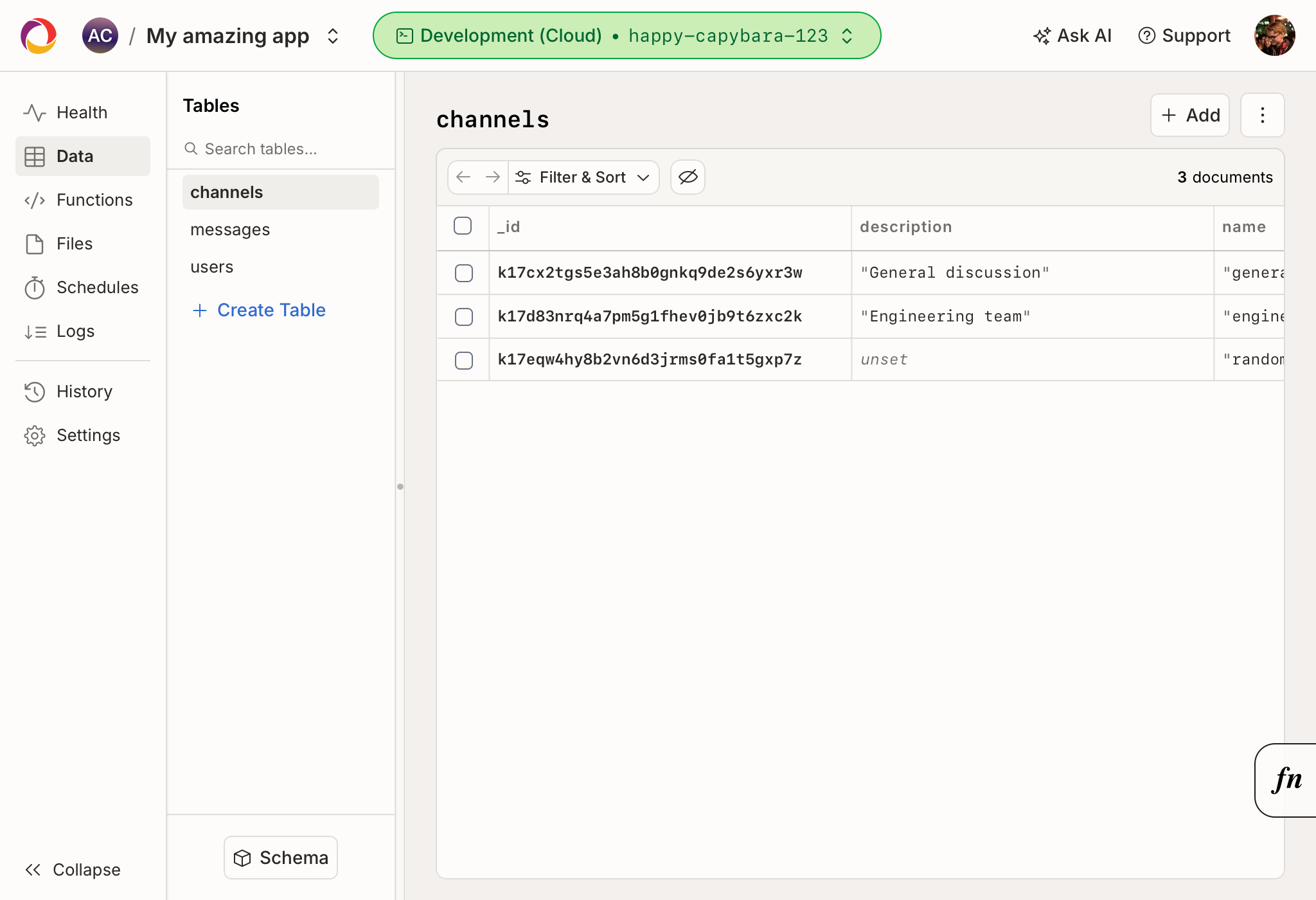
- See the Convex data dashboard exampleThe official image shows the tables and saved records in a development project.
How do I keep one customer’s bookings private?
Connect sign-in, then check what the signed-in customer may read or change in every app-facing function that handles private records. A function is a named piece of code that performs a task.
Convex documents connections to outside sign-in providers. Its own Convex Auth library is in beta, meaning it can still change. The current guide calls support for Next.js experimental. Verify the sign-in option for your app. Try a second account against the first account’s exact booking and confirm that a denied change leaves the booking untouched.
Can I keep an uploaded file private?
Choose how the app serves the file. A direct Convex file link can be reused by whoever has it. To check permission each time someone downloads, send the file through server code that verifies the person’s access on that request.
For a private booking attachment, check who can upload and who can download. Try the actual file address with a second account or after sign-out. A private booking record and a reusable file link have different access behavior.
The Convex HTTP action that sends the file this way can return up to 100 MiB, about 105 MB. Plan a separate delivery path if your private files can exceed that size.
What can change the monthly bill?
Convex bills the hosted service by plan and measured use. Check how often your app calls its backend, how much it stores or sends, and the computing time used for actions such as contacting an outside service.
Convex includes subscription updates and file accesses in its documented function-call count. The table shows dollar amounts as listed November 8, 2026. Check your region, checkout currency and use before choosing a plan.
| Plan | Listed base price | What changes the cost |
|---|---|---|
| Free | $0 | Listed with included resources. Check the plan limits before using it for live traffic. |
| Starter | $0 per month base | Pay for applicable use beyond included amounts. Check calls, action compute, storage and data transfer. |
| Professional | $25 per developer per month | Includes higher allowances. Budget for developer accounts and additional usage. |
On a small screen, scroll the table sideways to read every column.
What would I need to restore after a mistake?
Use a data backup for the saved documents and choose whether to include file storage. Keep the app code and settings separately so the restored records can work with the app again.
You can take a manual backup and download it during its seven-day storage window. Convex requires Professional-level features to schedule backups automatically.
Try a restore with disposable data first. Before restoring a live setup, make a fresh backup of the destination. A dashboard restore replaces its saved documents. If the backup includes files, the restore adds missing files and keeps existing ones.
| Part of the app | What to preserve | What to verify |
|---|---|---|
| Saved appointments | A data snapshot | Restore a disposable record and verify both accounts’ access. |
| Uploaded attachments | A snapshot configured to include files, or a separate file copy | Open the correct attachment through the normal access check. |
| App behavior and sign-in | Source code, deployment settings and any separate identity service | Confirm sign-in and which scheduled work needs to be set up again. Pending scheduled jobs are outside the documented snapshot. |
On a small screen, scroll the table sideways to read every column.
What can I take with me or run myself?
Convex can export its documents, with files when included. To keep the same backend behavior on your own server, use the documented self-hosting path and plan who will update, monitor and back it up.
A move to a different backend may also require changing the code that queries and updates those records. Check the file, account and settings pieces separately. The Convex backend’s source license includes a competing-use restriction. Read the license for the setup you want to operate.
When do live updates and scheduled work matter?
Use live updates when a second person needs to see a change without refreshing. Convex reruns a watched query, meaning a request for a set of records, when the information it depends on changes.
A reminder can run later through scheduled code. If it contacts another service, decide how to handle a failed or repeated send. Convex’s documented retry behavior differs between database updates and actions that can have outside effects.
Where can you learn the next steps?
- Test record and file access with two accountsAfter the first private booking works, test wrong-user requests, expired sessions and the actual download path.