To teach vibe coding in K-12 classrooms in 2026, structure lessons around the four formats educators report working best (project-based weekly lessons, paired programming with AI as the partner, code review and refinement exercises, and showcase presentations), manage AI tool access through school-approved providers with appropriate content filtering, focus on teaching judgment rather than syntax, and connect vibe coding to broader learning outcomes (problem decomposition, communication, iteration). The shift from teaching syntax to teaching judgment changes everything about coding education.
This piece walks through the four lesson structures, the responsible AI access patterns, the assessment approaches, and the four mistakes that keep classroom vibe coding from succeeding.
Why Classroom Vibe Coding Is Different From Adult Vibe Coding
Adult vibe coding focuses on shipping working products fast. Classroom vibe coding has different goals: building computational thinking, developing problem-decomposition skills, and giving students confidence with technology. The tools are similar; the pedagogy is significantly different.
The 2026 reality is that AI coding tools are now in students' lives whether educators acknowledge them or not. Students use ChatGPT for homework; some use Cursor for personal projects. Pretending AI does not exist creates a curriculum disconnected from how students actually work. Embracing it requires adapting pedagogy, not just adopting tools.
A 2025 ISTE survey of 2,500 K-12 computer science teachers found that 63 percent of classrooms had integrated AI coding tools by end of 2024-2025 academic year, up from 8 percent in 2022-2023. Of teachers using AI tools, 78 percent reported their students learned core computer science concepts faster than students taught with traditional syntax-first methods. The data is preliminary but suggestive: AI tools accelerate concept learning when used as teaching aids rather than as replacement for thinking.
The pattern to copy is the way calculator integration changed math education. Calculators did not replace teaching arithmetic; they let teachers focus on higher-order math concepts because the calculation overhead dropped. AI coding tools play the same role for programming education: they remove the syntax overhead, freeing classroom time for higher-order thinking.
The Four Lesson Structures That Work
Different lesson structures suit different learning goals. Four formats consistently work well in K-12 classrooms.
Structure 1, project-based weekly lessons. Each week, students complete a small project (a quiz, a game, a tool). AI assistance handles syntax; students design and decompose. Best for sustained engagement.
Structure 2, paired programming with AI as partner. Students prompt AI, evaluate output, iterate. Develops critical evaluation skills. Best for developing judgment about code quality.
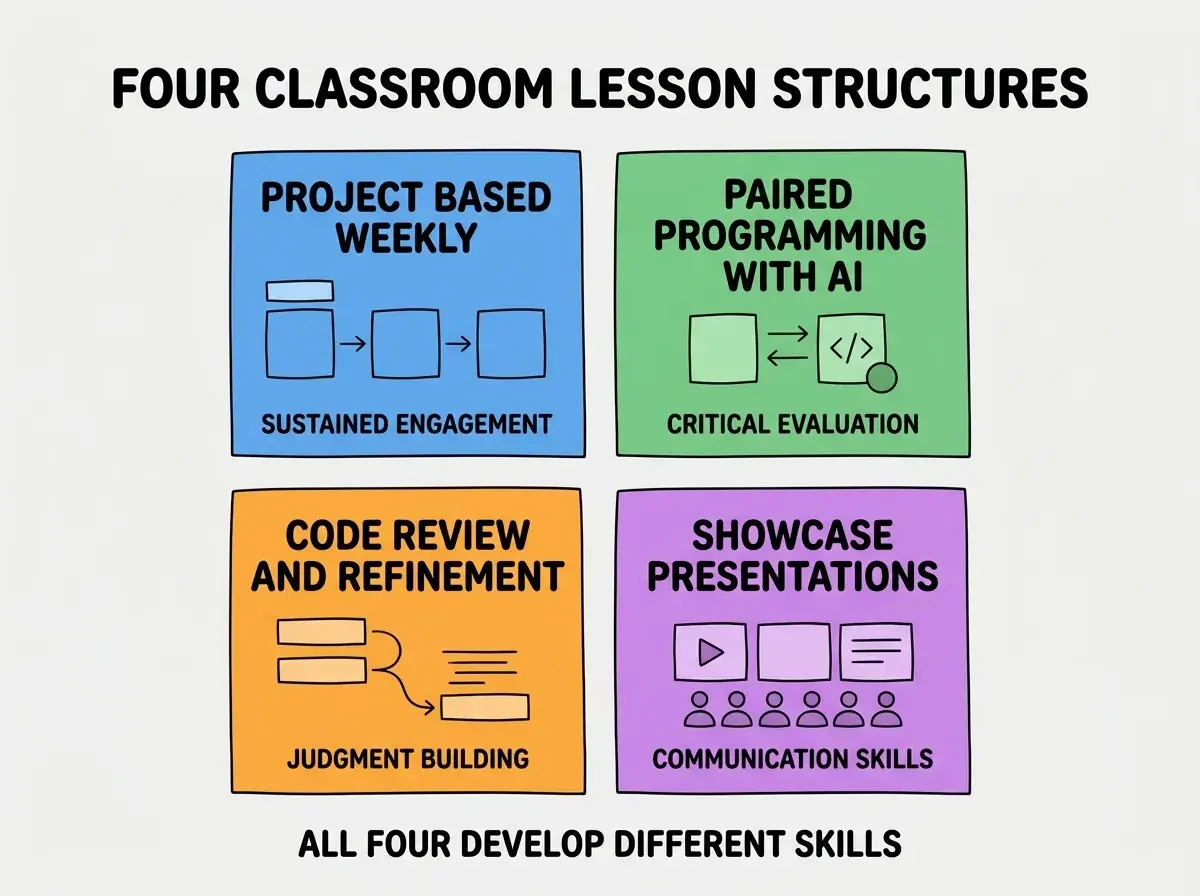
Structure 3, code review and refinement. Students improve AI-generated code. Identifies inefficiencies, bugs, and missing edge cases. Best for developing judgment about code quality.
Structure 4, showcase presentations. Students present their projects to peers, explaining design decisions. Builds communication skills alongside technical work.
Managing AI Tool Access Responsibly
K-12 AI tool access requires more thoughtful management than adult contexts. Three patterns work well.
Pattern 1, school-approved providers only. Use AI providers with educational tiers and appropriate data handling (Google Workspace for Education AI features, Microsoft Copilot for Education, dedicated K-12 providers). Avoid consumer AI services that train on submitted data.
Browse more education guides
Read more foundations articlesPattern 2, content filtering and monitoring. Use providers with content filtering for age-appropriate output. Monitor student usage patterns for concerning queries. Combine technical controls with conversations about appropriate use.
Pattern 3, explicit AI use guidelines. Make the boundaries clear: AI assistance is encouraged for specific tasks; copying AI output without understanding is not. Teach students to articulate what they learned versus what AI generated.
Assessment Approaches That Match Vibe Coding
Traditional CS assessments (write this function from scratch) lose meaning when AI can write any function. Three assessment approaches work better.
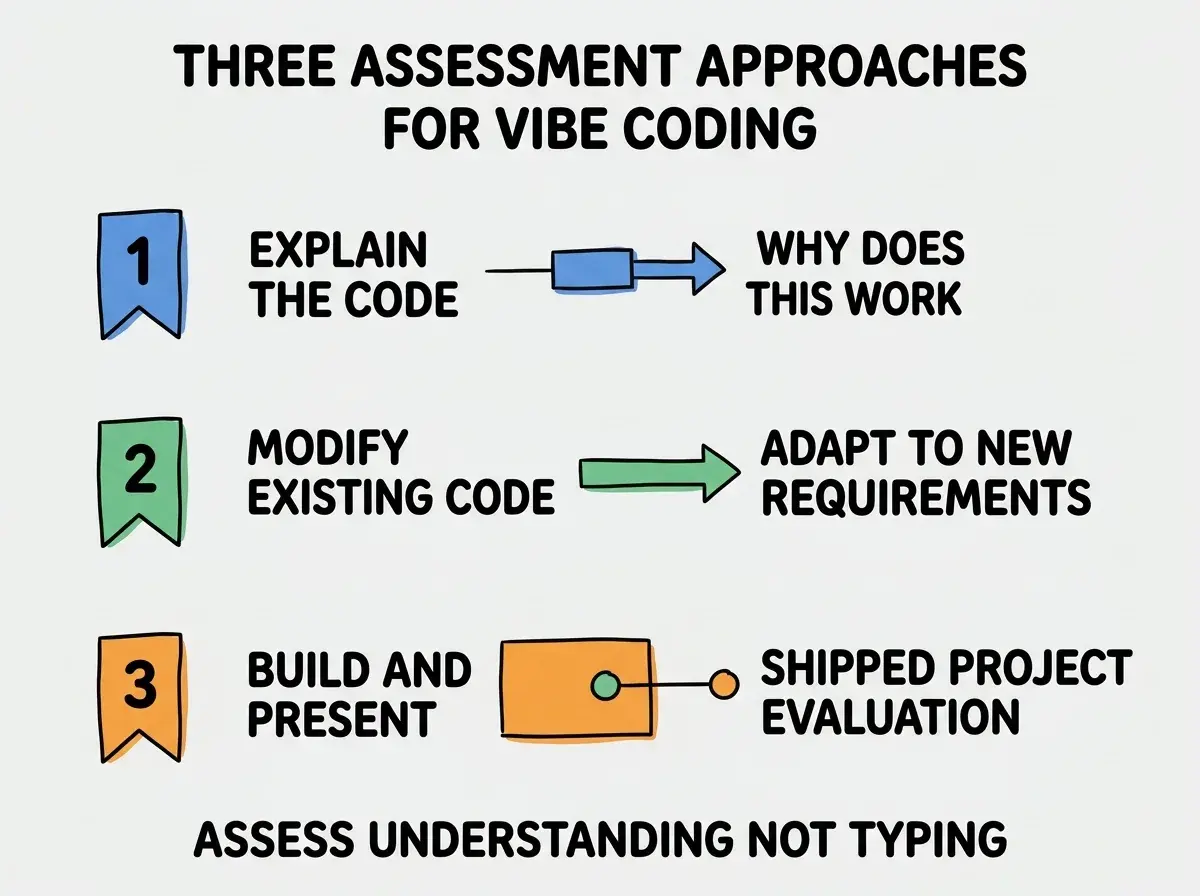
Approach 1, explain the code. Show the student a piece of code (theirs or AI-generated). Ask them to explain what it does and why. Tests understanding, not memorization.
Approach 2, modify existing code. Give the student working code; ask them to add a feature or fix a bug. Tests applied judgment that AI-only approaches cannot fake.
Approach 3, build and present. Project-based assessment where students build something and present design decisions. Tests integrated thinking and communication.
What to Skip in Classroom Vibe Coding
Three patterns that work for adult vibe coding do not work in classrooms.
Skip 1, autonomous agents. Tools that complete entire tasks without student input remove the learning. Stick with chat-style AI assistance where students stay in the loop.
Skip 2, complex multi-tool workflows. Adults benefit from sophisticated tool stacks; students get overwhelmed. One AI tool, one editor, one deployment target is enough.
Skip 3, real production deployment without supervision. Student projects can deploy to staging URLs but real production with real users adds operational concerns students are not ready to handle.
The combination of these omissions keeps classroom vibe coding focused on learning rather than on shipping production systems.
The most damaging classroom vibe coding mistake is treating AI as a way to make students "produce more" rather than as a way to "learn more." Some teachers measure success by output (students shipped 5 apps this semester) rather than by understanding (students can explain how their apps work). The output-focused approach produces students who depend on AI without understanding it; the learning-focused approach produces students who can use AI as a tool throughout their careers. The fix is to assess understanding alongside output, never instead of it. Output without understanding is not learning.
The other mistake is teaching vibe coding without addressing the ethics around AI use in academic work. Students need to understand what counts as their work versus AI's work, when citation is appropriate, and how to develop their own thinking even when AI assistance is available. Skip the ethics conversation and you produce students who default to AI dependency rather than AI partnership.
Curriculum Integration Patterns
Beyond standalone CS lessons, three patterns integrate vibe coding into broader curriculum.
Pattern A, cross-curricular projects. History students build interactive timelines; English students build text analysis tools; science students build data visualizations. Vibe coding becomes a tool for other subjects rather than a subject itself.
Pattern B, capstone projects. End-of-year projects where students integrate skills from multiple courses. Vibe coding makes ambitious capstones achievable.
Pattern C, after-school clubs. Students who want more than the standard CS curriculum can dive deeper through coding clubs. Lower stakes, higher engagement, often produces the most impressive student work.
The combination of these patterns extends vibe coding beyond CS class into the rest of the school experience, making it a literacy skill rather than a specialist skill.
Resources for Teachers New to AI Coding
Three categories of resources help teachers ramp up on classroom vibe coding.
Resource 1, ISTE and CSTA professional development. Both organizations offer dedicated AI in education tracks at conferences and online. Teacher-to-teacher learning is the fastest path to capability.
Resource 2, vendor educator training. Anthropic, Microsoft, Google all offer free training for educators using their AI tools in classrooms. Subject-specific webinars and certification programs.
Resource 3, peer networks. Slack and Discord communities of CS teachers actively sharing lesson plans, troubleshooting problems, comparing approaches. The collective knowledge of working teachers beats any single curriculum guide.
The combination of these resources means no teacher has to figure this out alone. The community is generous with materials and experience.
Dig deeper
A few hand-picked sources if you want to go further.
What This Means For You
Teaching vibe coding in classrooms is one of the most consequential pedagogical shifts available to K-12 computer science educators in 2026. The teachers who adapt their pedagogy successfully will produce students prepared for the AI-assisted future.
- If you're a founder building EdTech: Talk to teachers using these patterns. Build tools that support pedagogy rather than just productivity.
- If you're changing careers into education: CS education is an underserved area increasingly hungry for AI-fluent teachers. The hybrid skill set is rare.
- If you're a student: If your school does not teach vibe coding, ask. Demand from students often shapes which courses get added.
Browse more education guides
Read more foundations articles