Prompt engineering is the single most important skill in vibe coding, and it is the one most people underestimate. Everyone knows they should "be specific" when talking to AI. But knowing that advice and actually writing prompts that produce working code on the first try are completely different things.
92% of US developers now use AI coding tools daily. Senior developers report 81% productivity gains. But the difference between someone who fights with AI for hours and someone who gets working code in minutes almost always comes down to one thing: how well they write their prompts. The tool is the same. The skill of using it is not.
Why "Be Specific" Is Not Enough
You have probably read advice like "give the AI more context" or "be clear about what you want." That advice is technically correct and practically useless. It is like telling someone who wants to learn guitar to "play the right notes." The gap between the principle and the practice is where all the real skill lives.
Here is what actually happens when someone writes a vague prompt. They type "build me a dashboard" and get back a generic Bootstrap layout with placeholder data. They try again with "build me a better dashboard" and get something slightly different but equally generic. After three or four attempts, they either give up or start fresh. Each cycle wastes ten to twenty minutes.
The problem is not that the AI is bad. "Build me a dashboard" could mean ten thousand different things. A sales dashboard, an analytics dashboard, a project management dashboard. With charts, tables, or cards. Using React, Vue, or vanilla JavaScript. The AI has to guess on every dimension, and each guess has a roughly equal chance of being wrong. Specificity is not about writing longer prompts. It is about eliminating ambiguity on the dimensions that matter most.
The STRUCTURE Framework
After hundreds of prompts, I have organized the key elements into a framework called STRUCTURE. You do not need every element in every prompt. Think of these as tools in a toolbox, not steps in a checklist.
Situation gives the AI context for good decisions. "I am building a SaaS application for project management" tells the AI what kind of decisions to make about architecture, styling, and complexity. Without situation, the AI defaults to the most generic interpretation.
Task is the specific thing you want accomplished. "Create a user settings page" is better than "help me with settings." The more precisely you define the task, the more precisely the AI delivers.
Requirements are the functional details that determine success or failure. "The page should have sections for profile info, notification preferences, and billing details" eliminates guessing about what belongs on the page.
Understanding means stating what you expect the AI to already know or what it should assume. "This project uses Next.js 14 with the App Router and Tailwind CSS" prevents the AI from generating code for the wrong framework.
The STRUCTURE framework is not a rigid template. It is a mental model for remembering what information actually helps AI produce better code. Situation and Task are almost always essential. The other elements become important based on what you are building and how specific the output needs to be.
Constraints are the boundaries the AI should not cross. "Do not use any external libraries" or "keep the component under 100 lines" or "use only CSS modules, not inline styles." Constraints prevent the AI from making reasonable but unwanted choices.
Tests describe how you will know the output is correct. "When I click the save button, the form should validate all fields and show inline error messages" gives the AI a concrete success criteria to work toward.
User context tells the AI about the end user. "The users are non-technical small business owners" changes everything about the vocabulary, complexity, and help text the AI includes.
Review asks the AI to evaluate its own output before presenting it. Adding "before you give me the final code, review it for accessibility issues and TypeScript errors" catches problems before they reach you.
Examples are the most powerful element. Showing the AI a sample of what you want, whether a code snippet or a screenshot, gives it a concrete target instead of an abstract one.
Before and After in Practice
Let me show you how STRUCTURE transforms a real prompt. Here is a common request that produces mediocre results.
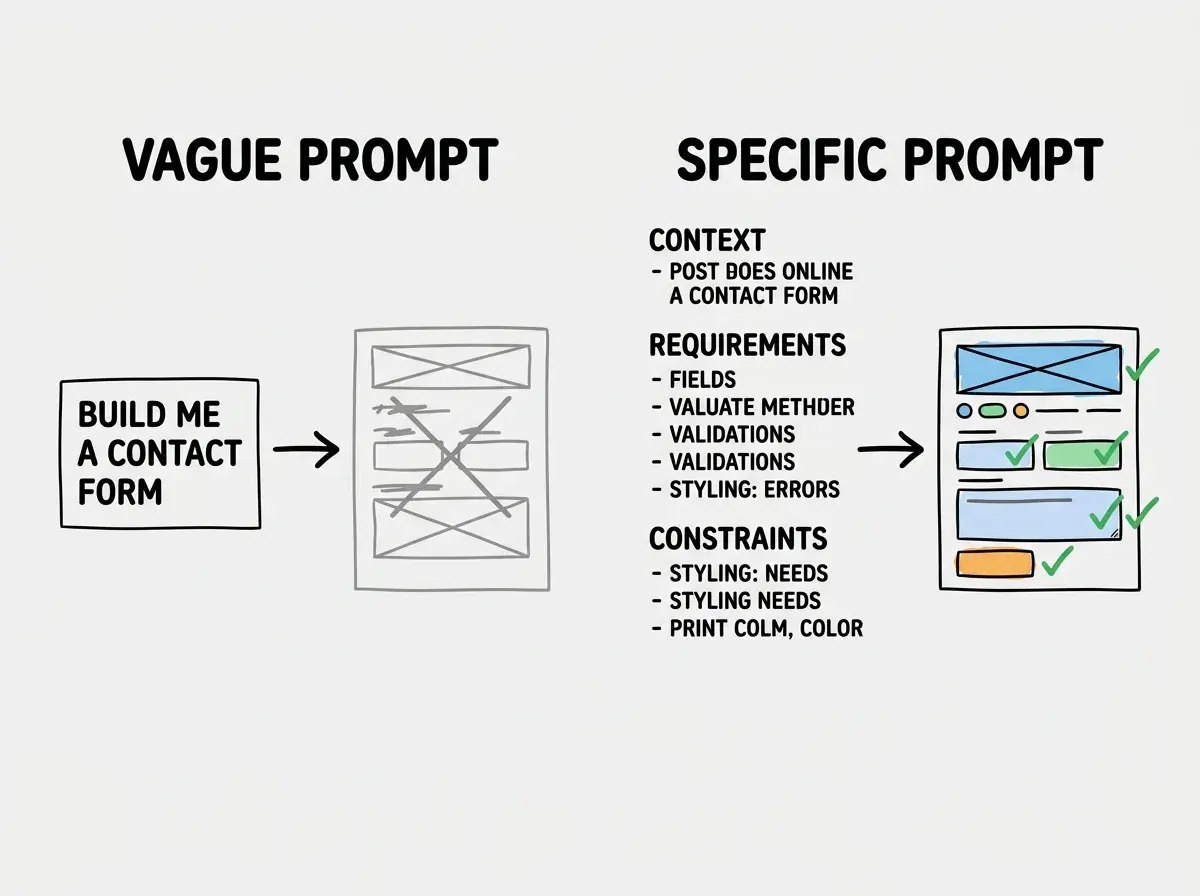
The vague version: "Create a contact form for my website."
What you get back is a basic HTML form with name, email, and message fields. No validation, no error handling, no loading states. It works in the most literal sense, but you would never ship it.
Now here is the same request with STRUCTURE elements applied: "I am building a Next.js 14 marketing site for a B2B SaaS company. Create a contact form component using React Hook Form and Zod for validation. The form needs fields for name, work email, company name, and message. Style it with Tailwind CSS using our existing design system (rounded corners, blue primary color #2563EB, gray-50 backgrounds). Show inline validation errors below each field. Include a loading spinner on the submit button during form submission. The form should post to /api/contact and handle both success and error responses with appropriate toast notifications."
The second prompt gives the AI enough information to produce something you can actually use. Every requirement that was implicit in the first prompt (validation, styling, error handling, API integration) is now explicit. The AI does not have to guess, so it does not guess wrong.
Iterative Prompting and When to Restart
Not every prompt needs to be perfect on the first try. Iterative prompting means starting with a reasonable prompt, evaluating the output, and refining deliberately. The first prompt sets direction: "Create a React component for a pricing table with three tiers: Starter, Pro, and Enterprise." Then you add specifics: "Add a toggle for monthly and annual pricing with a 20% discount." Then "make the Pro tier visually highlighted as recommended." Each iteration adds one clear requirement.
This works well when requirements emerge as you see the output. It does not work when you have clear requirements upfront and just fail to communicate them. If you know what you want, put it in the first prompt.
There is a critical decision point most people get wrong. When you are three or four iterations deep and the code has accumulated workarounds and conflicting patterns, it is often faster to restart with one comprehensive prompt than to keep patching. The signal is when your prompts start with "actually, go back and" or "undo the last change." That is AI spaghetti code. Start fresh.
Continuing to iterate on a broken foundation instead of restarting with a better prompt. After three failed iterations, your code has accumulated conflicting patterns and workarounds. A single well-written prompt from scratch will produce cleaner results faster than trying to fix accumulated problems.
The Prompt Complexity Ladder
Not every task needs the same level of prompt sophistication. Here is a practical guide for matching your prompt effort to the task complexity.
Simple tasks like generating a utility function, writing a type definition, or creating a basic component need only Task and Understanding. "Write a TypeScript function that formats a number as USD currency, returning a string like $1,234.56." That is sufficient.
Medium tasks like building a form, creating an API endpoint, or implementing a feature add Requirements, Constraints, and sometimes Examples. These tasks have enough dimensions that the AI needs explicit guidance on the important ones.
Complex tasks like architecting a multi-file feature, building an authentication flow, or creating a data pipeline need the full STRUCTURE treatment. The more files, integrations, and edge cases involved, the more each element of context pays off. For these tasks, spending five minutes writing a thorough prompt saves thirty minutes of iteration.
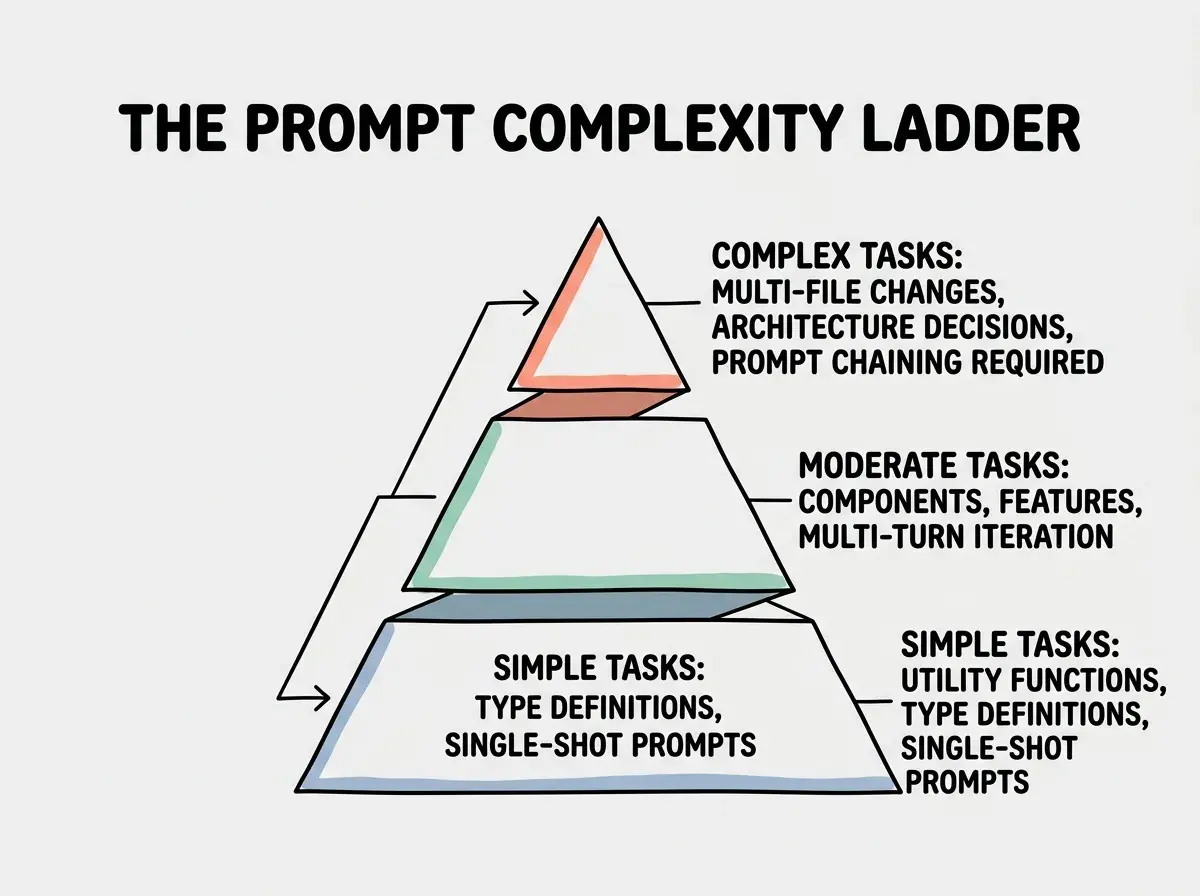
The key insight is that prompt engineering is not about always writing long prompts. It is about knowing when a short prompt is sufficient and when extra detail pays for itself.
Multi-File Prompting Strategy
Real applications span multiple files. When you need changes across several files, describe the feature holistically first, then specify each file.
"I need to add a user favorites feature. This involves: (1) a new Favorite model in the Prisma schema with userId and itemId fields, (2) an API route at /api/favorites that handles GET, POST, and DELETE, (3) a useFavorites React hook that manages the client state, and (4) a FavoriteButton component that toggles the favorite state with an optimistic update."
This works because the AI sees the complete picture before generating individual pieces. It can ensure the Prisma model matches what the API expects, the hook matches the response shape, and the component uses the hook correctly. File-by-file prompting without the holistic view is where integration bugs appear.
Start with the fundamentals that every vibe coder needs to know.
Explore moreDig deeper
A few hand-picked sources if you want to go further.
What This Means For You
Prompt engineering is a skill you develop through practice. The gap between a good prompt and a bad one is the difference between shipping features in minutes and debugging for hours.
- If you are a founder building with AI: Your ability to describe what you want clearly is now a direct technical advantage. Every minute spent on better prompts saves ten minutes fighting unclear output. Start with the STRUCTURE framework on your next feature, even if you only use three or four elements.
- If you are a career changer learning to code: Prompt engineering is your fast track. You do not need years of coding experience to write excellent prompts. You need clear thinking and the willingness to be specific about requirements. Those are skills you already have from your previous career.
- If you are a student: You have an enormous advantage because you are learning to code and learning to prompt at the same time. These skills will develop together naturally. Practice both, and pay attention to the relationship between understanding code and writing better prompts.
See the frameworks and patterns that top vibe coders use every day.
Keep learning