A performance budget is a written limit on how slow, heavy, or large your app is allowed to be. Setting one before features start piling up is the difference between an app that stays fast as it grows and one that quietly degrades to a 5-second load time over six months. For vibe coded apps the budget is essential because AI tools have no idea what your app currently weighs, they just generate the next feature without checking the cost. Without a budget, every feature adds 50KB to the bundle until the app becomes unusable on slow networks.
This guide covers the four limits that matter most, how to enforce them in CI, what to cut when you exceed them, and why every vibe coded app should set the budget before the first user complains.
Why Performance Decays Without a Budget
The slow drift of a web app's performance is one of the most consistent patterns in software. Each individual change is small, a 30KB library here, an extra 200ms render time there, a few new images on the homepage. None of those individual changes look like the cause. The cumulative effect is dramatic, an app that loaded in 800ms in week one loads in 4500ms in week thirty.
The reason humans miss this drift is that we adapt to gradual change. Each week the app is only a tiny bit slower than last week, so nothing feels broken. New users encountering the app for the first time see the cumulative result and bounce. By the time someone runs Lighthouse and notices the score dropped from 95 to 42, the regression is twenty features deep.
A 2024 Google web performance study found that 53% of mobile users abandon a page that takes longer than 3 seconds to load, and that conversion rates drop by approximately 4.4% for every additional 100 milliseconds of load time. Most vibe coded apps cross the 3 second threshold within their first 6 months, almost always due to silent regression.
The pattern to copy is a financial budget. Households do not run out of money because of a single expensive purchase, they run out because of dozens of small ones nobody tracked. A budget is not about restricting spending, it is about making the cumulative cost visible. A performance budget does the same for page weight, render time, and bundle size.
The Four Budget Limits
Almost every meaningful performance problem can be caught by tracking four specific metrics. Set a hard limit on each, monitor them on every deploy, and the cumulative drift becomes visible.
Limit 1, total page weight. The total bytes downloaded to render the homepage. Set this to 1 MB for most consumer apps, 2 MB for heavier B2B SaaS. Below the limit, performance is fine on most connections. Above it, mobile users on slow networks see noticeable delays.
Limit 2, JavaScript bundle size. The compressed JavaScript loaded on the initial page. Set this to 200 KB compressed for most apps. JavaScript is the most expensive resource type because it has to be parsed and executed, not just downloaded.
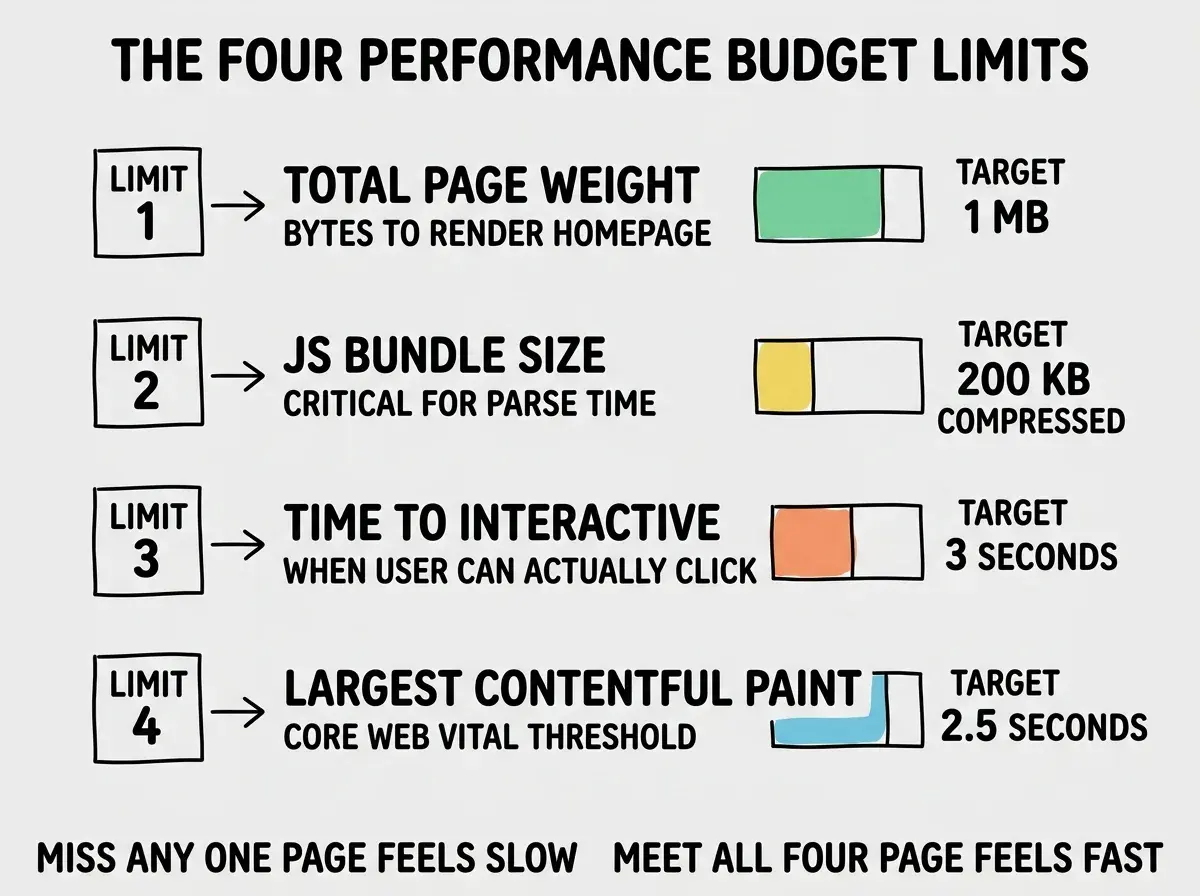
Limit 3, Time to Interactive (TTI). The moment when the user can actually click and have the page respond. Set this to 3 seconds on simulated mobile hardware. TTI is what users actually feel, faster than 3 seconds feels snappy, slower than 5 seconds feels broken.
Limit 4, Largest Contentful Paint (LCP). The time until the largest visible element on the page is painted. This is one of Google's Core Web Vitals and feeds directly into search rankings. Set the budget at 2.5 seconds, which is the threshold for "good" in the Core Web Vitals scoring.
Enforcing the Budget in CI
A budget that is not enforced is a wish. The honest way to make a budget real is to fail your CI pipeline when any limit is exceeded. The pattern is straightforward, run Lighthouse CI on every pull request, compare the metrics to the budget, and block the merge if any metric exceeds its limit.
# .github/workflows/perf.yml
- uses: treosh/lighthouse-ci-action@v11
  with:
    urls: |
      https://staging.example.com/
    budgetPath: ./performance-budget.json
    uploadArtifacts: true
The performance-budget.json file specifies the limits, Lighthouse CI reports which ones were exceeded, and your CI configuration decides whether to block the merge. The first few failures feel inconvenient. The cumulative effect over a year is an app that stays fast through every feature added.
Read more performance and quality guides for vibe coded apps
Browse the ship categoryThe other piece is monitoring production performance, not just CI runs. Real users hit your app on real networks, and the production numbers can differ from CI. Tools like Sentry, SpeedCurve, or Web Vitals reporting catch real-user regressions that synthetic tests miss.
What to Cut When You Exceed Budget
The budget is most valuable when it forces a decision. When you exceed a limit, you have three options, optimize the new code, defer it until you cut something else, or relax the budget. The order matters, optimization first, deferral second, relaxing the budget last.
The most common cuts are the cheapest. Replace a heavy library with a lighter alternative (date-fns instead of moment.js saves 60KB). Defer non-critical scripts (analytics, marketing pixels) until after page load. Lazy-load heavy components that are below the fold. These three cuts cover 70% of bundle size budget exceedances.
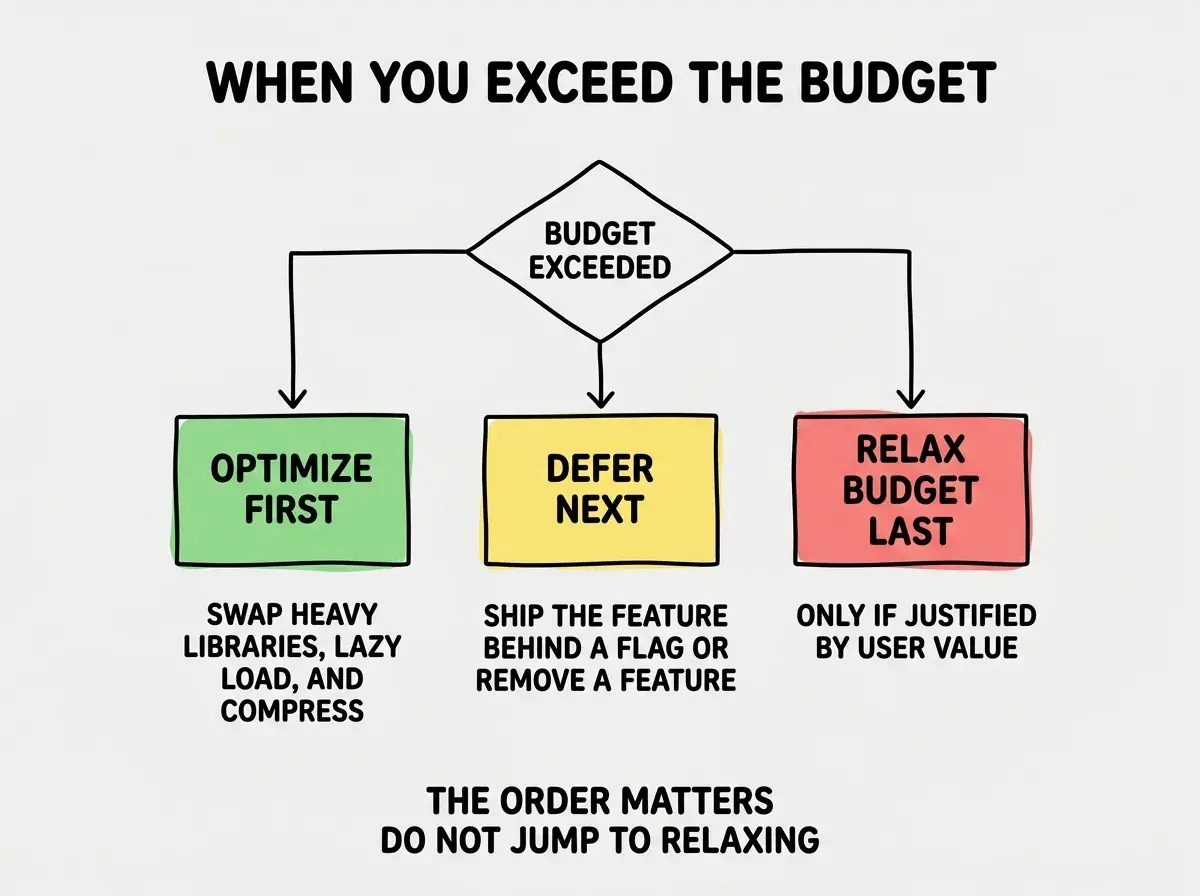
The most expensive performance budget mistake is silently raising the limits when something exceeds them. The whole point of a budget is to force the conversation about whether the new feature is worth the performance cost. Raising the limit without that conversation defeats the discipline and the budget becomes a wish.
The corollary is that the budget itself is a feature. Every quarter, look at the budget and ask, "is this still the right number for our users." Sometimes the answer is yes, sometimes new evidence suggests tightening it. The conversation is the point.
The other piece worth automating is the trend report. Lighthouse CI can post a comment on every pull request showing the four numbers and how they compare to the previous deploy. Reviewers see at a glance whether the change is making the app faster or slower, and the discussion happens before the merge instead of weeks later when someone notices a regression. The cost is one configuration file, the savings is every future regression caught at review time.
What This Means For You
Performance budgets are the cheapest way to keep a vibe coded app fast as it grows. Setting them takes an hour, enforcing them in CI takes another hour, and the savings is every future moment when a regression would have shipped silently.
- If you're a founder: Set the four budgets above today. Even if you have no enforcement yet, just knowing the numbers turns "the app feels slow" into a measurable problem you can fix.
- If you're changing careers: Performance budgeting is one of the highest-leverage operational skills to develop early. Most junior engineers have never set one, and the discipline is what distinguishes "ships features" from "ships features that work."
- If you're a student: Run Lighthouse on any class project, write down the four numbers, and try to keep them through your next three feature additions. The exercise teaches more than any course chapter, because the numbers force concrete tradeoffs instead of abstract advice.
Browse more performance and quality guides
Read more ship guides