Cumulative code rot is the slow process by which a codebase that worked perfectly in week one starts producing increasingly weird bugs by month six, even when nobody intentionally broke anything. For AI-built projects the rot is faster and more predictable than for human-written code, because each AI session leaves slightly different footprints than the previous session. The result is a codebase that looks like it was written by twelve different developers, because functionally it was.
This piece explains why the rot is structural rather than incidental, the four specific patterns that drive it in vibe coded projects, and the small weekly habits that prevent the worst outcomes.
Why Code Rots Even When You Do Not Touch It
The non-intuitive fact about code rot is that the code itself is not changing, but the world around the code is. Dependencies update. Browsers ship new APIs. Third-party services deprecate endpoints. Operating systems change defaults. Every external thing your code depends on is moving, and every quarter that passes shifts your code further from the environment it was tested in.
For traditional codebases this happens slowly, because senior engineers tend to use the most boring, longest-supported APIs and avoid trendy dependencies. AI-built code does the opposite. The AI suggests whatever was popular in its training data, often a dependency that was hot 18 months ago and is now in the early stages of deprecation. The rot starts before the code ships.
A 2024 GitHub analysis of 50,000 AI-generated public repositories found that the median project had 7 deprecated package versions in its dependency tree within 12 months of creation, compared to 2 for hand-written projects of similar size. The gap was driven primarily by AI tools recommending packages from training data without checking current status.
The pattern to copy is a cared-for old house. Houses do not stand for a hundred years because nothing happens to them, they stand because someone sands the doors when humidity warps them, replaces washers when they corrode, and repaints the trim before water damage spreads. The maintenance is constant and unglamorous. The alternative is a house that looks fine for a decade and then collapses in a single bad winter.
The Four Patterns That Drive Rot
Code rot is not a single problem, it is a cluster of four related processes that compound in vibe coded projects. Recognizing each one is what makes the response specific instead of vague.
Pattern 1, dependency drift. The packages your code imports are released on schedules you do not control. Major versions break compatibility, deprecation warnings turn into errors, security fixes require version bumps. Without a quarterly dependency update habit, the gap between your code and the current dependency state grows monotonically.
Pattern 2, API drift. Third-party services change their APIs without asking. Stripe deprecates an endpoint, Google changes a response format, Twitter gets renamed and breaks a social login. AI-built code rarely uses defensive parsing patterns, so a small API change becomes a hard error in production.
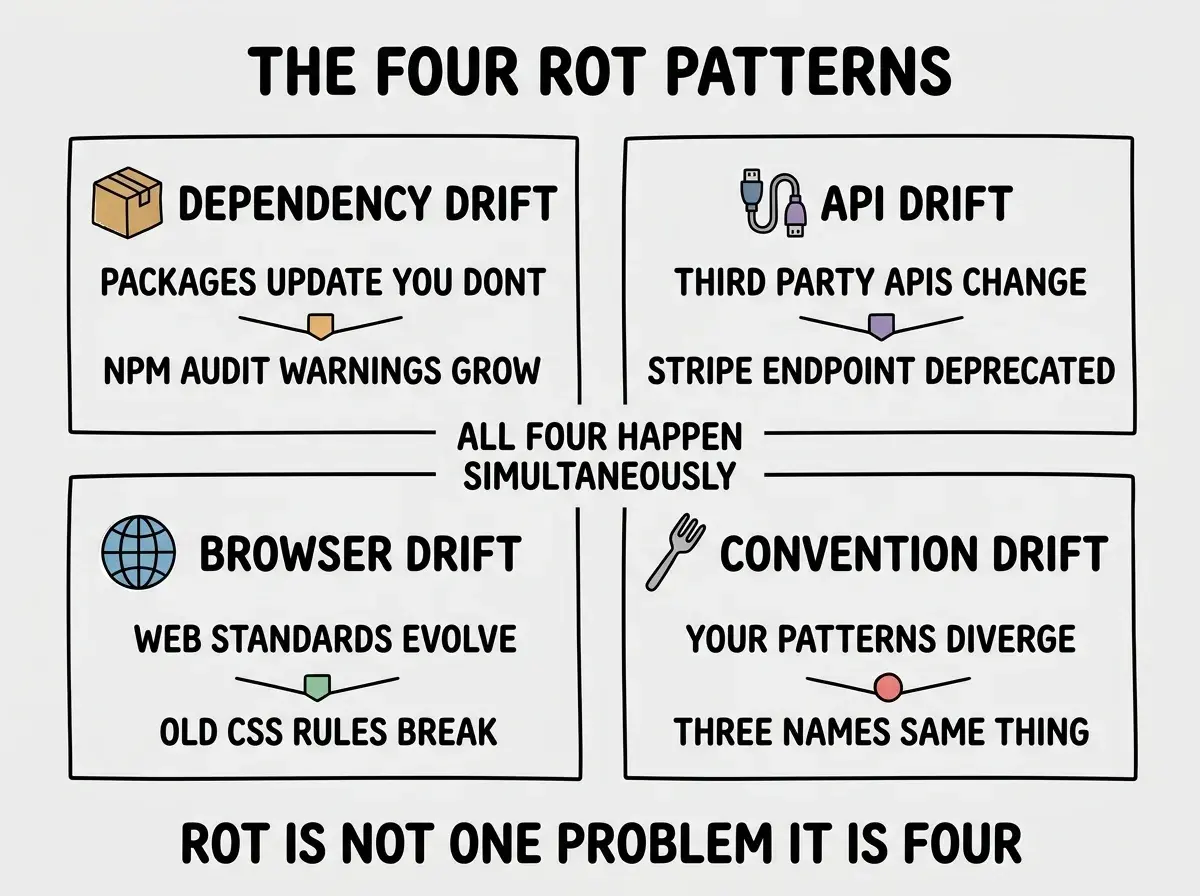
Pattern 3, browser drift. Web standards evolve. CSS rules that worked in 2024 sometimes do not work in 2026. Modern browsers ship new defaults that interact subtly with old code. AI-generated frontend code often uses patterns from a snapshot in time, and the browser keeps moving.
Pattern 4, convention drift. Your own code conventions change as you learn. The naming, file structure, and architectural decisions from week one are usually different from week thirty. Without explicit refactoring, a codebase accumulates layers of conventions like geological strata, each layer reflecting your understanding at the time.
The Habits That Slow It Down
The honest news is that you cannot stop code rot, you can only slow it. The good news is that slowing it is cheap if you do small work weekly rather than heroic work quarterly. Three habits cover most of the value.
Habit 1, weekly dependency review. Spend 15 minutes every Monday running npm outdated (or your tool's equivalent), reading the changelogs for major bumps, and updating anything safe. Quarterly batches of updates are painful, weekly batches are forgettable.
Read more long-term thinking guides for vibe coded projects
Browse foundations articlesHabit 2, integration test for every external dependency. Write one small test that exercises each third-party API end-to-end. Run them weekly in CI. The test catches API drift before production does, and the cost is tiny per dependency.
Habit 3, periodic naming consolidation. Once a month, search for three near-synonym names that mean the same thing in your codebase. Pick one as canonical, refactor the others, and add the canonical name to your glossary or CLAUDE.md so the AI uses it going forward.
What Healthy Long-Lived Projects Look Like
The clearest signal that a project is fighting rot well is that the codebase from month twelve looks like it was written by the same developer as month one, because the conventions have been actively maintained. The clearest signal that rot has won is the opposite, every file looks like a different era.
Healthy projects also have a paper trail. There is an ADR/ folder of architecture decisions, or a CHANGELOG that explains why each major change happened. The trail makes future changes cheaper because the next decision can build on the previous one rather than relitigate it.
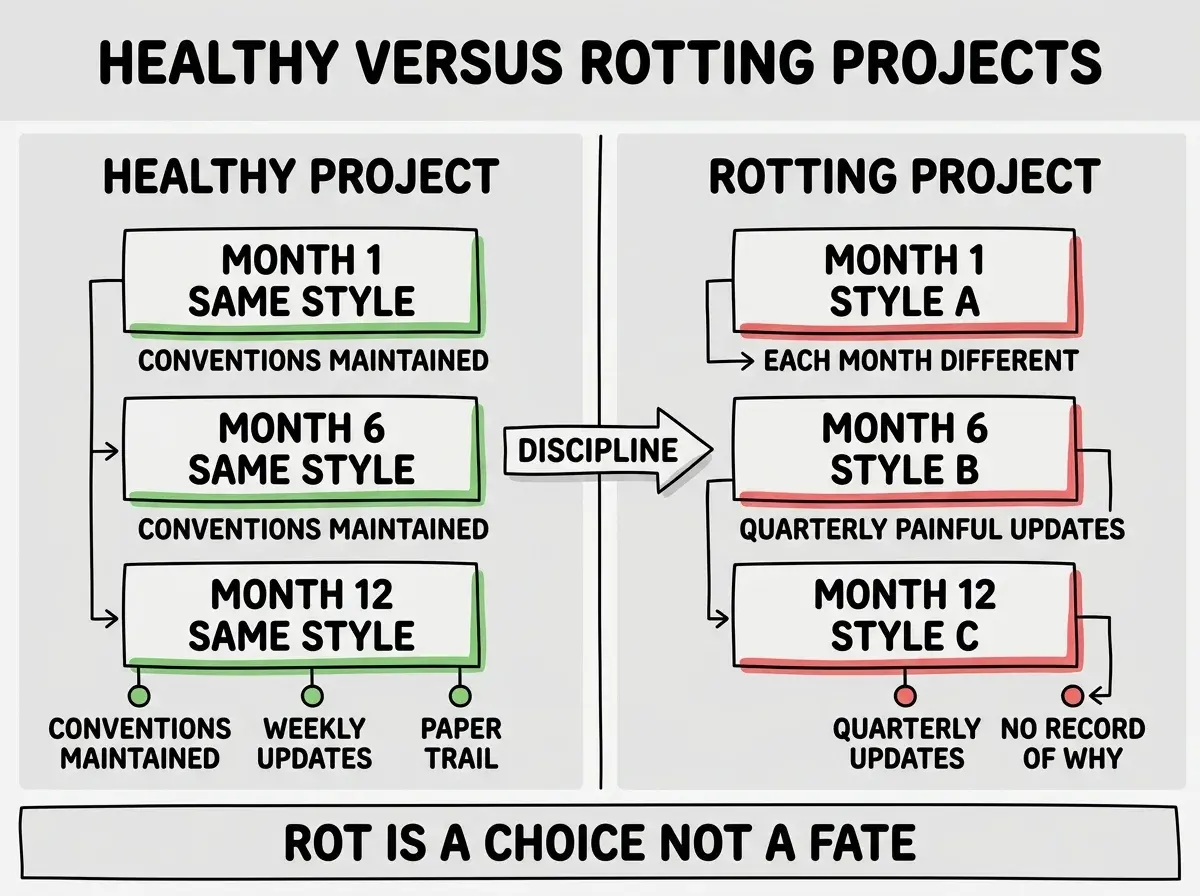
The contrast is what makes rot recognizable. A reader who picks up your codebase in month twelve should be able to understand the patterns by reading any single file. If they need to read three files in different styles to understand one feature, the rot has set in.
The most expensive code rot mistake is treating dependency updates as optional until something breaks. By the time something breaks, the gap is usually months or years wide, and the update path requires breaking changes you cannot avoid. Small steady updates are cheap. Big infrequent updates are not.
The corollary is that "if it ain't broke, don't fix it" is bad advice for live software. Software that is not actively maintained is decaying, even if the symptoms are not yet visible. The choice is between cheap continuous maintenance and expensive periodic crisis.
The third axis worth tracking is observability rot. Logs that were comprehensive in week one stop covering new features by month six because nobody added log lines for the new code paths. Dashboards that were accurate become misleading because the metrics they track are no longer the metrics that matter. The fix is the same as for other rot patterns, small weekly updates rather than rare large overhauls.
What This Means For You
Code rot is structural, predictable, and partially preventable. The investment is small if you do it weekly and large if you do it quarterly. Either way, you pay something. The question is which form you prefer.
- If you're a founder: Schedule one hour every Monday for maintenance work. The discipline pays off the first time you avoid a quarterly crisis migration.
- If you're changing careers: Practicing maintenance on your own projects is excellent preparation for the kind of operational thinking senior roles require. Most junior developers under-invest here.
- If you're a student: Take any year-old class project and run dependency updates on it. Watch what breaks. The exercise teaches more about real software than any textbook lesson.
Browse more mental models for sustainable vibe coding
Read more foundations