CDN bandwidth costs are the line item that surprises most vibe coders after their first traffic spike. Bandwidth is the hidden cost that scales linearly with traffic. With 92% of US developers using AI tools daily, apps ship faster than ever, but nobody budgets for what happens when those apps get used.
Here is how data transfer pricing works, what each platform charges, and how to keep those costs near zero.
What Bandwidth and Egress Actually Mean
Every time a user loads your app, data moves from a server to their browser. That data movement is bandwidth. The industry term for outbound data is "egress," and it is the direction you pay for. Inbound data (uploads, form submissions) is almost always free. Outbound data (HTML, CSS, JavaScript, images, API responses) is where the meter runs.
A typical page load transfers 2 to 5 MB. Image-heavy pages can hit 10 MB or more. Multiply that by thousands of visitors and the numbers add up fast.
A CDN (Content Delivery Network) sits between your origin server and your users. It caches content at edge locations around the world so users get served from the nearest node instead of hitting your origin every time. This reduces latency and reduces origin egress. But the CDN itself also transfers data to users, and some CDN providers charge for that transfer.
Platform Pricing Compared
Here is what the major platforms charge for bandwidth as of early 2026. These numbers matter because the difference between providers can be hundreds of dollars per month at moderate traffic levels.
| Platform | Free Bandwidth | Overage Cost | Notes |
|---|---|---|---|
| Vercel | 100 GB/month | $40 per 100 GB | Pro plan ($20/month) includes 1 TB |
| Netlify | 100 GB/month | $55 per 100 GB | Pro plan ($19/month) includes 1 TB |
| Cloudflare Pages | Unlimited | $0 | No bandwidth charges on any plan |
| AWS CloudFront | 1 TB/month (first year) | $0.085/GB after | Pricing varies by region |
| AWS S3 (direct) | None | $0.09/GB | No free bandwidth tier |
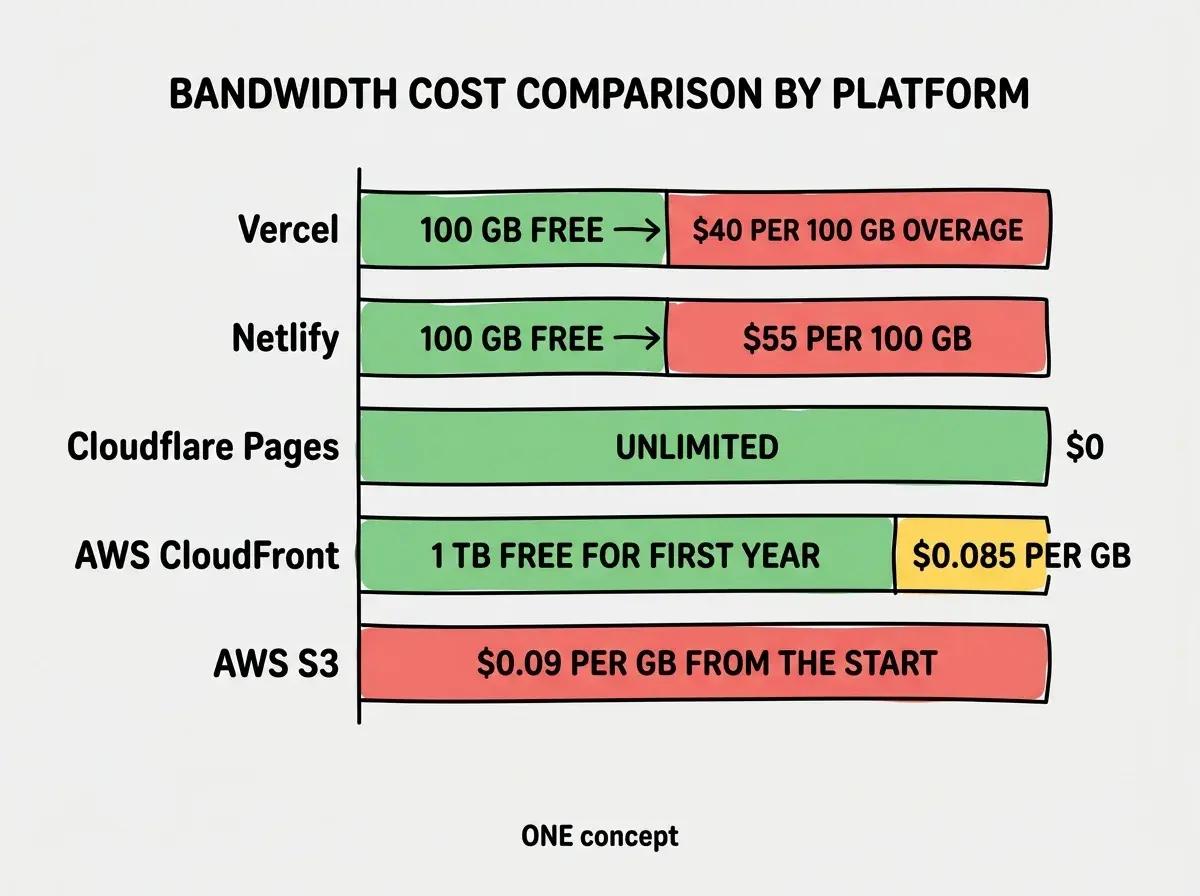
The numbers tell a clear story. Cloudflare Pages is the only major platform that charges zero for bandwidth on every plan, including the free tier. Vercel and Netlify both offer reasonable free tiers at 100 GB, but overage costs can escalate quickly. AWS charges for every byte transferred from S3 or CloudFront once you exceed the free tier.
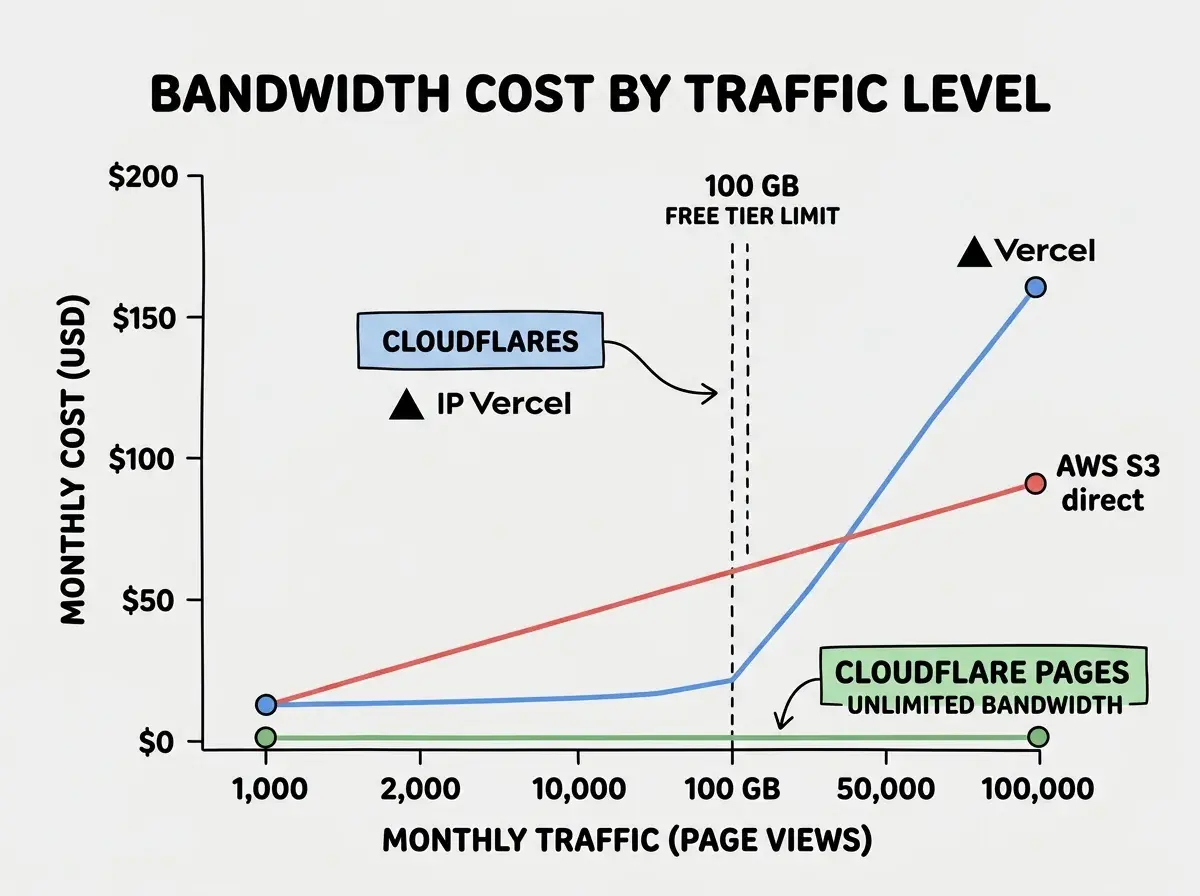
To put this in real terms, a site that serves 500 GB of bandwidth per month costs $0 on Cloudflare, $160 on Vercel's free plan (100 GB free plus $40 per extra 100 GB for the remaining 400 GB), and $45 on AWS CloudFront after the first-year free tier expires.
Where Your Bandwidth Actually Goes
Before optimizing, you need to know what is consuming your bandwidth. The answer is almost always images.
A typical breakdown for a content-heavy app looks like this. Images account for 60 to 80 percent of total page weight. JavaScript bundles account for 10 to 20 percent. CSS, fonts, and HTML make up the remaining 5 to 15 percent.
This means image optimization is not a nice-to-have. It is the single most effective way to reduce bandwidth costs. A 500 KB hero image served to 10,000 visitors consumes 5 GB of bandwidth. Convert that image to WebP at reasonable quality and it drops to 150 KB, consuming 1.5 GB instead. That is a 70% reduction from one change.
Convert all images to WebP format, resize them to the maximum display size (not the original camera resolution), and use responsive srcset attributes so mobile users download smaller versions. This single practice can cut your bandwidth bill by 60 to 70 percent.
Caching Strategies That Cut Egress to Near Zero
CDN caching is the most powerful tool for reducing bandwidth costs. When a CDN caches your content, repeat visitors get served from the edge cache instead of your origin server. Your origin generates egress once, and the CDN serves it to thousands of users.
Set long cache headers for static assets. JavaScript bundles, CSS files, fonts, and images should have Cache-Control: public, max-age=31536000, immutable headers. These assets have hashed filenames, so a one-year cache duration is safe.
Use shorter cache times for HTML. HTML pages should use Cache-Control: public, s-maxage=3600, stale-while-revalidate=86400. This caches the page for one hour and serves stale content while revalidating in the background.
Enable stale-while-revalidate. This lets CDNs serve cached content immediately while fetching a fresh copy in the background. Users get fast responses and your origin handles far fewer requests.
A well-cached site can achieve a 95% or higher cache hit rate. That means only 5% of requests actually reach your origin server. On Vercel or AWS, where you pay for origin egress, this directly translates to a 95% reduction in bandwidth costs.
Cloudflare as a Free CDN in Front of Any Origin
Here is the strategy that experienced developers use to eliminate bandwidth costs entirely. You can put Cloudflare's free CDN in front of any origin, including Vercel, Netlify, or AWS.
The setup is straightforward. Point your domain's DNS to Cloudflare (free plan). Configure your origin as the backend. Cloudflare caches content at 300+ edge locations and serves it with zero bandwidth charges. Your origin still generates some egress for cache misses, but with proper cache headers, those misses are infrequent.
This works because Cloudflare monetizes security and enterprise features, not bandwidth. Their free tier includes unlimited bandwidth, DDoS protection, and CDN caching.
One caveat. Cloudflare's free plan caches static assets by default but does not cache HTML pages unless you configure Page Rules or Cache Rules. You need to explicitly tell Cloudflare to cache your HTML responses, or you will still see origin egress for every page view.
If your monthly bandwidth on Vercel or Netlify is approaching 80 GB (80% of the free tier), add Cloudflare as your CDN layer before you hit overage charges. The setup takes about 30 minutes and can save you hundreds of dollars per month as traffic grows.
When Bandwidth Becomes a Real Cost
For most vibe-coded apps in the early stages, bandwidth is not a meaningful expense. If your site serves fewer than 10,000 page views per month with optimized images, you will use roughly 5 to 15 GB of bandwidth. That fits comfortably within every platform's free tier.
Bandwidth becomes a real concern at three specific inflection points.
Image-heavy applications. Portfolio sites, e-commerce stores, and content platforms with lots of photography can blow through 100 GB of bandwidth with relatively modest traffic. A site with 50 high-resolution product images per page and 1,000 daily visitors can consume 100 GB in a week.
API-heavy applications. If your app serves large JSON payloads or streams data to clients, API responses can generate significant egress. A real-time dashboard that pushes 50 KB of data to each connected client every second adds up fast.
Viral traffic spikes. A Hacker News front page appearance or a popular social media mention can send 50,000 to 100,000 visitors in a single day. If your site transfers 3 MB per visit, that is 150 to 300 GB of bandwidth in 24 hours. On Vercel's free plan, that single day could cost $40 to $80 in overages.
The Bandwidth Optimization Checklist
Here are the specific steps to keep your bandwidth costs near zero, ranked by impact.
Convert all images to WebP. This is the single highest-impact change. Modern browsers all support WebP, and the format is 25 to 35 percent smaller than JPEG at equivalent quality.
Implement responsive images. Use srcset and sizes attributes so mobile users download images sized for their screens, not desktop-resolution files. A phone does not need a 2000px wide hero image.
Enable compression. Make sure your server or CDN sends Brotli or gzip compressed responses. Most platforms do this by default, but verify it. Compression reduces text-based asset sizes by 70 to 90 percent.
Set aggressive cache headers. Static assets get one-year immutable caching. HTML gets shorter caching with stale-while-revalidate. API responses get appropriate caching based on freshness requirements.
Lazy load below-the-fold images. Images that are not visible on initial page load should use loading="lazy" so they only download when the user scrolls to them. This reduces bandwidth for users who bounce early.
Consider Cloudflare as your CDN layer. If you are on Vercel or Netlify and approaching bandwidth limits, adding Cloudflare in front costs nothing and eliminates bandwidth charges.
Bandwidth is just one piece of the puzzle. See the full cost breakdown for running a vibe-coded app.
Read the full cost guideWhat This Means For You
Bandwidth is a predictable cost with a clear optimization path. Unlike AI API costs that scale with feature usage, bandwidth scales with traffic volume, and traffic is exactly the kind of problem you want to have.
- If you are an indie hacker on a budget, deploy on Cloudflare Pages and stop thinking about bandwidth entirely. Zero cost at any traffic level. If you prefer Vercel or Netlify, optimize your images aggressively and add Cloudflare as a CDN layer before you hit the 100 GB free tier.
- If you are a senior dev evaluating architecture, factor bandwidth into your platform decision from day one. The difference between $0 per month (Cloudflare) and $160 per month (Vercel overages at 500 GB) is not trivial for a bootstrapped product. Choose your hosting provider with bandwidth pricing in mind, not just developer experience.
The builders who never get surprised by bandwidth bills are the ones who optimize images, set cache headers correctly, and pick a platform where data transfer pricing aligns with their growth plans. Start with the free tier, monitor your usage monthly, and add Cloudflare when the numbers tell you to.
Make bandwidth-aware decisions before your first deploy, not after your first bill.
See all guides