Auto scaling configuration is the practice of telling your hosting platform when to add and remove servers in response to traffic. Done well, it lets a vibe coded app handle a viral spike without manual intervention and without paying for empty capacity. Done poorly, it produces surprise bills that make founders panic-disable scaling entirely. The honest truth is that the default auto scaling settings on most platforms are calibrated for large enterprises, and they cost solo builders much more than they should.
This guide covers the four configuration levers that actually matter, the safe defaults for a small SaaS, and the patterns that prevent the runaway bill story most builders eventually hear.
Why Default Auto Scaling Is Wrong for Solo Builders
The default auto scaling configuration on AWS, Vercel, Cloudflare, and most other providers assumes you would rather pay for excess capacity than have any user see slowness. For a Fortune 500 company, that trade is correct, every degraded request is a meaningful business cost. For a solo SaaS with 200 users, the trade is upside down, you can absorb a few seconds of slowness on a viral spike much more cheaply than you can absorb a 10x bill.
The result is that founders blindly accept the defaults, then receive a bill that includes hours of capacity they did not need. The platforms have no incentive to flag this, the defaults bias toward higher revenue for them. Knowing the four levers that change the trade is what lets you reset the defaults appropriately.
A 2024 IndieHackers cost analysis of 300 solo SaaS apps found that the median app was overpaying for auto scaling capacity by 60% to 90%, and that the most common cause was leaving the default minimum instance count above 1. The fix usually took 5 minutes and saved 50 dollars per month on average.
The pattern to copy is a small restaurant scheduling staff. The owner does not staff the dinner rush at noon, and does not staff the lunch rush at 8pm. The schedule is calibrated to match expected demand, with a small buffer for surprises. Auto scaling needs the same calibration, paid capacity should match expected demand most of the time.
The Four Levers That Matter
Almost every auto scaling decision boils down to four configuration values. Knowing what each one does and what the safe default is for a small SaaS is most of the work.
Lever 1, minimum instances. This is the floor, the smallest number of servers your app will run even at 3am on a Sunday. The default on most platforms is 2 or higher, intended for high availability. For a small SaaS, the right value is usually 1 if your platform supports it, or 0 for serverless platforms. The savings is typically 30% to 50% of the auto scaling bill.
Lever 2, maximum instances. This is the ceiling, the largest number of servers your app will scale to. This is the lever that determines whether a viral spike costs 50 dollars or 5000. The default on most platforms is unlimited, which is correct for enterprise but dangerous for solo. Set this to whatever capacity you can afford to pay for if it runs at maximum for a full month, usually 5 to 20 instances for a small SaaS.
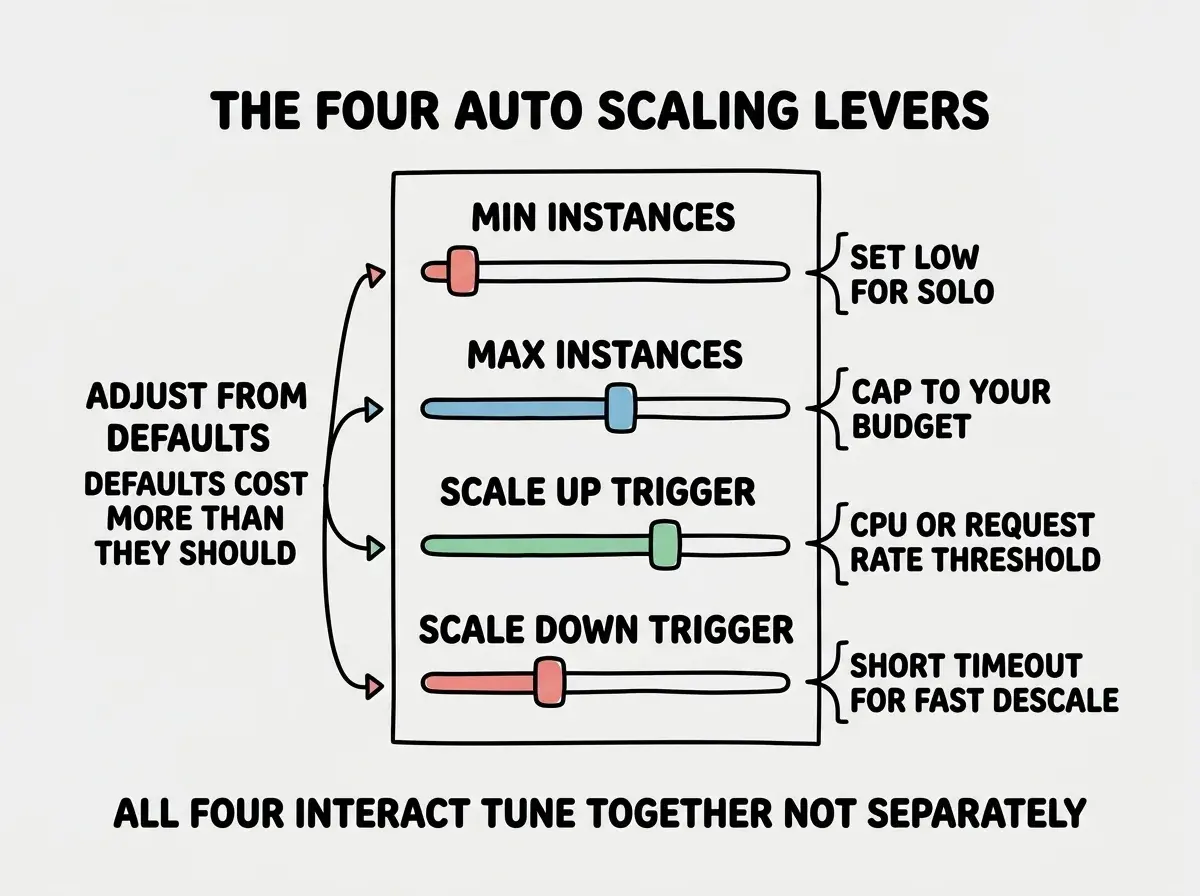
Lever 3, scale up trigger. This is the threshold that decides when to add a server. Usually it is a CPU percentage (default often 70% to 80%) or a request count per second. For a small SaaS, the default is usually fine, the danger is setting it too low (which causes premature scaling) or too high (which means user-visible slowness before scaling kicks in).
Lever 4, scale down trigger. This is the threshold that decides when to remove a server. Usually a CPU percentage on the low end, often paired with a "cooldown" period that prevents rapid scale-up-then-down cycles. The default cooldown is sometimes 10 to 30 minutes, which means you pay for unneeded capacity for that long after a spike. Tightening it to 3 to 5 minutes saves real money.
Safe Defaults for a Small SaaS
For a vibe coded app under 10,000 users, my recommended starting values are min 1 instance, max 5 to 10 instances, scale up at 70% CPU or 80% of memory, scale down at 30% CPU with a 5-minute cooldown. These values are conservative on the cost side and adequate for almost every traffic pattern a small SaaS sees.
The exception is apps with a known traffic profile, an enterprise SaaS that gets traffic only during business hours, a B2C app that spikes on weekends, a content site with known viral content. For those, scheduled scaling (scaling up automatically before the expected spike) is usually cheaper than reactive auto scaling.
Read more cost and scaling guides for solo builders
Browse the grow categoryThe other piece is alerting on cost, not just on traffic. Configure your hosting bill to alert when it crosses a threshold, usually 1.5x your average monthly cost. The alert catches runaway scaling before the month ends, which is usually a 10x or 50x cost difference compared to discovering the issue after the bill arrives.
Reading the Cost Curve
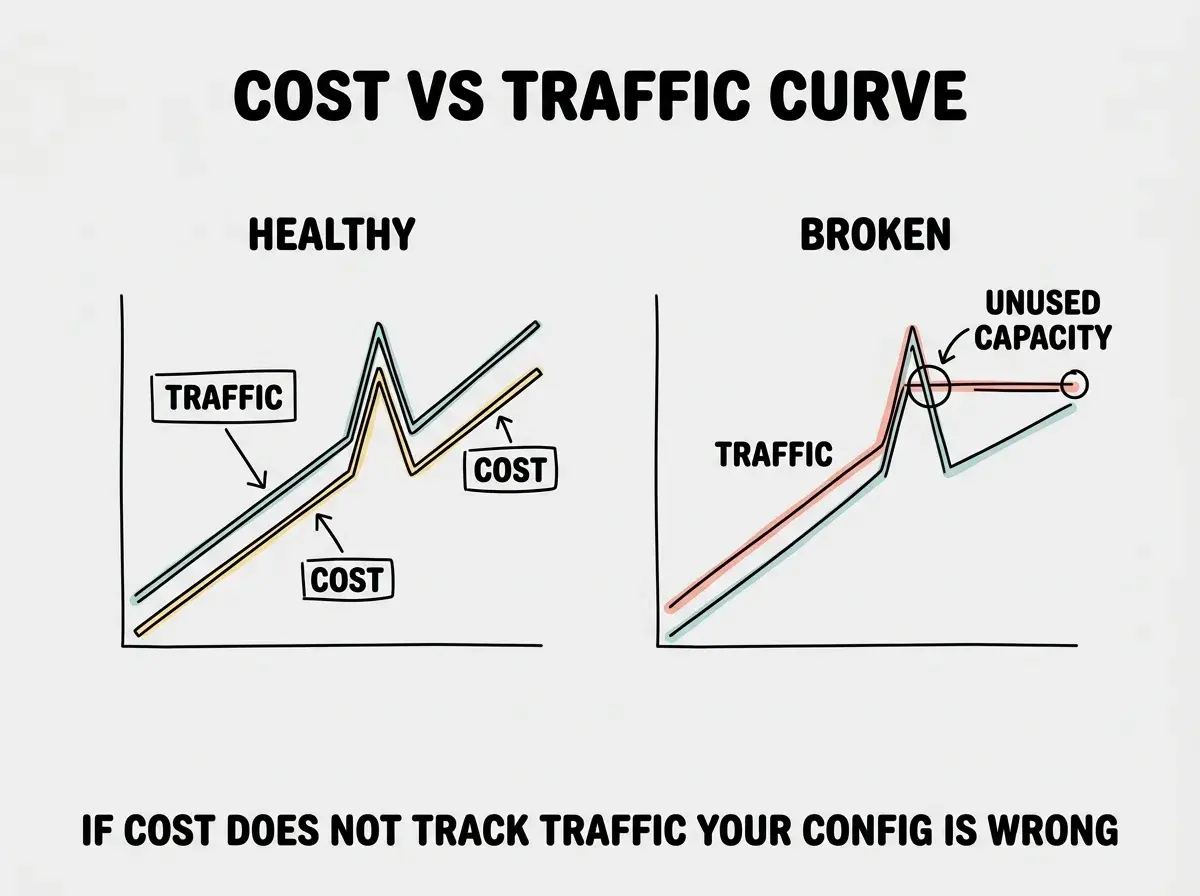
The honest way to evaluate auto scaling is to graph cost against traffic. Plot the past three months of traffic against the past three months of bill, and look at the relationship. If the curve is roughly linear (cost grows in proportion to traffic), the configuration is reasonable. If the curve has spikes that do not correspond to traffic spikes, you have configuration problems.
The most common configuration issue is the long tail, capacity that scaled up during a spike and never scaled back down because the cooldown was too long or the scale-down threshold was too high. The fix is usually to lower the scale-down threshold from 50% to 30% and shorten the cooldown.
The most damaging auto scaling mistake is leaving max instances unlimited. A bug in your code or a malicious traffic pattern can scale you to hundreds of instances in minutes, generating bills of thousands of dollars before you wake up. Set the maximum to a number you can afford to pay for the whole month, even if you never expect to hit it.
The corollary is that the cost cap is your safety net. Even if every other configuration is wrong, a sane maximum prevents the worst-case scenario where a traffic spike or a buggy retry loop produces a five-figure bill.
What This Means For You
Auto scaling is one of those topics where defaults are calibrated for someone else's situation. Five minutes of configuration adjustment can save tens to hundreds of dollars per month for a solo SaaS, with no impact on user experience.
- If you're a founder: Open your platform's auto scaling settings today and check the four levers. Most builders find at least one default that is wrong for their stage.
- If you're changing careers: Understanding cloud cost levers is one of the most underrated operational skills. Every cloud-related interview includes a cost question, and the answer is almost always one of these four levers.
- If you're a student: Spin up a tiny app on AWS or Vercel free tier, simulate traffic, and watch how the bill responds. The exercise teaches more about real cloud economics than any course chapter.
Browse more cost and operations guides
Read more grow guides