To set up Google Analytics 4 (GA4) for an AI-built app in 2026, create a GA4 property and install the gtag.js snippet, configure the four event types that matter most for AI-built apps (page_view automatically, sign_up at registration, purchase or conversion at the key moment, custom events for product-specific actions), implement consent mode for GDPR/CCPA compliance, and verify events flow correctly via the GA4 DebugView. The setup takes about an hour for a basic implementation and produces the analytics foundation most founders need before adding more advanced tools.
This piece walks through the four event types, the consent mode setup, the verification process, and the four mistakes that turn GA4 setup into bad data nobody trusts.
Why GA4 Still Matters in 2026
Despite many alternatives (PostHog, Mixpanel, Plausible), Google Analytics 4 remains the most-used analytics tool because it is free, integrates with Google Ads, and produces analytics data that other tools can compare against. For founders who want one tool that "just works," GA4 is still the default starting point.
The 2026 reality is that GA4 has matured significantly since its launch. The early friction (different paradigm from Universal Analytics, missing reports, learning curve) has largely resolved. The tool is now reasonably learnable for non-analysts and produces the data founders need.
A 2025 Builtwith analysis of 1 million SaaS websites found that 73 percent had GA4 installed, more than any other analytics tool. The dominance reflects GA4's combination of price (free), feature breadth, and integration with the broader Google ecosystem. For most AI-built apps, GA4 is the right first analytics tool; specialized alternatives can be added later for specific needs.
The pattern to copy is the way QuickBooks dominated small business accounting despite many alternatives. The combination of "good enough for most users" plus ecosystem integration produced market dominance. GA4 holds the same position in analytics: not the best at any single thing, but the best general-purpose option for most users.
The Four Event Types That Matter Most
Different events serve different analytics needs. Four types cover what AI-built apps need.
Event 1, page_view (automatic). GA4 tracks page views automatically once installed. Foundation for understanding traffic patterns and content performance.
Event 2, sign_up. Fire when a user completes registration. Marks the conversion from visitor to user. Critical for measuring marketing effectiveness.
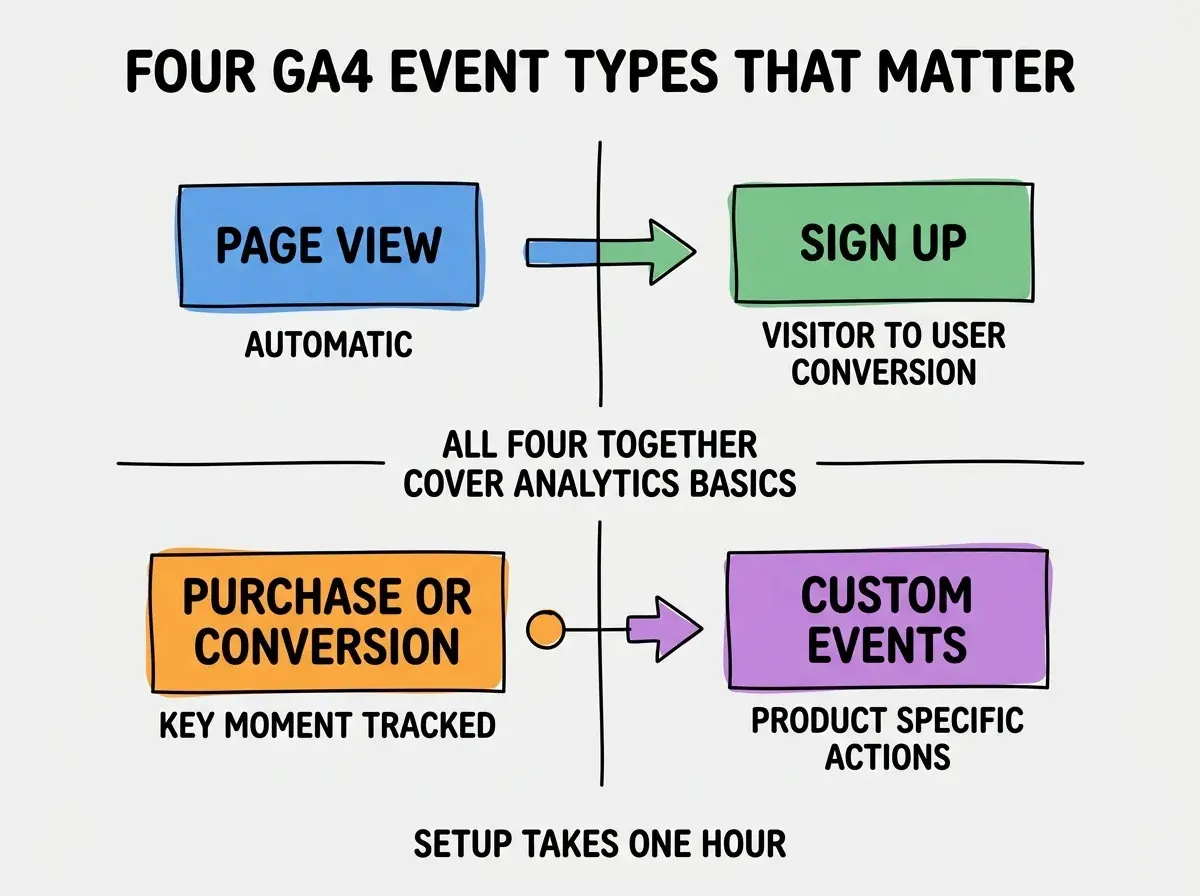
Event 3, purchase or conversion. Whatever the key moment is for your business (purchase, subscription, qualified lead). The conversion event is what marketing optimization works against.
Event 4, custom events for product-specific actions. Feature usage, milestone completion, specific user behavior that matters for your product. The events that distinguish your product from generic apps.
The Implementation in an Hour
The GA4 implementation is straightforward. Three steps cover most setups.
Step 1, create the GA4 property. In Google Analytics, create a new property for your app. Get the measurement ID (format: G-XXXXXXXXXX).
Browse more growth analytics guides
Read more grow articlesStep 2, install the gtag.js snippet. Add the standard GA4 snippet to your site's head or layout component. Next.js, Astro, and similar frameworks have first-class support.
Step 3, fire custom events at key moments. Use gtag('event', 'sign_up') and similar at the relevant code paths. Each event takes 5 minutes to add.
The Consent Mode Setup
GDPR and CCPA require user consent before tracking in some jurisdictions. Three patterns handle consent properly.
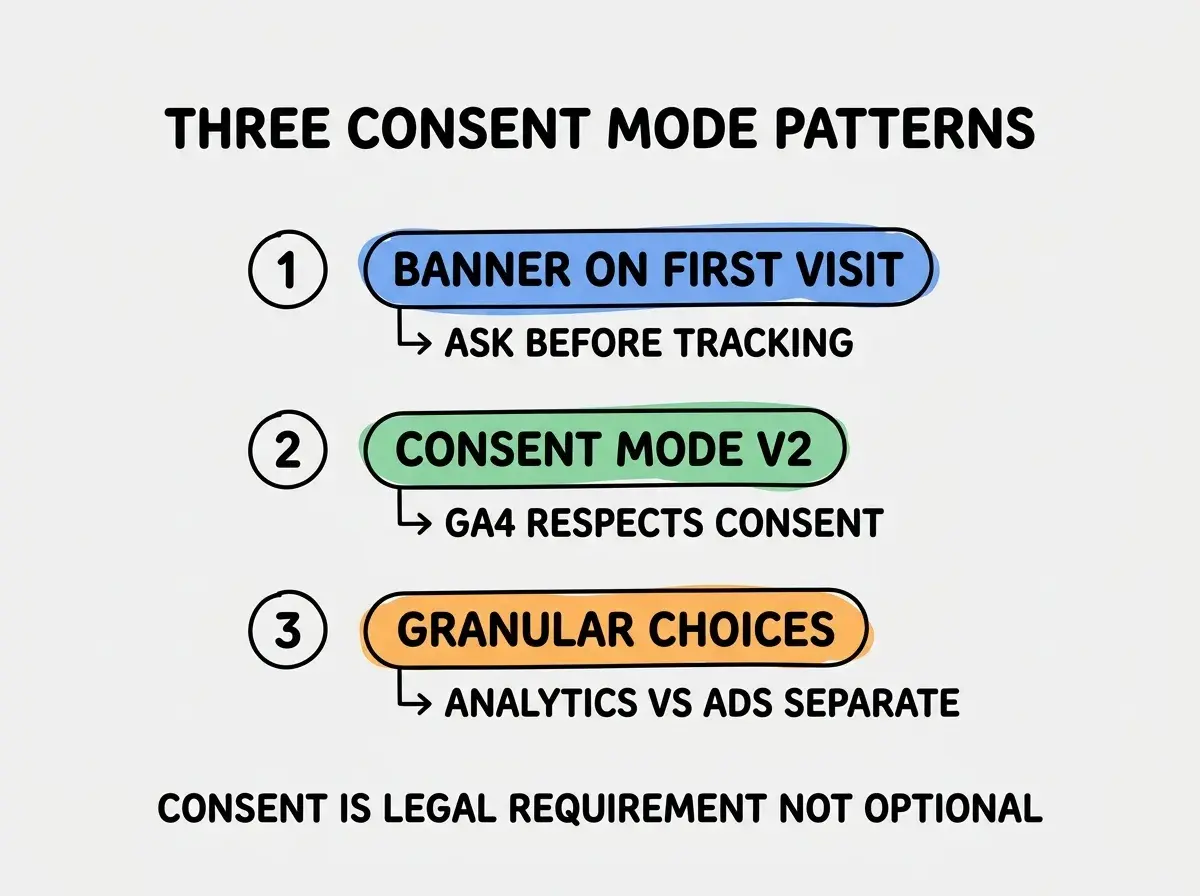
Pattern 1, banner on first visit. Show consent banner before any tracking fires. Use Cookiebot, Termly, or similar service for the banner.
Pattern 2, consent mode v2. GA4 respects consent state via consent mode. Configure it correctly so analytics work for consenting users and respect denial for others.
Pattern 3, granular choices. Let users consent to analytics separately from advertising. Many users accept analytics but reject ads tracking. Granular consent improves opt-in rates.
How GA4 Compares to Specialized Tools
Three comparison points help decide whether GA4 alone is enough or whether to add specialized tools.
Comparison 1, GA4 vs PostHog. PostHog provides product analytics (funnels, retention, session replays) that GA4 handles less well. Many teams use both: GA4 for marketing analytics, PostHog for product analytics. The combination produces complete visibility for around the same total cost as PostHog alone for small teams.
Comparison 2, GA4 vs Plausible or Fathom. Privacy-focused alternatives. Better for sites that want to avoid the GDPR consent banner entirely. Lower feature breadth but cleaner data. Right when privacy is a primary concern.
Comparison 3, GA4 vs Mixpanel or Amplitude. Enterprise product analytics. More expensive than GA4 but more powerful for product teams. Right for teams scaling beyond 100K users with serious analytics needs.
The right answer for most AI-built apps is GA4 first, add specialized tools when GA4's gaps become painful. Starting with the most powerful tool produces analysis paralysis; starting with the simplest produces faster learning.
How to Verify Events Are Flowing
Three verification methods catch setup problems before they become weeks of bad data.
Method 1, GA4 DebugView. Built-in debug mode shows events in real-time. Enable debug mode, perform actions, watch events flow. Catches most setup problems.
Method 2, GA4 Realtime Report. After events flow for a few minutes, the realtime report shows aggregated activity. Confirms events register at the property level.
Method 3, browser DevTools. Network tab shows the gtag requests being sent. Useful for debugging when events do not appear in GA4. Look for requests to google-analytics.com/g/collect with your measurement ID in the payload.
The combination produces high confidence that analytics are working before you commit to weeks of data collection. Without verification, founders sometimes discover months later that key events were misconfigured.
The most damaging GA4 setup mistake is configuring conversion events too narrowly. Founders sometimes mark "first signup" as the conversion but miss "trial start" or "purchase," which are the actually meaningful business events. The fix is to think about which events represent meaningful business outcomes, then configure all of them as conversions in GA4. Marketing optimization will optimize against whatever you mark as conversions; getting this wrong produces months of optimizing for the wrong metric.
The other mistake is over-tracking with too many custom events. GA4 has a free-tier event limit; tracking every minor action produces noisy data and can hit quotas. Start with the four event types above; add custom events when you have specific questions to answer, not preemptively.
A third mistake worth flagging is ignoring the data once it flows. Many founders set up GA4, see numbers, and never act on them. Set a recurring weekly review (15 minutes is enough at small scale) where you check three things: traffic source mix, conversion rate trends, and any unusual spikes or drops. The discipline of review is what converts data into decisions; without it, GA4 becomes an expensive screensaver that looks impressive but produces no business value.
The fourth mistake is treating GA4 reports as truth without understanding their limitations. GA4 uses sampling for large data sets, modeling for cookieless traffic, and attribution that may not match your business model. Check the methodology documentation when numbers seem off; the answer is usually about how GA4 calculates things, not about your business reality.
Dig deeper
A few hand-picked sources if you want to go further.
What This Means For You
GA4 is the right first analytics tool for most AI-built apps in 2026. The setup is fast, the cost is zero, and the data foundation enables all subsequent growth work.
- If you're a founder: Set up GA4 in your first week. The data builds over time; starting late means missing the early product-market-fit window.
- If you're changing careers into marketing or growth: GA4 fluency is increasingly expected for marketing roles. Practice with your own projects.
- If you're a student: Set up GA4 on a personal site to learn the tool. The skill transfers to nearly every marketing role.
Browse more analytics guides
Read more grow articles